Your product is live, customers are signing up, and the servers underneath it are being held together by whoever set them up eight months ago. Nobody is sure when the last patch ran, whether backups can actually be restored, or who gets paged at 2 a.m. If that sounds familiar, this server management checklist for SaaS startups gives you a practical list to audit your VPS or cloud setup, and shows where a team offering managed server management for SaaS teams can take over the repetitive parts.
The checklist below is written for early-stage teams without a dedicated sysadmin. It draws on common practice found in public hardening guides and startup CTO checklists, and it is deliberately ordered by what hurts most when it is missing: access, patching, backups, monitoring, then everything else.
Why Server Management Slips at Early-Stage SaaS Companies
In a small team, infrastructure is usually a side job for the most senior developer. Feature work wins every sprint, so the server tasks that never produce a visible release get postponed: updates, log review, restore tests, certificate renewals, access cleanup.
The result is rarely a dramatic failure on day one. It is a slow build-up of risk: an old kernel, an SSH port open to the world with password login on, a database backup job that quietly stopped working, a former contractor who still has root. Customers and enterprise buyers eventually ask about these things in security questionnaires, and it is far easier to have the answers ready than to assemble them under deadline.
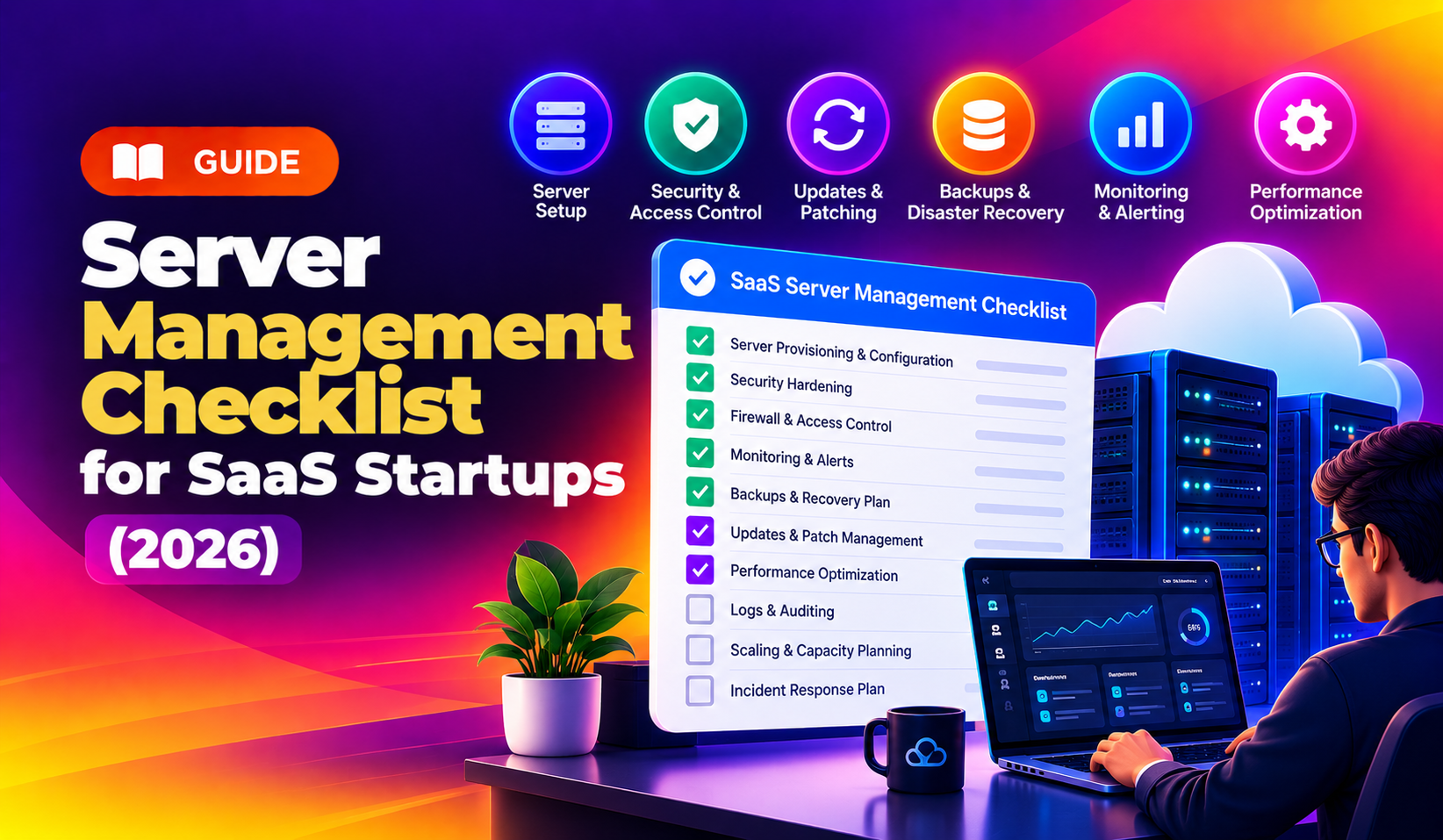
The Core Server Management Checklist (Printable Version)
Work through these items for every production server. Anything you cannot tick off today becomes a ticket.
- Inventory. List every server, its role, provider, OS version, owner and the services running on it.
- SSH keys only. Disable password authentication and direct root login. Give each engineer their own key and user account.
- Default-deny firewall. Allow only the ports the application needs. Database and cache ports should not be reachable from the public internet.
- Brute-force protection. Run a tool such as Fail2ban or an equivalent to ban repeated failed logins.
- Patching routine. Enable automatic security updates where safe, and schedule a regular window for kernel and package updates that need a reboot.
- Backups with restore tests. Automate database and file backups, store copies off the server, and test a restore on a schedule.
- Uptime and resource monitoring. Alert on downtime, CPU, memory, disk space and failed services, and send alerts to a channel someone actually watches.
- Centralised logs. Keep application, authentication and system logs somewhere that survives the loss of the server.
- Access review. Remove accounts and keys for people who have left. Use MFA on your cloud provider and DNS accounts.
- TLS and DNS hygiene. Track certificate expiry dates and keep DNS access limited and documented.
- Staging environment. Test changes away from production, and never copy raw production data into non-production environments.
- Runbook and on-call. Write down how to restart services, roll back a release and who to call.
The sections below explain how to do the highest-impact items properly, and what a good routine looks like once they are in place.
Access and Hardening: Lock the Front Door First
Public Linux and VPS hardening guides for 2026 consistently start in the same place: restrict how people can log in. That means key-based SSH, no direct root login, limited users and groups, and an idle timeout for inactive sessions. Changing the default SSH port is often listed too, though treat it as noise reduction rather than real protection.
- Firewall. Start from deny-all inbound, then open only what you can justify. Review it whenever a new service is added.
- Least privilege. Give people and applications only the permissions they need. A deploy user should not have unrestricted sudo.
- Secrets. Keep credentials out of repositories and rotate them on a schedule and whenever someone leaves.
- Audit trail. Log privileged commands, sudo usage and logins so you can answer "who did what" later.
Quick self-check
If you can log in to a production server with a password, if more than a handful of people have root, or if you cannot say who holds each key, start here before touching anything else on the list.
Patching and Updates Without Breaking Production
Patching is where small teams are torn between two fears: leaving a known vulnerability open, or breaking the app with an update. A workable middle path looks like this.
- Apply security updates automatically on servers where the risk of an unattended change is low.
- Apply kernel, database and runtime upgrades through a staging server first.
- Schedule a fixed maintenance window and tell customers if downtime is possible.
- Keep a written rollback step for each change.
- Record what was patched and when, because customers and auditors may ask.
Do not forget the application layer. Language runtimes, frameworks, container base images and control panels also need updates, and they are often the first things to fall behind.
Backups and Disaster Recovery for a SaaS Product
A backup you have never restored is a hope, not a backup. Public checklists for startup engineering teams repeatedly say to automate database backups and test restores regularly, and security guides add that backups should be built to resist ransomware, for example by keeping copies that the production server cannot overwrite.
| Item | What to decide | Typical starting point |
|---|---|---|
| Frequency | How much data can you afford to lose? | Daily at minimum; more often for transactional databases |
| Location | Where do copies live? | At least one copy off the server and outside the same account |
| Retention | How far back can you go? | Enough history to recover from a problem noticed days later |
| Restore test | Can you actually recover? | A scheduled test restore, with the time it took written down |
| Recovery target | How long can you be down? | Agree a number with the business, then check the process can meet it |
These are starting points, not rules. Your own recovery time and data-loss tolerance should drive the real numbers.
Monitoring, Alerting and Incident Response
Set up uptime monitoring early and make sure alerts reach a human. Common guidance suggests alerting on suspicious or critical events such as repeated failed logins or abnormal CPU spikes, and sending logs from cloud platforms, applications, authentication and firewalls to a central place.
- Availability. External checks on your main app URL, API and login page.
- Capacity. Disk space, memory, CPU and database connections, with alerts before they hit the limit.
- Service health. Alerts when key processes, queues or scheduled jobs stop.
- Security signals. Failed logins, new users, changes to sensitive files and unexpected outbound traffic.
- Escalation. A named person, a backup person and a documented first-response procedure.
Cloud Account and Network Items Startups Often Miss
Server-level hardening is only half the picture. Many incidents start at the cloud account, the network layout or the deployment pipeline rather than on the machine itself.
- Private networking. Keep databases and internal services on private networks, and route outbound traffic through controlled gateways where your provider supports it.
- Provider account security. Enforce MFA for every user, avoid shared logins and keep a break-glass account stored securely.
- Infrastructure as code. Build servers from repeatable scripts or templates so a replacement can be created quickly and configuration drift is visible.
- CI/CD access. Treat deployment keys and pipeline secrets as production credentials, with limited scope and regular rotation.
- Cost and capacity. Review idle servers, oversized instances and unattached storage monthly. Unused machines are both a cost and an unpatched risk.
- Domain choices. Running your app on its own subdomain from day one makes later migrations simpler.
None of these require a large budget. They require someone to own the list and review it on a schedule, which is exactly what tends to be missing when infrastructure is a side job.
A Simple Weekly, Monthly and Quarterly Routine
Checklists only help if they become habits. Here is a lightweight schedule drawn from the cadence in common hardening guides, adjusted for a small team.
| Cadence | Tasks |
|---|---|
| Daily | Glance at security alerts and blocked-IP or failed-login reports; confirm monitoring is reporting. |
| Weekly | Verify backups completed; apply pending updates; review disk and resource trends. |
| Monthly | Rotate credentials where required; review user and key lists; check certificate expiry dates. |
| Quarterly | Run a full restore test; review the firewall; update the runbook; review the server inventory. |
When to Stay In-House and When to Hand It Off
Doing this yourself is sensible while the stack is small and one engineer genuinely has the time and the skills. It becomes risky when that engineer is also the person shipping your roadmap, when only one person knows the setup, or when customers start asking for evidence of controls.
Signs it is time for outside help
- Updates are being skipped because nobody wants to own the risk.
- You have not tested a restore in the last quarter.
- Incidents are found by customers rather than by alerts.
- One person holds all the server knowledge.
- Security questionnaires or compliance work, such as SOC 2 preparation, are starting to appear in sales conversations.
What to ask a provider
Ask exactly what is covered (patching, monitoring, backups, incident response), what the response time is for an urgent issue, what access they need, how they document changes, and what happens if you want to leave. Ask for these answers in writing. A provider should be able to explain pricing in plain terms, and it is reasonable to expect a month-to-month option rather than a long minimum term.
Why SaaS Startups Choose CloudHouse for Server Management
Early-stage SaaS teams usually need the checklist above run consistently without hiring a full-time sysadmin. CloudHouse Technologies provides server management for VPS and cloud environments, covering the routine work such as patching, monitoring and backup checks, so your developers can stay on the product. We start from your actual setup and scope the work to it, rather than selling a fixed package that does not fit.
Conclusion
A good server routine is not exotic. Lock down access, patch on a schedule, back up and test restores, monitor what matters and write the runbook down. Use the checklist above to find your gaps this week. If you would rather have someone else carry the routine, you can request a free server management quote from CloudHouse and get a scoped answer based on your servers.