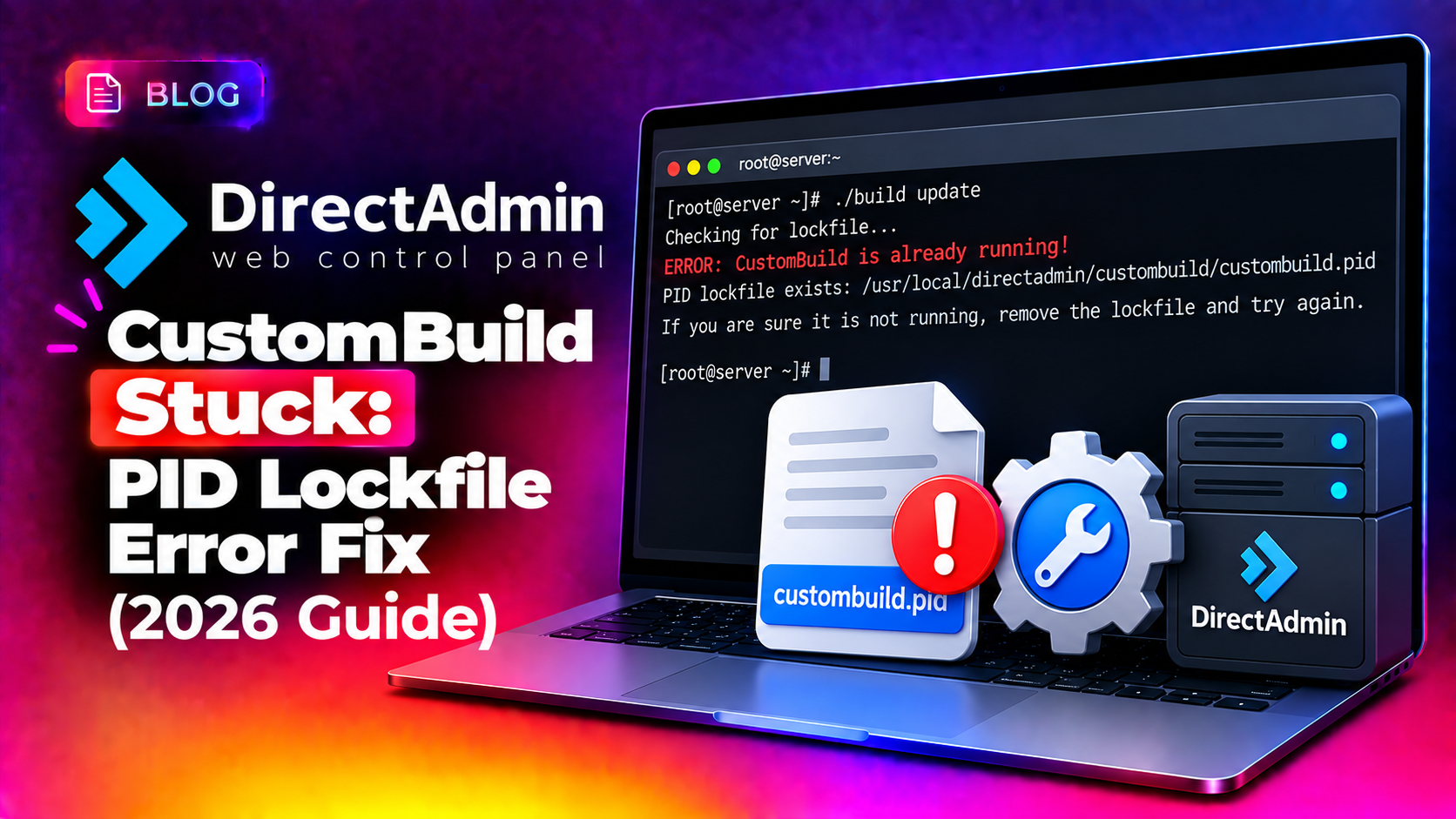
If DirectAdmin's CustomBuild refuses to run and throws a PID lockfile error, the update process didn't actually crash — it just never cleaned up after an earlier interrupted run. CustomBuild uses a lockfile to prevent two update processes from running simultaneously and corrupting each other's work, but if a previous update was killed, timed out, or the server rebooted mid-build, that lockfile gets left behind and every future update attempt refuses to start. Here's exactly how to safely clear it and get updates running again.
Why CustomBuild Gets Stuck on a Lockfile
Every time you run ./build, CustomBuild writes a PID lockfile to prevent overlapping builds — a real safeguard, since two simultaneous Apache or PHP rebuilds can leave your web stack in a broken, half-compiled state. The lockfile is supposed to be removed automatically when the build finishes. If the process is killed (SSH session drop, OOM killer, manual kill -9, server reboot), the lockfile survives even though the process it was protecting no longer exists.
The next time you try to run an update, CustomBuild checks the lockfile, sees a PID reference, and refuses to start — even though that PID isn't actually running anything anymore. You'll typically see an error resembling:
Error: build process is already running (PID XXXX)
Or: /usr/local/directadmin/custombuild is currently locked
💡 None of these worked? Skip the guesswork.
Get Expert Help →Step-by-Step Fix: Clearing the Lock and Resuming
ps aux | grep XXXX
Replace XXXX with the PID number shown in the lockfile error. If nothing matches, the process is dead and it's safe to remove the stale lock.
cd /usr/local/directadmin/custombuild
ls -la | grep -i lock
rm -f .custombuild.pid
The exact lockfile name can vary slightly between CustomBuild versions — check the directory listing for anything matching .pid, .lock, or referencing "build" before deleting.
./build update_versions
./build update
With the stale lock removed, CustomBuild should start normally. Watch the output closely for the first few minutes to confirm it's actually progressing rather than immediately erroring again.
Sometimes an interrupted update leaves the build script itself partially overwritten. If you see "No such file or directory" for the build script, re-download a clean copy:
cd /usr/local/directadmin/custombuild
wget https://files1.directadmin.com/services/custombuild/2.0/custombuild/build
chmod 755 build
./build update_versions
If updates keep getting killed mid-build (which is what creates the stale lockfile in the first place), it's often an out-of-memory condition on smaller VPS instances rebuilding Apache or PHP from source. Reduce concurrent build processes to lower memory usage:
cd /usr/local/directadmin/custombuild
vi configure/ap2/httpd_mpm_conf.default_all_php.conf
# Lower StartServers / MaxRequestWorkers values
./build apache
Preventing Interrupted Updates in Future
- Always run CustomBuild updates inside
screenortmuxso an SSH disconnect doesn't kill the process mid-build:screen -S custombuild ./build update # Ctrl+A then D to detach safely - Check available memory before large rebuilds with
free -h— Apache/PHP source builds are memory-intensive and can trigger the OOM killer on small VPS plans - Schedule updates during low-traffic windows so an interrupted build doesn't compound with active site traffic contention
- Keep CustomBuild itself updated — some lockfile-handling bugs have been fixed in recent CustomBuild 2.0 releases
How to Verify the Update Completed Successfully
- Run
./build versionsto confirm Apache, PHP, and other components show the expected updated version numbers - Check
httpd -vorphp -vdirectly to confirm the running binaries match what CustomBuild reports - Review
/usr/local/directadmin/custombuild/build.logor similar logs for any error lines from the completed run - Restart the affected services and confirm sites are serving correctly before considering the update fully verified
When to Call a Server Expert
A stuck CustomBuild update on a production DirectAdmin server can block critical security patches from being applied, leaving the server exposed longer than it should be. CloudHouse's server management service handles DirectAdmin CustomBuild maintenance, stuck update recovery, and safe version upgrades so hosting companies don't have to troubleshoot build failures under pressure.
Frequently Asked Questions
Is it safe to delete the CustomBuild lockfile manually?
Yes, as long as you've confirmed the PID referenced in the lockfile is not actually a running process. Deleting a lockfile that's still protecting an active build can cause two updates to run simultaneously, which can corrupt your web stack.
Why does CustomBuild keep getting killed mid-update?
This is most often a memory exhaustion issue — compiling Apache or PHP from source is resource-intensive, and on smaller VPS plans the OOM killer terminates the build process, leaving a stale lockfile behind each time.
What's the difference between "build update_versions" and "build update"?
update_versions refreshes CustomBuild's internal list of available software versions without applying changes, while update actually rebuilds and applies the selected component updates. Run update_versions first before a full update.
Can I avoid this issue entirely by running updates in a screen session?
Yes — running long CustomBuild operations inside screen or tmux means an SSH disconnect won't kill the process, which is one of the most common causes of the stale lockfile in the first place.
What should I do if the build script itself is missing after an interrupted update?
Re-download a fresh copy of the build script directly from DirectAdmin's official file server and set the correct executable permissions before re-running any update commands.