If you're evaluating hourly Linux server support for the first time, the sales pitch is easy — 24/7 monitoring, expert sysadmins, fast response times. The hard part is figuring out what to actually verify before you hand over root access and start paying by the hour. Get this wrong and you're locked into a vague retainer with unclear scope, slow tickets, and a bill that creeps up every month. This checklist walks through exactly what to check — technical coverage, billing structure, SLA terms, security practices, and red flags — before you sign anything.
What Is Hourly Linux Server Support and Who Needs It?
Hourly Linux server support is a pay-as-you-go model where a remote sysadmin team handles server maintenance, troubleshooting, security patching, and emergency fixes — billed by the hour instead of a flat monthly retainer. It's the right fit if you run one or a handful of Linux servers (VPS, dedicated, or cloud instances) and don't have the ticket volume to justify a full-time in-house admin, but still need someone on call when things break.
Typical buyers include hosting resellers, SaaS founders running their own infrastructure, agencies managing client servers, and small businesses that inherited a server from a previous developer and have no one internally who can SSH in and fix a kernel panic at 2 a.m.
How Much Does Hourly Linux Server Support Cost in 2026?
Pricing varies enormously depending on scope and SLA. Ad-hoc, no-contract hourly support commonly runs $25–$60 per hour for standard business-hours work with offshore or hybrid teams, while premium Western agencies with strict SLAs and 24/7 coverage can charge $150–$350 per hour. Monthly block-hour packages (e.g., 5–20 hours prepaid) usually work out cheaper per hour than one-off emergency call-outs, which are often billed at a 1.5x–2x "urgent" premium.
| Support Type | Typical Hourly Rate | Best For |
|---|---|---|
| Offshore / hybrid hourly support | $25 – $60/hr | Startups, small hosting resellers, budget-conscious teams |
| Prepaid block-hour packages | $20 – $45/hr (bulk discount) | Businesses with predictable, recurring maintenance needs |
| Emergency / after-hours call-out | $75 – $150/hr | One-off critical incidents, downtime recovery |
| Premium 24/7 SLA-backed support | $150 – $350/hr | Revenue-critical production environments |
Always ask whether the quoted rate includes VAT/GST, minimum billing increments (some providers bill in 15-minute blocks, others round up to a full hour), and whether initial diagnosis time is billed even if the fix takes two minutes.
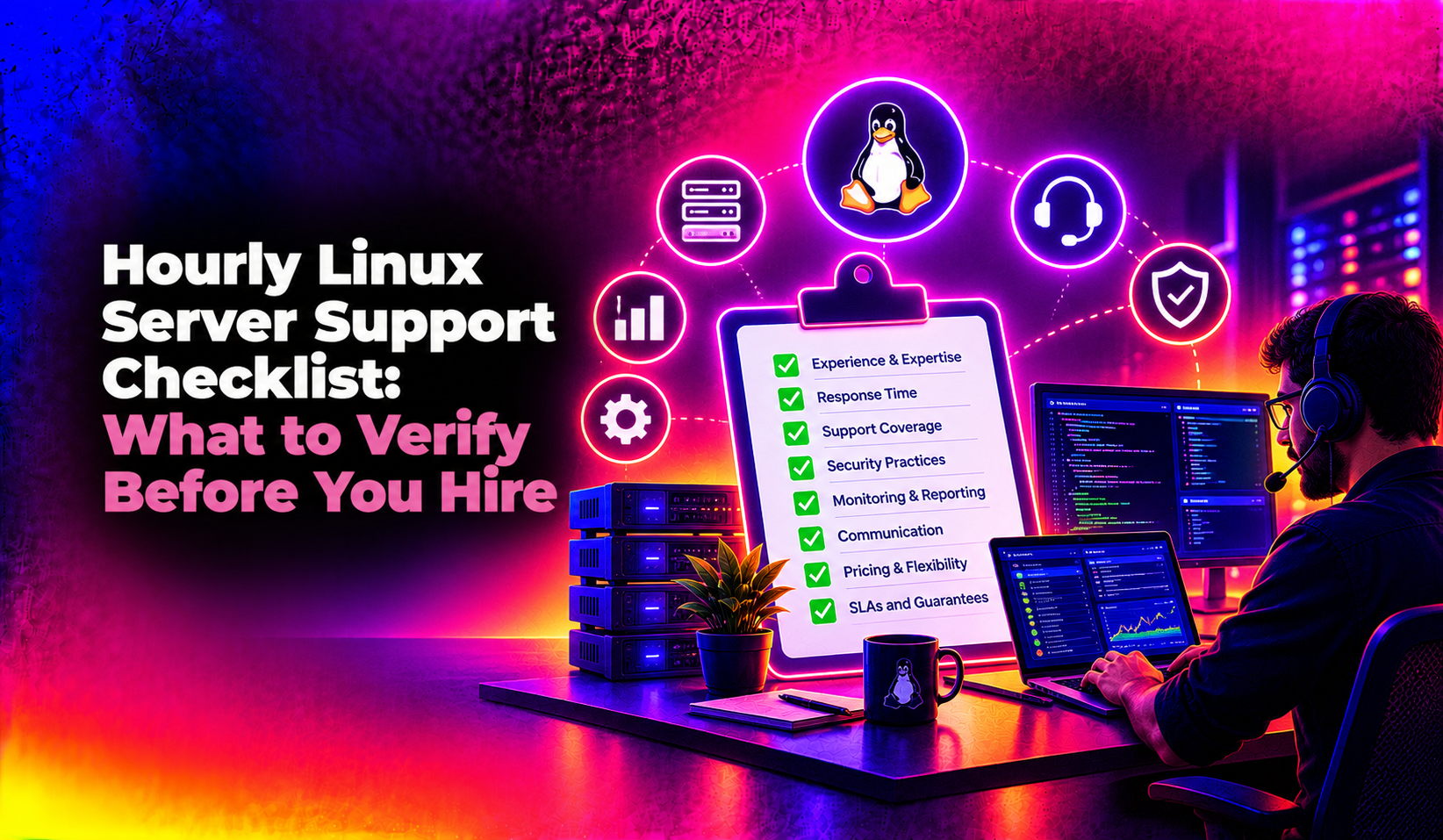
The Hourly Linux Server Support Checklist: What to Verify Before You Hire
Use this checklist during your vendor evaluation calls. If a provider can't answer these clearly and specifically, that's a signal to keep looking.
| # | Checklist Item | Why It Matters |
|---|---|---|
| 1 | Do they support your exact distro and control panel (cPanel, Plesk, DirectAdmin, Webmin, or bare CLI)? | Generic "Linux experience" isn't the same as hands-on expertise with your stack. |
| 2 | What is the guaranteed first-response time, in writing? | "Fast" means nothing without a number — insist on a documented SLA (e.g., 15 min critical, 4 hr standard). |
| 3 | Is billing transparent — hourly minimums, rounding rules, and a live time log? | Vague billing is the #1 complaint about outsourced server support. |
| 4 | Do they require full root/SSH access, and how do they secure credentials? | Ask about key-based auth, 2FA, and whether credentials are stored in a password vault, not a spreadsheet. |
| 5 | Can they show references or case studies for servers similar in size/traffic to yours? | A team that only handles small WordPress boxes may struggle with a high-traffic multi-service stack. |
| 6 | Is there a documented escalation path if the assigned engineer can't resolve the issue? | Solo freelancers have no backup; agencies should have tiered escalation. |
| 7 | Do they proactively patch and monitor, or only react to tickets you raise? | Reactive-only support means you find out about problems after they've caused downtime. |
| 8 | What's the cancellation/lock-in policy? | Avoid providers that require long minimum contract terms for a supposedly "hourly" model. |
| 9 | Do they provide a post-incident report after major fixes? | You want a paper trail of what changed on your server and why. |
| 10 | Is there a real human answering during your actual business hours (and time zone)? | "24/7 support" sometimes means a ticket queue that isn't looked at until the next business day. |
In-House vs Outsourced Hourly Support: Which Is Right for You?
A full-time Linux sysadmin in the US or UK typically costs $70,000–$110,000/year in salary alone, before benefits and tooling. Unless you're running dozens of servers with constant change requests, that math rarely pencils out for a small or mid-size operation. Hourly support lets you pay only for the hours you actually use — often a few hours a month for routine patching plus occasional emergency call-outs — while still having expert coverage on standby.
The trade-off is continuity: an in-house admin knows your infrastructure intimately over time, while an outsourced hourly team depends on good documentation and ticket history to avoid re-learning your setup each time. The best outsourced providers solve this by assigning a consistent engineer or small pod to your account rather than routing you to a random tier-1 agent every time.
Why Hosting Companies Choose CloudHouse for Hourly Linux Server Support
CloudHouse Technologies runs hourly Linux server support with transparent, minute-level billing, documented SLAs, and engineers who work across cPanel, Plesk, DirectAdmin, Webmin, and pure CLI environments — not just one control panel. There's no long-term lock-in contract required, and every fix comes with a short post-incident note so you always know exactly what changed on your server and why.
Frequently Asked Questions
How much does hourly Linux server support actually cost per month?
Most small-to-mid businesses use somewhere between 3 and 15 hours a month for routine patching, monitoring, and minor fixes, which typically works out to $150–$600/month at standard rates. Emergency incidents are billed separately and are usually a smaller, occasional line item rather than a recurring cost.
Is hourly support cheaper than a monthly managed server plan?
It depends on your ticket volume. If you need less than 10 hours of admin work a month, hourly billing is almost always cheaper than a flat managed-server retainer. If your server needs constant attention, a fixed monthly plan can offer better predictability and often a lower effective hourly rate.
Do I have to sign a long-term contract for hourly support?
Reputable hourly support providers, including CloudHouse, don't require long lock-in contracts — you should be able to buy a block of hours or pay as you go and stop anytime. Be wary of any "hourly" provider that insists on a 12-month minimum term.
What access do I need to give the support provider?
Typically SSH/root access (or a scoped sudo user) and, if applicable, control panel admin login. A trustworthy provider will use key-based authentication, ask for time-boxed access where possible, and document every session — never accept a provider that wants your only admin password sent over email or chat.
What happens if the assigned engineer can't fix my issue?
Ask this directly before hiring. A well-run support team has a documented escalation path to a senior engineer or specialist within the same shift — not a "we'll get back to you tomorrow" response. If a provider can't describe their escalation process clearly, treat that as a warning sign.
Hourly Linux server support only pays off when the provider is transparent about scope, billing, and response times from day one. Run any vendor you're considering through the checklist above, and if you want a provider that already meets every item on it, see CloudHouse's hourly Linux server support plans and get a same-day quote.