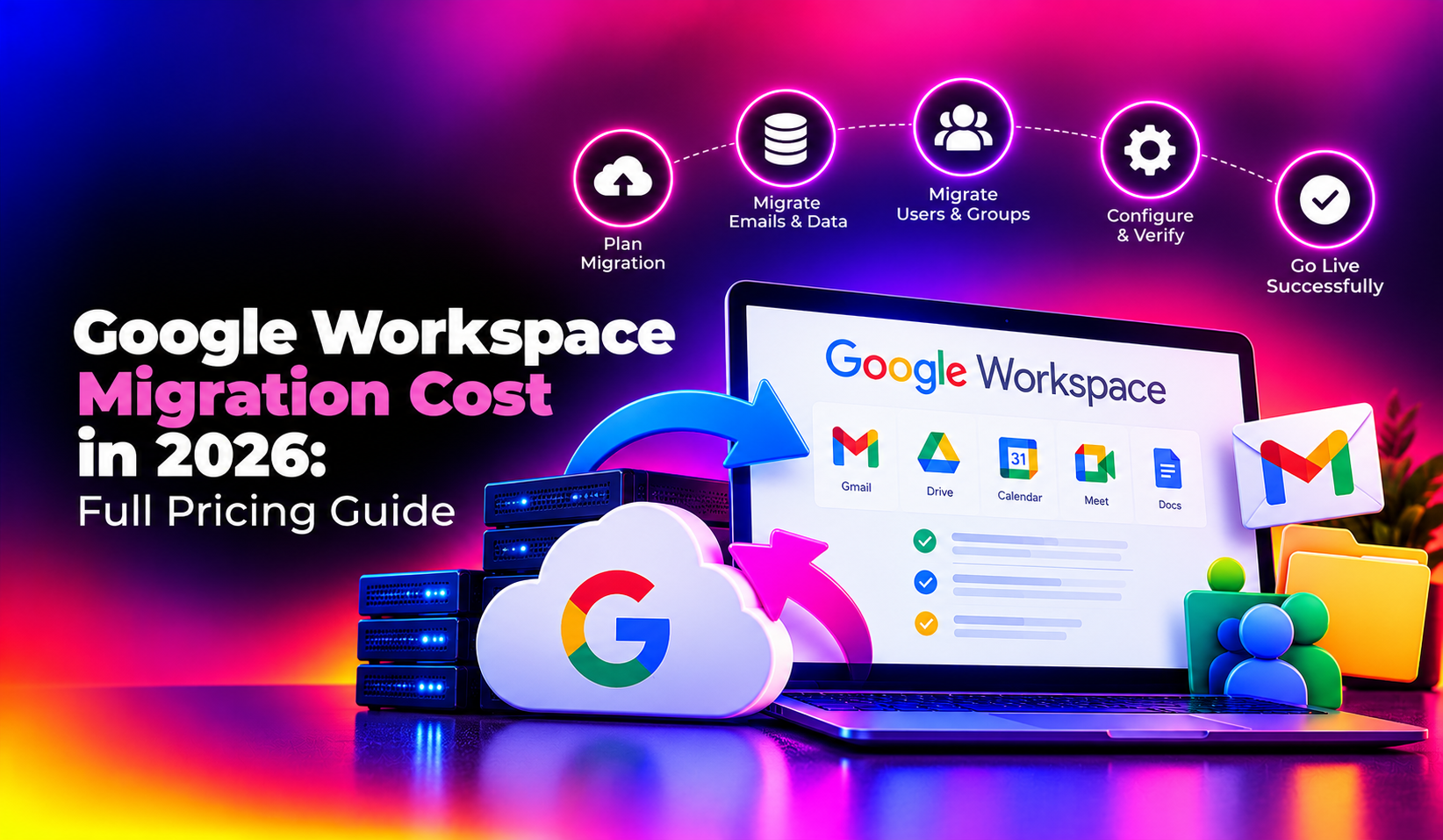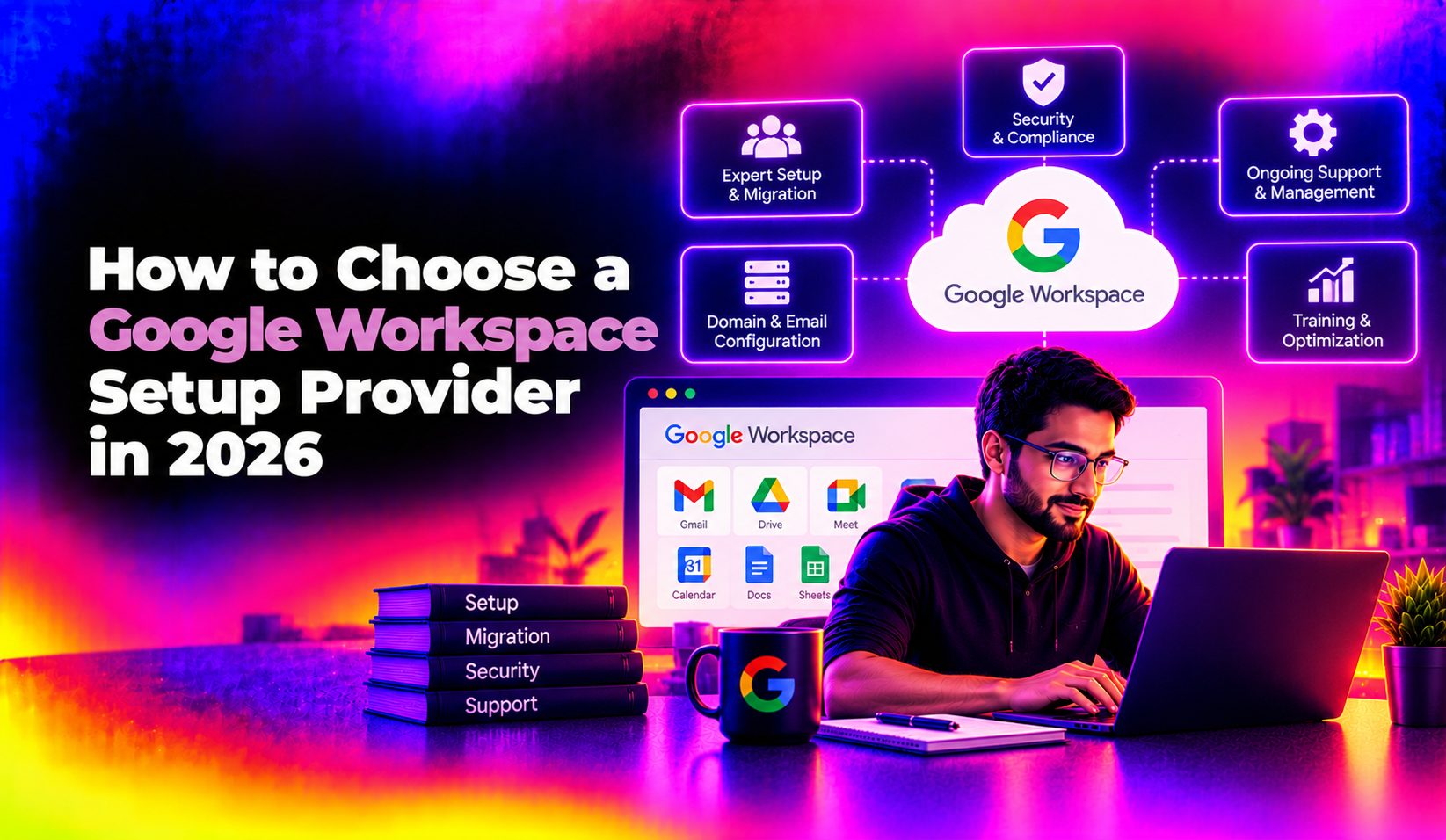
Choosing the wrong vendor for a Google Workspace migration can mean days of email downtime, missing calendar invites, or worse, permanently lost data. If you are researching how to choose a Google Workspace setup provider, this guide walks through exactly what separates a reliable partner from a risky one, so you can move forward with confidence instead of guesswork.
Why the Provider You Choose Matters More Than the Plan You Buy
Most business owners spend hours comparing Google Workspace Business Starter versus Business Standard, but the plan tier is rarely what causes problems. The real risk sits with execution: DNS records configured incorrectly, mailboxes migrated without verifying folder structures, or a "setup" that ends the moment your invoice is paid. A capable google workspace setup partner treats the subscription as the easy part and the migration, security hardening, and ongoing admin support as the actual service you're paying for.
This is especially true if you're moving from a legacy on-premise Exchange server, a different email host, or consolidating multiple domains after an acquisition. Each of those scenarios carries its own failure points, and a generalist reseller who has only ever done simple new-domain setups may not be prepared for them.
Common Risks of Picking the Wrong Vendor
Before getting into the checklist, it's worth understanding what actually goes wrong when businesses choose based on price alone:
- Incomplete mail migration — old emails, calendar events, or shared drive files left behind or duplicated
- Broken email authentication — missing or misconfigured SPF, DKIM, and DMARC records that cause your outbound mail to land in spam
- No admin console handover — some resellers retain super-admin control, leaving you locked out of your own environment
- Downtime during business hours — migrations scheduled without a rollback plan or off-hours cutover window
- Vanishing support — the provider disappears after go-live, leaving you to figure out user provisioning, security policies, and troubleshooting alone
None of these are hypothetical. They are the most common complaints businesses raise after a rushed or under-scoped Google Workspace setup engagement, and they are entirely preventable with the right vetting process.
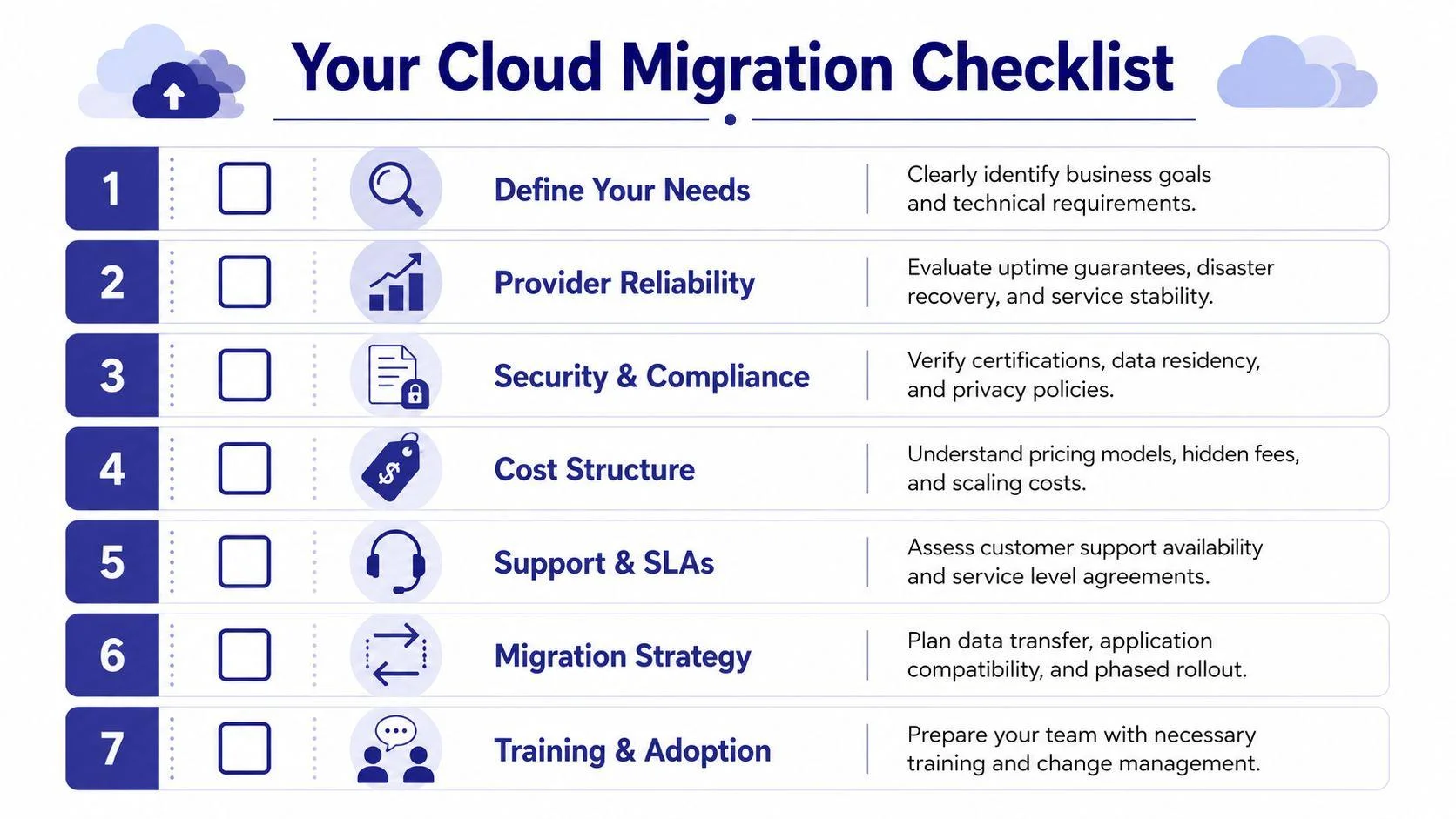
How to Choose a Google Workspace Setup Provider: The Vendor Evaluation Checklist
Use this checklist when comparing quotes from different providers. A vendor who can confidently answer "yes" to every item below is worth taking seriously; one who hesitates or gives vague answers is a red flag.
- Are they an authorized Google partner or reseller? Check the Google Cloud Partner directory or ask for their partner ID directly.
- Do they provide a written migration plan before starting? This should include a timeline, cutover window, and rollback procedure.
- Will you retain full super-admin ownership of the Google Workspace console after setup, with no shared or provider-controlled credentials?
- Do they handle DNS, MX records, SPF, DKIM, and DMARC as part of the base engagement, not as a costly add-on discovered later?
- What is included in "migration" — mail only, or also calendars, contacts, shared drives, and Google Groups?
- Is pricing transparent and itemized, covering setup fees, per-mailbox migration costs, and ongoing subscription markup (if any)?
- Do they offer ongoing admin support after go-live — user provisioning, security policy changes, offboarding, troubleshooting — or is it strictly one-and-done?
- Can they show references or case studies from businesses of a similar size and industry to yours?
- What is their guaranteed response time for support tickets, and is there a documented SLA?
- Do they test the migration with a pilot group before moving your entire organization at once?
Google Workspace Migration Service: What "Full Service" Should Actually Include
The phrase "migration service" gets used loosely, and it pays to know exactly what should be bundled into a proper engagement versus what gets tacked on as a surprise line item later. A genuinely complete Google Workspace migration service covers far more than moving emails from one inbox to another.
Pre-migration discovery
A competent provider starts by auditing your current environment: how many mailboxes, how much data per user, what's stored in shared drives or a file server, which calendars and distribution lists need to be preserved, and whether you have any compliance or retention requirements. Skipping this step is how businesses end up with surprise costs mid-project when the provider discovers, for example, that half your team has 15GB mailboxes instead of the 2GB assumed in the quote.
Domain and DNS configuration
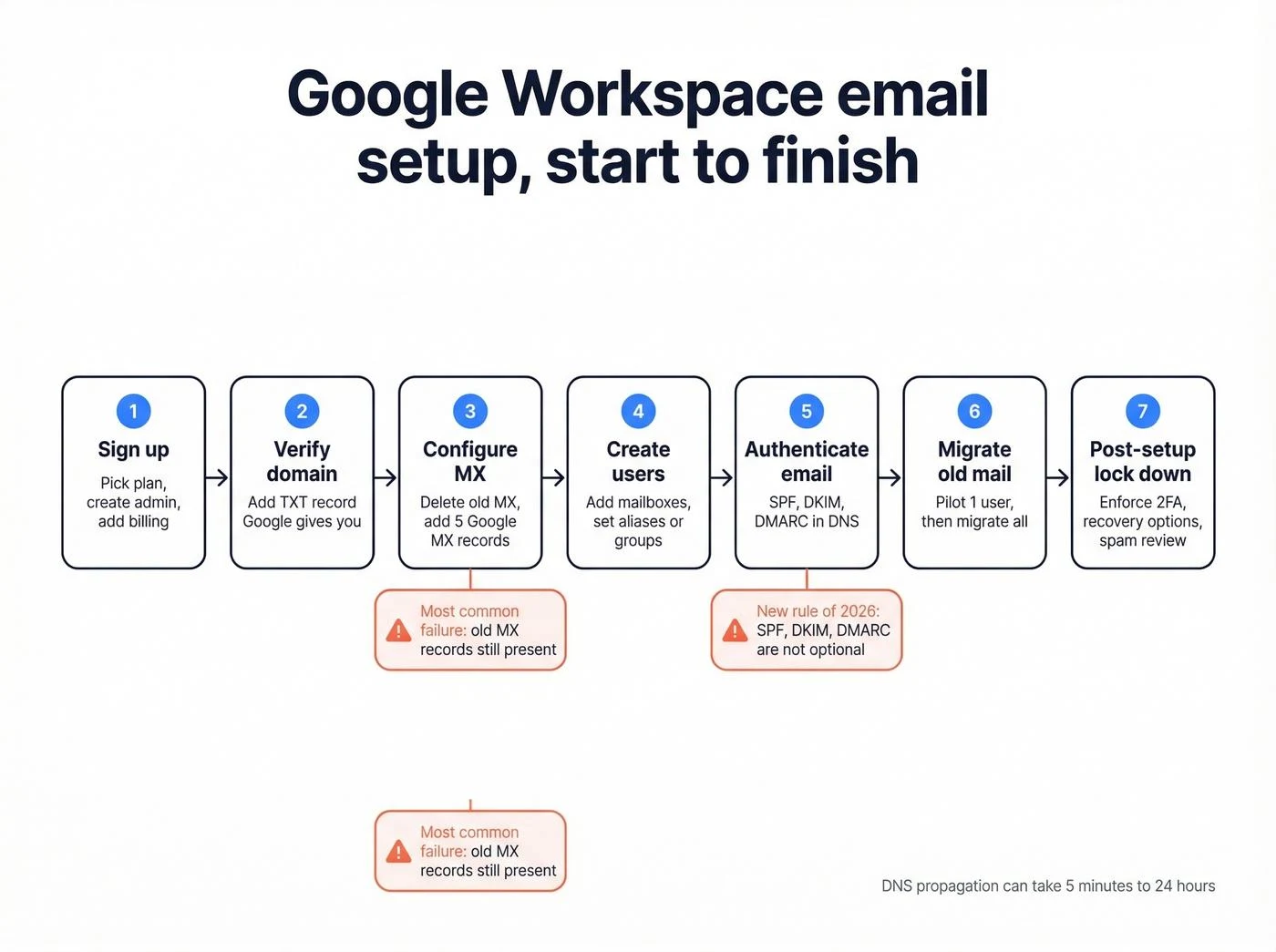
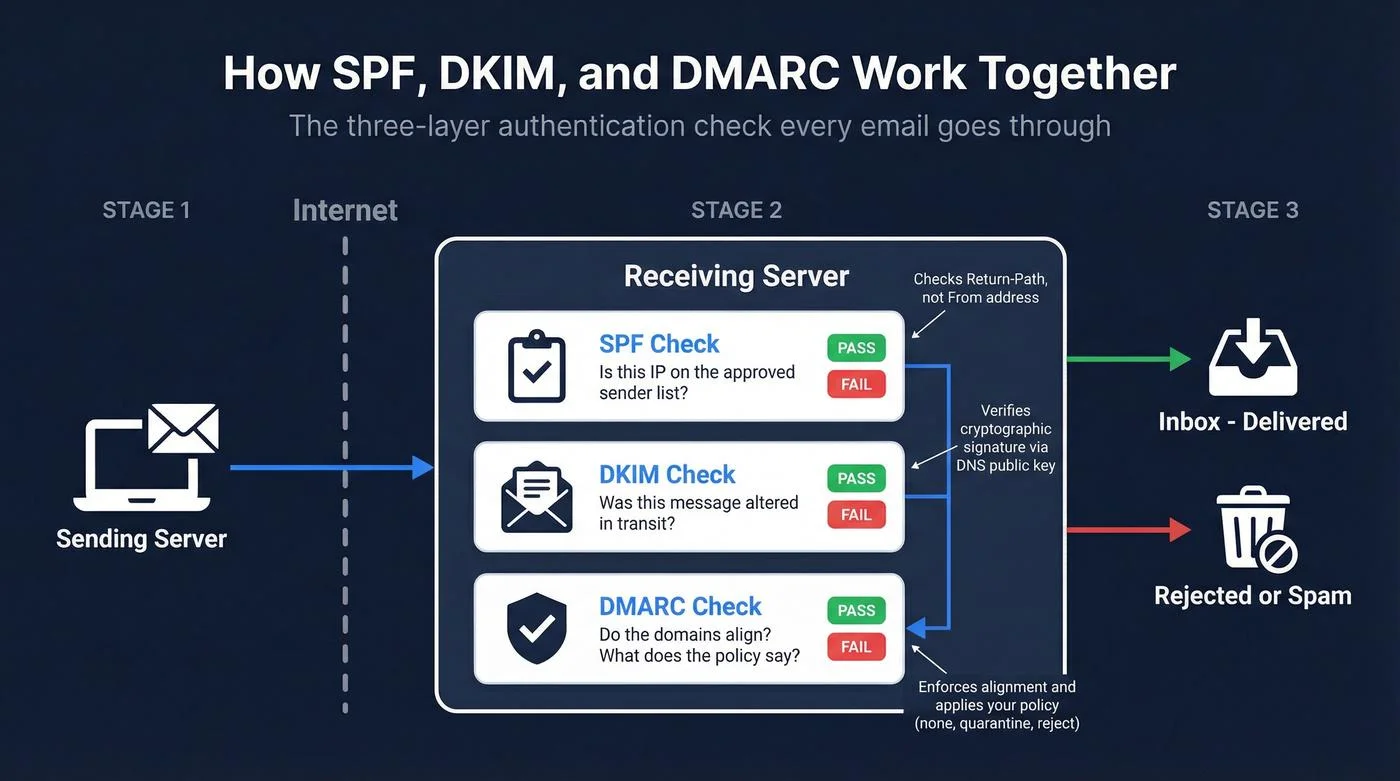
MX records, SPF, DKIM, and DMARC all need to be set up correctly for mail to route and for outbound email to avoid landing in spam. This is one of the most commonly botched parts of a self-service or budget setup — get it wrong, and your client-facing emails can silently disappear into recipients' spam folders for weeks before anyone notices.
Data migration and validation
This includes mailboxes, calendars, contacts, Google Groups, and shared drive content. Just as important as the migration itself is validation afterward: spot-checking that folder structures, shared permissions, and historical data actually transferred correctly rather than assuming a migration tool ran cleanly.
Security and access configuration
Two-factor authentication enforcement, admin roles, mobile device management policies, and data loss prevention rules should all be part of initial setup, not something you have to ask for separately six months later after a security incident.
Training and handover
Your team needs a walkthrough of the new environment, and you need full documentation of what was configured and why. A provider who hands you the admin password and disappears has not delivered a complete service, regardless of what the invoice says.
Understanding Google Workspace Setup Costs
Cost is often the first filter business owners apply, but comparing providers on price alone is misleading. Migration partners commonly charge in the range of $40 to $100+ per mailbox for the setup and migration work itself, separate from the ongoing Google Workspace subscription (roughly $7 to $17 per user per month depending on plan tier and billing terms). A quote that looks unusually cheap may be excluding DNS configuration, security hardening, or post-migration support, all of which get billed later as "extras."
When comparing quotes, ask each provider to itemize: base setup fee, per-mailbox migration cost, any minimum user requirements, and what ongoing support costs after the first 30 days. This total cost of ownership view is far more useful than comparing the sticker price of two proposals.
Small Business Setup vs. Enterprise Migration
Google Workspace setup for small business typically means a handful of users, a single domain, and straightforward mailbox migration from a webmail host or personal Gmail accounts. This can usually be completed within a day or two with minimal disruption. Larger migrations involving legacy Exchange servers, multiple domains, or compliance requirements (HIPAA, financial records retention, etc.) require more planning, a phased cutover, and a provider experienced in enterprise-scale deployments. Make sure the provider you choose has handled projects at your scale, not just smaller or larger ones.
Questions to Ask Before You Sign
Do you outsource Google Workspace setup or handle it in-house?
Some "providers" are actually resellers who subcontract the technical work to a third party you never speak with. Ask directly whether the team doing your migration is in-house, and whether you'll have a single point of contact throughout.
What happens if something breaks after go-live?
This is the question that separates a vendor from a long-term Google Workspace admin support partner. Get their answer in writing — ideally as part of a support agreement or SLA, not a verbal assurance.
Can we start with a pilot group?
A provider confident in their process will happily migrate 2-3 users first, let you confirm everything works as expected, and then proceed with the full rollout. Reluctance to do this is worth noting.
Why Businesses Choose CloudHouse for Google Workspace Setup
CloudHouse Technologies runs Google Workspace migrations with a documented cutover plan, full email authentication (SPF, DKIM, DMARC) configured as standard rather than an upsell, and complete admin console ownership handed back to the client at project close. Unlike vendors who treat setup as a one-time transaction, our team stays engaged afterward for user provisioning, security policy adjustments, and troubleshooting, so the relationship doesn't end the day the migration finishes. Businesses that have been burned by a "disappearing" reseller in the past tend to notice the difference quickly.
Red Flags That Should Make You Walk Away
Beyond the checklist, watch for these warning signs during the sales conversation itself:
- Pressure to sign same-day without a written scope of work or migration plan
- Reluctance to discuss what happens if data is lost during migration, or no mention of a rollback plan at all
- Vague answers about who owns the admin console after the project is complete
- No mention of email authentication (SPF/DKIM/DMARC) unless you bring it up first
- Support that is "available" only through a generic ticket form with no stated response time
- A quote that changes significantly once you ask about ongoing admin support, security configuration, or shared drive migration
Any one of these on its own isn't necessarily disqualifying, but two or more together is a strong signal to keep looking.
Timeline: What to Expect
For a small business setup for small business with under 25 users on a single domain, a well-run migration typically takes one to two weeks from kickoff to full cutover, including a short pilot phase. Larger organizations with legacy Exchange servers, multiple domains, or compliance requirements should expect a phased rollout over several weeks, with cutover scheduled outside business hours to minimize disruption. Any provider promising a same-day migration for a 50+ person company with no pilot phase is cutting corners somewhere.
Making the Final Decision
Once you've run two or three providers through the checklist above, the differences usually become obvious fast. The cheapest quote rarely wins once you account for hidden fees, missing DNS configuration, or a lack of post-migration support. Prioritize providers who are transparent about scope, willing to start with a pilot migration, and prepared to stay involved after go-live rather than treating the project as finished the moment your inbox loads.
DIY vs. Outsourcing Google Workspace Setup
Some small business owners consider handling the Google Workspace setup themselves rather than hiring a provider at all. It's technically possible for a very small team — Google's own setup wizard can walk you through domain verification and basic mailbox creation. But most businesses that attempt this underestimate the DNS configuration work, the effort required to migrate historical email and calendar data without loss, and the ongoing admin tasks that come up in the following months: adding new users, adjusting security policies, troubleshooting sync issues, or configuring group-based access for a new department.
The decision to outsource Google Workspace setup usually comes down to time and risk tolerance. If your business can absorb a few days of trial and error and doesn't have complex legacy data to migrate, DIY may be workable. If you have more than a handful of mailboxes, existing email history you can't afford to lose, or simply want a business email setup Google Workspace deployment done right the first time, a qualified provider is almost always the better investment. The per-mailbox migration fee is small relative to the cost of lost client emails or days of downtime.
Conclusion
Picking a Google Workspace setup provider is less about finding the lowest price and more about finding a team that won't leave you exposed to downtime, broken email deliverability, or an inbox full of missing data. Use the vendor evaluation checklist above on every quote you receive, ask the direct questions about ownership and ongoing support, and you'll be well positioned to make a confident, low-risk decision for your business.