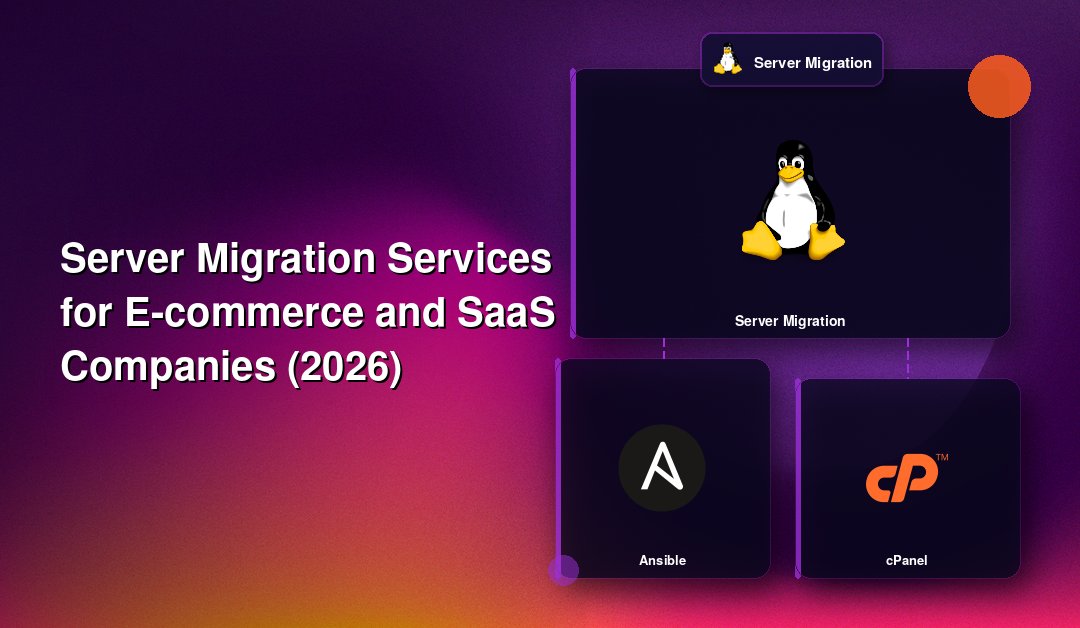
For an e-commerce store, a server migration is not an IT chore — it is a revenue-critical event. If checkout breaks for even twenty minutes during a server migration for e-commerce companies, you lose orders, damage trust, and hand traffic to a competitor. For a SaaS company, the stakes are just as high: a mishandled migration can lock paying customers out of their accounts, corrupt tenant data, or break the API integrations your customers depend on. This guide walks through how zero downtime server migration actually works for online stores and multi-tenant SaaS platforms in 2026, what a realistic server migration checklist for online stores looks like, what it costs, and how to decide between doing it in-house or bringing in a specialist.
Why E-commerce and SaaS Companies Need Specialized Migration
Generic "how to migrate a server" guides are written for a simple brochure website: copy the files, point the DNS, done. E-commerce and SaaS platforms are a different animal entirely, and treating them like a static site is exactly how migrations go wrong.
An online store carries live, transactional state. Orders are being placed, carts are being filled, and payment gateways are mid-session with customers at every moment of the day. A ecommerce hosting migration has to account for:
- Payment gateway configuration — API keys, webhook URLs, and IP allowlists for gateways like Stripe, Razorpay, or PayPal are often tied to the old server's IP address. Miss this and payments silently fail even though the storefront looks fine.
- Session and cart persistence — customers with items already in their cart should not lose them mid-migration.
- Inventory and order database consistency — a few seconds of write lag between old and new databases can result in overselling stock that no longer exists.
- Third-party integrations — shipping calculators, tax APIs, marketing pixels, and CDN configuration all need to be re-pointed and re-verified.
A SaaS server migration carries a different but equally serious set of risks. Most SaaS products run on a multi-tenant database architecture, meaning a single schema or database instance serves hundreds or thousands of customer accounts simultaneously. When you migrate a SaaS app to a new server, you are not just moving files — you are moving a live, actively-written-to multi-tenant database without corrupting a single tenant's data or breaking their authenticated sessions. Add to that background job queues, webhooks firing to customer systems, and API rate limits that customers depend on, and you can see why a copy-paste migration guide simply does not cover the real risk surface.
This is the core gap in most publicly available migration guides: they are written for static sites or single-tenant apps, and they largely ignore the operational realities of live commerce and live SaaS traffic. A migration plan for these platforms has to be built around continuity of revenue and continuity of customer trust, not just "get the files onto the new box."
💡 None of these worked? Skip the guesswork.
Get Expert Help →Planning a Zero-Downtime Migration: The Checklist
A genuinely zero-downtime — or near-zero-downtime — migration is achievable, but only with disciplined planning. Below is a practical, condensed server migration checklist for online stores and SaaS platforms that you can adapt to your own stack.
Document every service running on the source server: web server, database engine and version, cron jobs, background workers, cache layers (Redis, Memcached), SSL certificates, firewall rules, and any custom scripts. Nothing should move "because we assume it's there."
Set up the new server with matching or newer software versions, apply security hardening, and configure firewall rules before any data moves. This is also the point to right-size resources — many migrations are triggered by outgrowing the current plan, so use this as an opportunity to scale CPU, RAM, and disk I/O appropriately.
Rather than a single "dump and restore," configure the new database server as a live replica of the old one (e.g. MySQL/MariaDB replication, PostgreSQL logical replication, or a change-data-capture tool for NoSQL). This keeps the new server continuously in sync while you test everything else, so the final cutover only has to handle a tiny final delta.
Move uploaded product images, invoices, customer documents, and static assets using a tool that verifies checksums (rsync with `--checksum`, or an object storage sync). Run this multiple times before cutover so the final pass is small and fast.
Update payment gateway webhook URLs and IP allowlists, shipping and tax API credentials, email/SMTP relay settings, and any SaaS webhook subscriptions your customers have configured. Test each integration end-to-end on the new server using a staging domain before go-live.
At least 48 hours before cutover, reduce your DNS TTL to 300 seconds or less. This is one of the most commonly skipped steps, and it is the single biggest cause of a migration "downtime" that is really just DNS propagation delay.
Instead of taking the whole site offline, put the application into a brief "read-only" or maintenance mode for writes only (checkout can queue orders, or show a short "processing" state) while the final database delta syncs and DNS switches. For well-planned migrations this window is typically under two minutes, not hours.
Switch DNS or load balancer routing to the new server, then actively monitor error rates, checkout completion rates, API response times, and background job queues for at least the first 24-48 hours. Keep the old server running and untouched as a rollback option for at least a week.
Do not cancel or wipe the old server immediately. Keep it available (even powered off but restorable) until you have seen at least one full order cycle, subscription renewal cycle, or reporting period complete cleanly on the new environment.
Server Migration Pricing in 2026
Pricing for a professional server migration in 2026 depends heavily on complexity, but store owners and SaaS founders researching costs should expect the following general ranges:
- Simple single-server migration (one WordPress/WooCommerce store or a small SaaS app, single database): typically a fixed project fee, often completed in a single planned maintenance window.
- Zero-downtime migration with live replication (active e-commerce store or SaaS app with real-time traffic): priced higher due to the extra engineering time for replication setup, integration testing, and staged cutover — this is the right investment for any business that cannot afford visible downtime.
- Multi-server or clustered migration (load-balanced web tier, separate database cluster, multi-tenant SaaS with sharded data): the most involved and highest-cost tier, usually billed per server plus a coordination fee for the cutover itself.
Beware of quotes that look unusually cheap for a live commerce or SaaS platform — they often exclude integration testing, rollback planning, and post-migration monitoring, which is exactly where the real risk (and real cost of failure) lives.
In-House vs Outsourced Migration: Which Is Safer?
Many founders default to asking their existing developer or ops person to "just handle the migration" alongside their regular workload. This is understandable, but it is also where most botched migrations originate. A few honest comparisons:
- Experience with edge cases — an in-house generalist may have done one or two migrations ever; a specialist provider has handled the payment-gateway webhook problem, the multi-tenant database replication problem, and the DNS TTL problem dozens of times, and has a runbook for each.
- Dedicated focus during the cutover window — your in-house team is also fielding support tickets and shipping features. A migration needs someone whose only job, for the cutover window, is watching dashboards and executing the rollback plan if something looks wrong.
- Rollback discipline — outsourced migration specialists build a tested rollback plan as a deliverable, not an afterthought, because their reputation depends on the migration going smoothly.
- Cost of getting it wrong — a few hours of lost checkout revenue or a batch of angry SaaS customers on social media typically costs far more than the price difference between DIY and outsourced migration.
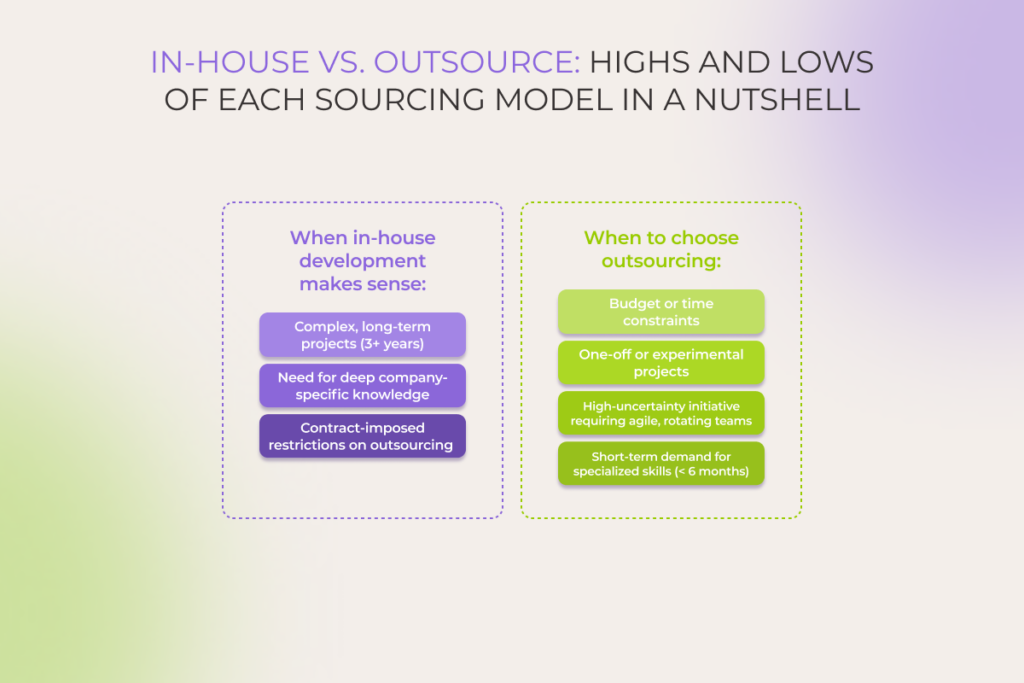
In-house migration can work well for low-traffic sites with generous downtime tolerance. For anything processing live payments or serving paying SaaS customers around the clock, outsourcing to a team that specializes in server migration for e-commerce and SaaS platforms is almost always the safer and, over the full cost of ownership, cheaper option.
Why E-commerce and SaaS Companies Choose CloudHouse for Migration
CloudHouse Technologies runs migrations with the same discipline described in the checklist above: live database replication rather than "dump and restore," full integration testing of payment gateways and webhooks before cutover, and a tested rollback plan kept ready for at least a week after go-live. Our team works around your traffic patterns — not the other way around — scheduling the final cutover during your lowest-traffic window and monitoring checkout and API health in real time throughout. With flexible, hourly-billed server migration engagements and no long-term lock-in, you pay for the expertise you need for the migration itself, not an ongoing retainer you don't want.
Frequently Asked Questions
How much does a server migration for an e-commerce or SaaS company cost?
Cost depends on server count, database complexity, and whether zero-downtime replication is required. Simple single-server migrations are priced as a fixed project fee, while live-traffic migrations with replication and integration testing cost more due to the extra engineering hours involved — but this investment is what prevents costly downtime.
How long does a zero downtime server migration take?
Planning and replication setup typically take several days to a couple of weeks depending on data volume, but the actual customer-facing cutover window — when writes are briefly paused — is usually under two minutes for a well-planned migration.
Can you migrate a multi-tenant SaaS database without affecting other tenants?
Yes. Using live database replication and staged cutovers, each tenant's data is verified independently before go-live, and the process is designed so no tenant experiences data loss or a broken session, regardless of the size of the overall database.
Do you offer a trial or month-to-month engagement for migration support?
Migrations are typically scoped as a fixed project with hourly billing for any additional work beyond the agreed plan — there's no long-term retainer required, so you only pay for the migration itself plus a short post-migration monitoring window.
What happens if something goes wrong during the migration?
A tested rollback plan is prepared before cutover begins, and the old server is kept live and untouched for at least a week after go-live. If any issue is detected during monitoring, traffic can be reverted to the original server within minutes while the issue is resolved.
Whether you're moving a high-traffic online store or a multi-tenant SaaS platform, the difference between a smooth migration and a costly outage comes down to planning, replication, and disciplined cutover execution. If your next migration needs to happen without a single dropped order or locked-out customer, talk to CloudHouse about your server migration before you schedule the cutover date.