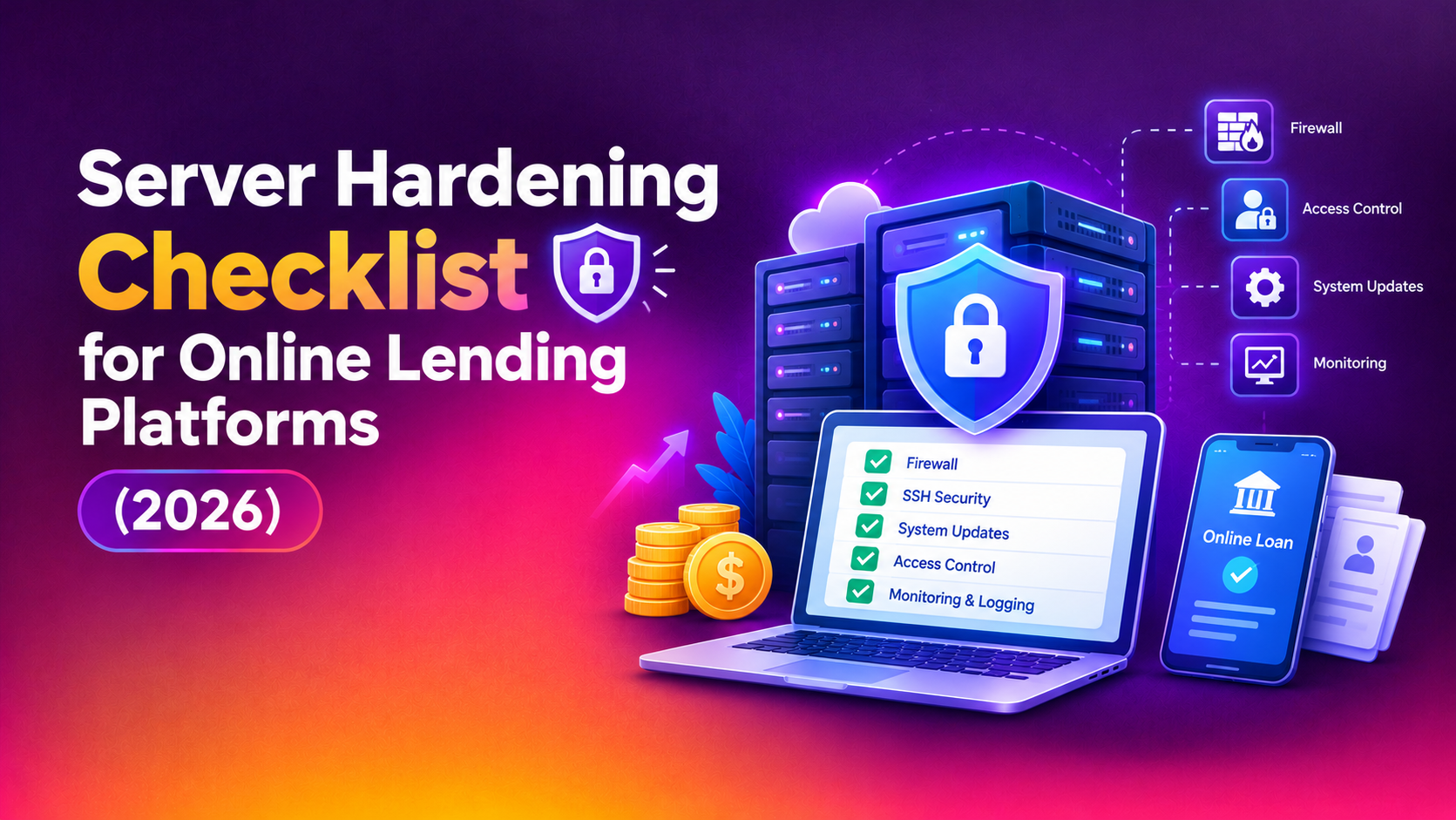
A server hardening checklist for online lending platforms has to cover more than a generic list of operating system settings. Your servers hold identity documents, bank statements, payslips, selfie checks, credit bureau responses and loan agreements. They also run the origination workflow that decides who gets money. If an attacker reaches that data, the damage is personal for every applicant and serious for your licence, your partners and your reputation. This checklist is written for CTOs, heads of engineering and compliance leads at digital lenders who want a practical way to review the servers behind their platform in 2026.
Nothing here is legal or regulatory advice. The standards that apply to you depend on your jurisdiction, your licence type and your bank or funding partners, so confirm specific obligations with your compliance team or counsel. What follows is a technical working list you can adapt, assign to owners and tick off.
Why lending platforms are a distinct hardening target
A loan origination system is attractive to attackers for reasons that differ from a marketing website or an internal wiki. Keep these in mind when deciding how strict to be.
- KYC document stores: scanned passports, national ID cards and proof-of-address files are reusable for identity fraud, so a leaked archive stays valuable long after the breach.
- Financial PII in databases: income, employment, account numbers and repayment history sit together in a few tables.
- Third-party integrations: credit bureaus, open banking providers, e-signature tools, payment gateways and fraud engines all connect through API keys and service accounts stored on your servers.
- Decisioning logic: scorecards and rules engines are business-critical. Tampering with them can approve fraudulent loans quietly.
- Partner scrutiny: banks and capital providers often send security questionnaires, and weak answers can slow or stop a funding relationship.
How to use this checklist
Work through the sections in order, because later controls assume earlier ones. For each line, record an owner, the evidence (a config export, a screenshot or a scan result) and a review date. Treat the first pass as a baseline, then repeat after major releases and at least once a quarter. If your team is stretched, a specialist server hardening service can run the baseline review and hand you a prioritised remediation list.
Step 1: Inventory and classify before you harden
You cannot protect servers you have forgotten. Start by listing every host that touches applicant data, including the ones nobody likes to mention.
- Production application and API servers, plus staging and UAT hosts that were seeded with real applicant data.
- Database servers, replicas and reporting copies.
- Document storage, whether on local disks, network shares or object storage mounted into servers.
- Batch and queue workers that process bureau pulls, collections files or bank statement parsing.
- Jump hosts, bastions and CI runners with deploy credentials.
Label each by data sensitivity. A server that stores KYC images deserves a stricter baseline than a static content host. Retire anything unused, since an unpatched forgotten server is a common way in.
Step 2: Access control and authentication
- Disable direct root login and password-based SSH. Use named accounts with key-based or certificate-based authentication.
- Require multi-factor authentication on bastions, cloud consoles and any admin panel reachable from the internet.
- Apply least privilege with sudo rules scoped to specific commands, not blanket access.
- Separate duties: the people who deploy code should not automatically hold production database credentials.
- Remove access on the day someone leaves or changes role, and review the full access list every quarter.
- Give each integration its own service account and key, so one leaked credential does not unlock everything.
Step 3: Network exposure and segmentation
Most lending platforms need very few ports open to the world. Everything else should be closed by default.
- Use a default-deny firewall and allow only the ports each server actually needs.
- Place databases and document stores in a private network segment with no public IP address.
- Restrict administrative access to a VPN or bastion with an allow-list, not the open internet.
- Limit outbound traffic from application servers to known destinations such as your bureau and payment endpoints, which makes data exfiltration harder.
- Put a web application firewall and rate limiting in front of login, OTP and application-submission endpoints to slow credential stuffing and automated fraud.
- Terminate TLS with current protocol versions and disable legacy ciphers.
Step 4: Operating system and service baseline
- Install only the packages the server role needs and remove compilers, test tools and sample software from production.
- Disable unused services, daemons and default accounts.
- Apply a documented configuration baseline, for example a CIS-style benchmark, and record any deliberate exceptions.
- Enable mandatory access control such as SELinux or AppArmor where your stack supports it.
- Set secure mount options for temporary and upload directories so uploaded files cannot be executed.
- Keep time synchronised across servers so logs from different hosts line up during an investigation.
Step 5: Patching and vulnerability management
Patching is where good intentions often fail, because a lending platform cannot casually reboot during a busy disbursement window. Plan for that reality instead of ignoring it.
- Define patch windows with business owners, outside peak application and disbursement periods.
- Test patches on staging first, then roll out in stages with a rollback option.
- Prioritise internet-facing systems and anything with a publicly known exploit.
- Scan servers and dependencies regularly and track findings to closure with an owner and a date.
- Keep language runtimes, web servers, database engines and container images on supported versions.
Step 6: Protecting KYC documents and financial PII
This section is the heart of a lending-specific checklist.
- Encrypt databases and document storage at rest, and keep encryption keys apart from the data they protect.
- Store uploaded KYC files outside the web root and serve them only through authenticated, authorised requests with short-lived links.
- Scan uploads for malware and validate file type, so a malicious file cannot ride in with a payslip.
- Mask or tokenise sensitive fields such as account numbers in logs, analytics and support tools.
- Define retention rules with your compliance team and delete documents when the retention period ends, rather than keeping everything forever.
- Keep production data out of development and staging. If you need realistic test data, anonymise it first.
- Move secrets such as API keys and database passwords into a secrets manager or protected environment, not into source code or shared notes.
Step 7: Logging, monitoring and audit evidence
- Send authentication, sudo, file-integrity and application admin events to a central log store that attackers on a single server cannot erase.
- Alert on unusual patterns such as bulk document downloads, logins from new locations and changes to decisioning rules.
- Record who viewed or exported applicant files, since partners and auditors may ask.
- Retain logs for a period agreed with compliance and protect them from tampering.
- Test alerts occasionally by simulating an event, because an alert nobody receives is not a control.
Step 8: Backups and recovery
- Take regular encrypted backups of databases and document storage, and keep at least one copy offline or immutable so ransomware cannot reach it.
- Restrict who can delete or alter backups.
- Run restore tests on a schedule and record how long recovery really takes.
- Write a short runbook covering what to do if an applicant-data incident occurs, including who to call and how to preserve evidence.
Hardening checklist summary table
Use the table below as a one-page tracker. The priority column is a general guide, so adjust it for your own risk assessment.
| Area | Key control | Evidence to keep | Suggested priority |
|---|---|---|---|
| Access | Key-based SSH, MFA on admin paths, least privilege | SSH config, access review record | Do first |
| Network | Default-deny firewall, private database segment | Firewall rules export, network diagram | Do first |
| Data protection | Encryption at rest, KYC files outside web root | Storage settings, key management notes | Do first |
| Patching | Defined windows, staged rollout, scan tracking | Patch log, scan reports | High |
| OS baseline | Minimal packages, disabled services, benchmark | Baseline document, exception list | High |
| Logging | Central logs, alerts on bulk downloads | Alert rules, sample alerts | High |
| Backups | Immutable copy, tested restores | Restore test record | High |
| Secrets | Secrets manager, per-integration keys | Rotation schedule | Medium to high |
Common mistakes on lending platforms
- Leaving staging servers loaded with real applicant files and weaker controls.
- Storing KYC uploads in a publicly reachable folder with guessable file names.
- Sharing one database account across every service and integration.
- Treating the audit questionnaire as a one-off exercise instead of a continuous baseline.
- Hardening the servers once at launch and never revisiting them after new features and integrations arrive.
Doing it in-house or with help
Many lending teams can complete the access and network sections internally, then struggle with benchmark alignment, evidence collection and ongoing review because product work keeps winning. A specialist is most useful for the initial baseline, for a second opinion on your design, and for repeating the review on a schedule. Costs depend on the number of servers, how much undocumented history they carry, your compliance expectations and whether you want one-off remediation or recurring reviews. Ask for an itemised quote that lists scope, exclusions and what support follows the work. Our overview of professional server hardening explains what a typical engagement includes.
Why Companies Choose CloudHouse for Server Hardening
CloudHouse Technologies plans each hardening engagement around your actual servers and release calendar, so changes are staged and tested rather than pushed during a disbursement run. Support continues after the work is delivered, which matters when new integrations or questions from partners appear. Quotes are transparent and itemised, so you can see what is in scope before you commit.
Conclusion
A lending platform earns trust by protecting the documents applicants hand over in good faith. Work through inventory, access, network, baseline, patching, data protection, monitoring and backups, keep evidence for each step, and repeat the review regularly. If you would like help building or validating your baseline, request a server hardening quote from CloudHouse and get your most sensitive servers reviewed before your next audit or funding conversation.