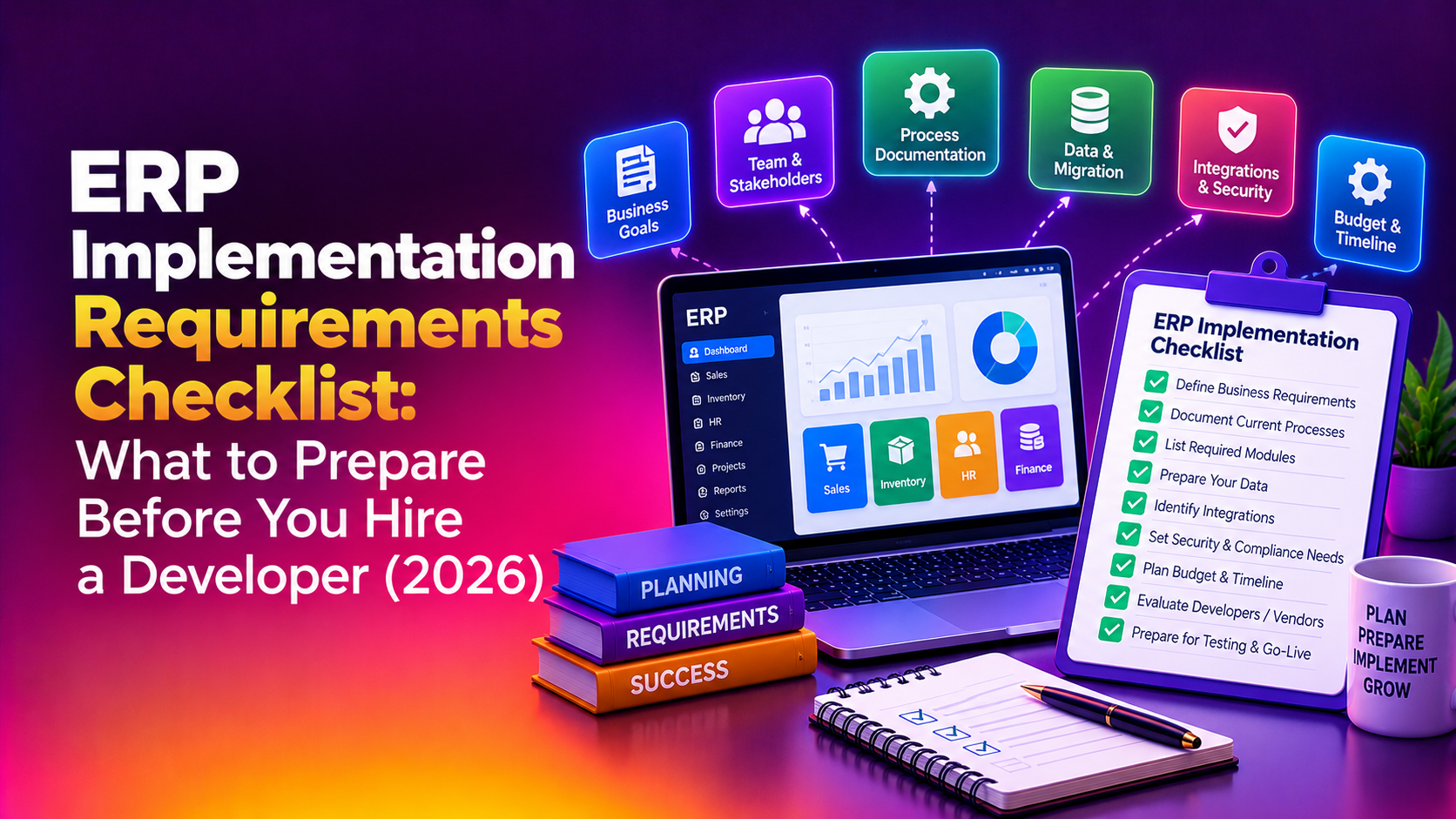
Before you sign a contract with any ERP partner, you need one thing your vendor will never hand you unprompted: a complete ERP implementation requirements checklist. Most Kerala-based manufacturers, distributors, and service businesses approach ERP the same way they'd approach buying accounting software — they ask for a demo, compare prices, and sign. Then six months later they discover the vendor never asked about their multi-warehouse stock transfers, their GST-compliant invoice formats, or who owns the customizations once the contract ends.
This guide gives you the exact checklist to work through before you hire an ERP developer — covering functional requirements, technical requirements, non-functional requirements, vendor and contract questions, data migration readiness, and team readiness. Use it as a working document with your shortlisted vendors, not just a reading list.
Why Requirements Gathering Determines Whether Your ERP Project Succeeds
Industry research on ERP rollouts consistently shows that discovery and requirements gathering should occupy 15–20% of the total project timeline. Organizations that compress this phase to "save time" routinely pay three to five times that saved time later — in scope churn during the build phase and rework after go-live. If your shortlisted vendor wants to skip straight to a proposal after a single call, that is a red flag, not a sign of efficiency.
A proper ERP requirements gathering checklist forces both sides — you and your development partner — to agree on scope, cost, and timeline before money changes hands. That is the entire point of this exercise.
Step 1: Define Your Functional Requirements
Functional requirements describe what the ERP system must actually do for each department. Before your first vendor call, get department heads to answer:
- Which modules do we need on day one? (Finance, inventory, procurement, HR, manufacturing, CRM, payroll)
- What manual processes are we hoping the ERP will eliminate?
- Do we need multi-location or multi-warehouse support?
- Do we need GST-compliant billing, e-invoicing, and e-way bill generation built in?
- What reports does leadership actually look at every week — and can the ERP generate them natively?
Write this down as a functional requirements document (FRD). Any vendor unwilling to review and refine an FRD with you in the first two weeks of engagement is not doing proper discovery.
Step 2: Define Your Technical Requirements
Technical requirements cover deployment, integration, security, and scalability:
- Deployment model — cloud, on-premise, or hybrid? Who hosts it, and where is the data physically stored?
- Integration capability — does it need to talk to your existing accounting software, e-commerce store, payment gateway, or courier/logistics API?
- Security standards — role-based access control, audit logs, encryption at rest and in transit
- Scalability — can it handle 3x your current transaction volume without a re-architecture?
- Mobile access — do floor staff, field sales, or warehouse teams need app-based access?
Step 3: Define Non-Functional Requirements
These are the requirements that don't show up in a feature list but decide whether the system is actually usable day-to-day:
- Usability — can a non-technical warehouse clerk use it after one day of training?
- Vendor support responsiveness — what are the guaranteed response times for critical issues?
- Implementation timeline — is it realistic, or does it look copy-pasted from a template?
- Total cost of ownership over 3–5 years, not just the initial quote
ERP Pre-Hiring Checklist Table
| Category | What to Prepare / Confirm | Why It Matters |
|---|---|---|
| Functional requirements | Documented module list, workflow diagrams, current pain points per department | Prevents scope creep and mid-build feature requests |
| Technical requirements | Hosting preference, integration list, security/compliance needs | Determines architecture and long-term scalability |
| Non-functional requirements | Usability expectations, support SLAs, training plan | Decides real-world adoption, not just go-live success |
| Vendor & contract questions | Itemized 3–5 year cost breakdown, IP ownership of customizations, data export rights | Avoids renewal-time price shocks and vendor lock-in |
| Data migration readiness | Cleaned master data, mapped fields, decided cutover date | The single most underestimated cause of ERP delays |
| Team & resource readiness | Named project sponsor, full-time project lead, department champions | ERP projects without an internal owner stall within weeks |
| Discovery & timeline | 15–20% of total schedule reserved for requirements gathering | Cutting discovery short causes 3–5x rework later |
💡 None of these worked? Skip the guesswork.
Get Expert Help →Step 4: The Vendor and Contract Questions You Must Ask
Once you have your internal requirements documented, take them into vendor conversations and ask directly:
Ask for their certification level, number of similar implementations completed, and their most recent project. A vendor who can't name individuals is planning to staff your project with whoever is free that week.
This should cover licensing, implementation, training, support, customization, and data migration, broken down annually — not a single lump-sum number.
Get this in writing. Some vendors retain rights to custom modules, which becomes a problem if you ever want to switch providers.
Ask for standard export formats (CSV, XML, API access), how long data is retained after contract end, and whether you can export mid-contract, not just at termination.
A vendor with manufacturing ERP experience will ask very different discovery questions than one whose background is retail or services — and that difference shows up in the final system.
Step 5: Data Migration Readiness
Data migration is consistently the most underestimated part of any ERP rollout. Before development starts, you should have:
- A cleaned, deduplicated master data set (customers, vendors, inventory items, chart of accounts)
- Field-level mapping between your old system(s) and the new ERP schema
- A decided cutover strategy — parallel run, phased, or big-bang go-live
- A rollback plan if migration validation fails
If your vendor's proposal doesn't mention a data migration and validation phase separately from "implementation," ask why — it's usually because they haven't planned for it, and you'll discover that gap live in production.
Step 6: Internal Team and Resource Readiness
ERP implementation requirements aren't only technical — they're organizational. Before you hire a developer, confirm internally that you have:
- A named project sponsor — a senior executive who can block scope creep and make fast decisions
- A full-time (or near full-time) internal project lead, not someone squeezing it in between other duties
- Functional champions from finance, inventory, and operations who will validate each module before sign-off
- A backfill plan for whoever gets pulled off their day job to work on this
Projects that skip this step tend to have all the right software and none of the right ownership — which is why so many ERP rollouts stall at 70% complete.
Why Kerala Businesses Choose CloudHouse for ERP Development
CloudHouse Technologies runs full requirements-gathering workshops before writing a single line of code — because we've seen what happens when that step gets skipped. As an experienced ERP development company in Kerala, we work with manufacturing, distribution, and service businesses across Kochi, Thrissur, and the wider region, and we provide a named technical lead, an itemized cost breakdown up front, and full data-ownership terms in every contract — no ambiguity about who owns your customizations or your data.
Ready to Build Your ERP Requirements Document?
If you're preparing to hire an ERP developer, don't start with a vendor call — start with this checklist. Once your functional, technical, and non-functional requirements are documented, CloudHouse can turn them into a working system without the mid-project surprises. Talk to our ERP development team in Kerala to get a scoped proposal built around your actual requirements, not a generic template.
Conclusion
An ERP implementation requirements checklist isn't paperwork — it's the difference between a system that runs your business and a six-figure project that stalls at 70% complete. Document your functional, technical, and non-functional requirements, ask the hard vendor questions about cost, IP, and data ownership, and make sure your internal team has real ownership before you sign anything. Get this right up front, and the rest of the implementation becomes dramatically more predictable.