If you are a trustee, principal or administrator trying to budget for ERP development cost for schools and colleges, you have probably noticed that nobody will give you a straight number. That is not evasion. Education ERP projects vary enormously, because a single-campus school with a few hundred students and a multi-campus college with affiliated departments are not the same product. This guide explains what actually moves the price, which modules are cheap and which are expensive, and how to decide between custom development and off-the-shelf software. It deliberately avoids quoting figures, because any number published without seeing your requirements would be a guess.
It is written for decision makers who need to take a budget request to a management committee or governing body. By the end you should be able to write a clear requirements list, compare quotes fairly and ask better questions of every vendor, including us.
What an education ERP actually covers
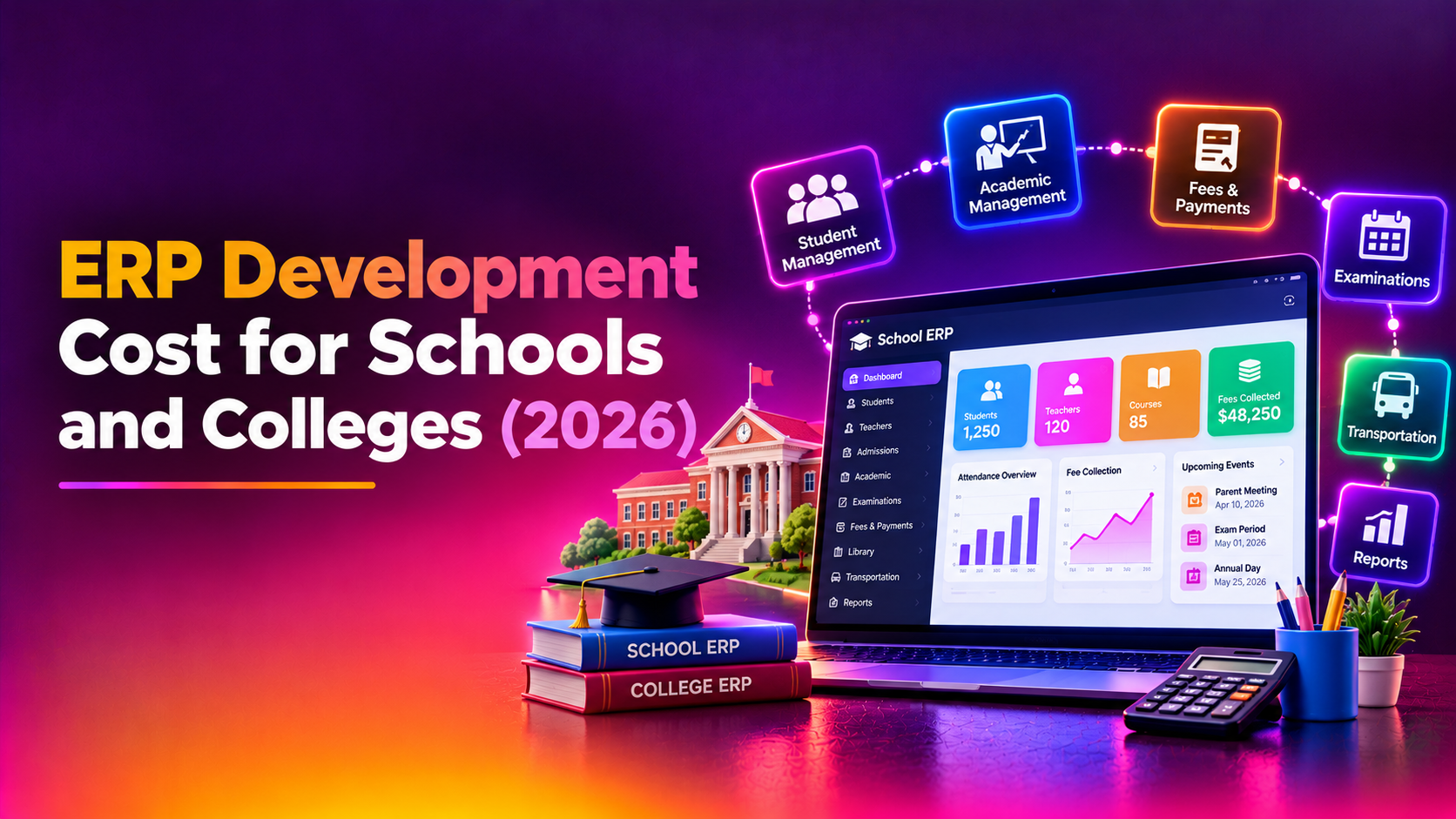
A school management system development project usually bundles several modules that share one database. The value of an ERP over separate tools is that a student record entered once at admission flows into fees, attendance, timetable, exams and the parent app without re-typing. The common modules are:
- Admissions and enquiry management, including application forms, document upload and seat allocation.
- Student and staff records, with class, section, house and guardian details.
- Fee management: fee structures, instalments, concessions, receipts, dues and reminders.
- Timetable and substitution planning.
- Attendance for students and staff.
- Examinations, mark entry, grading rules, report cards and result publishing.
- Library, inventory and asset tracking.
- Transport: routes, stops, vehicle assignment and fee linkage.
- Parent, student and teacher apps or portals, with notices and messaging.
- Payroll and HR, where the institution wants them in the same system.
You rarely need all of these on day one. Most institutions phase them, starting with the modules that cause the most daily pain, which is usually fees, attendance and exams.
Custom ERP versus off-the-shelf school software
The first cost decision is not a module at all. It is whether to build, buy or configure. Ready-made products are quicker to start and have lower upfront cost, but they impose their own way of working. Custom development fits your processes but needs more time, more involvement from your staff and a clearer scope. A middle path, a configurable base extended with custom modules, is also common.
Custom development tends to make sense when your institution has unusual rules that packaged products handle badly. Examples include a university-affiliated college with its own internal assessment scheme, a trust running several schools under different boards, or a fee structure with many concession categories. If your needs are standard and you have a single campus, an existing product may serve you well, and a trustworthy vendor will tell you so. If you want to talk through that decision, our ERP development service page explains how we scope custom builds.
The cost drivers, module by module
Instead of a price list, here is how much effort each driver typically adds. Effort is a fair proxy for cost, because most of the bill in custom software is developer, designer and tester time. The ratings are general guidance, not a quotation, and a real estimate depends on your exact rules.
| Cost driver | Relative effort | Why it moves the cost |
|---|---|---|
| Student and staff records | Low | Foundation module with well-understood fields; effort rises with custom fields and role-based access. |
| Admissions and enquiry | Medium | Online forms, document upload, merit or seat rules and follow-up workflows add logic. |
| Fee management | High | Instalments, concessions, late fines, multiple heads, refunds and accounting exports need careful rules and testing. |
| Timetable generation | High | Automatic scheduling with teacher, room and subject constraints is a hard problem; manual entry is far cheaper. |
| Attendance | Low to Medium | Simple manual marking is low effort; biometric, RFID or app-based capture raises it. |
| Exams, results and report cards | High | Board-specific grading, weightage, moderation and printable report card designs vary widely. |
| Library | Low to Medium | Catalogue and issue-return are simple; barcode scanning and fine rules add work. |
| Transport | Medium | Routes, stops and fee linkage are moderate; live GPS tracking is a separate and larger effort. |
| Parent and student app | Medium to High | Native Android and iOS apps, push notifications and offline behaviour cost more than a mobile-friendly portal. |
| Integrations | Medium to High | Payment gateways, SMS and WhatsApp, accounting software, biometric devices and government or university portals each need their own work. |
| Number of campuses and users | Medium to High | Multi-campus data separation, central reporting and heavier hosting raise both build and running effort. |
| Data migration from old systems | Medium to High | Cleaning, mapping and verifying years of spreadsheets or legacy records is slow, unglamorous and easily underestimated. |
Notice that the most expensive items are not the ones people expect. Fees, exams and timetable rules look simple on paper but hide many exceptions. These are exactly the areas where you should ask a vendor to walk through your real documents, such as last year's fee schedule and a sample report card, before they quote.
Understanding the high-effort modules
Fees and finance
Fee collection touches money, so mistakes are costly. Ask how the system handles part payments, sibling discounts, scholarship categories, transport fees that change mid-year and refunds on withdrawal. Ask how receipts are numbered and how the finance office reconciles collections with the bank. A strong fee module saves the accounts team hours every week, which is why it is usually worth funding properly.
Exams, results and report cards
Result logic is specific to your board, university or internal scheme. If your college follows a credit or semester system, or your school handles several boards, the rules multiply. Insist on seeing result calculations tested against a past term before sign-off, and on a clear process for correcting marks after publishing, with an audit trail of who changed what.
Timetable
Automatic timetable generation is a genuine optimisation problem. If your timetable coordinator currently builds it by hand and is happy to continue, a simple visual editor with clash detection delivers most of the benefit at far lower effort. Reserve automatic generation for cases where manual planning is truly the bottleneck.
Scale: campuses, users and data migration
Two projects with identical modules can differ greatly in cost if one serves a single building and the other serves several campuses. Multi-campus setups need clear rules about who can see which data, how branches report to head office and how shared staff are handled. More concurrent users, such as parents all checking results on the same morning, also need hosting that has been sized and tested for peaks, not just for an average day.
Data migration deserves its own budget line. Institutions often hold student records across spreadsheets, old software and paper registers. Someone has to decide which records to import, fix duplicates and missing guardians, and check the result with your office staff. Skipping this step is the most common reason a good ERP launches badly.
Hidden and recurring costs to include in your budget
The build is only part of the picture. When comparing proposals, make sure each one addresses the following, or you will be comparing unlike things.
- Hosting, backups and security, and who pays for them each year.
- Third-party charges such as SMS, WhatsApp messaging and payment gateway fees, which are usually separate from development.
- Training for office staff, teachers and the front desk, ideally in more than one session.
- Support and maintenance after launch, including how quickly problems are handled during admissions and result season.
- Change requests, meaning how new requirements are priced once the project is under way.
- Ownership of the source code and your data, and your ability to move to another vendor later.
How to keep an education ERP budget under control
- Phase the rollout. Launch records, fees and attendance first, then exams, library and transport once the team is comfortable.
- Write down your rules. Collect fee schedules, grading schemes and sample reports before asking for quotes. Vague requirements produce vague, and often inflated, estimates.
- Separate must-have from nice-to-have. A live bus tracking map or automatic timetable may be wonderful, but they should not delay the core system.
- Nominate an owner. A project lead on your side, usually from the administration office, who can approve decisions quickly, prevents expensive delays.
- Ask for an itemised quote. It lets you see what each module costs and what could be deferred.
If you are still shaping the scope, our ERP development team can review your requirements list and tell you which parts are likely to be simple and which will need careful planning.
Questions to ask every vendor
- Can you show a working demo of fees and result processing using sample data like ours?
- Which modules do you recommend we delay, and why?
- What exactly is included in the quote, and what is excluded?
- Who owns the source code, and can we host the system elsewhere later?
- How is student data protected, and who has access to it?
- What support do you provide during admissions and exam result periods?
- How will you migrate our existing records, and how will we verify them?
Student and guardian records include personal information about minors. Check what your local laws and your affiliating board or university require for data protection and retention, and ask the vendor how their design supports it. This article is general guidance and not legal advice.
Why Companies Choose CloudHouse for ERP Development
CloudHouse Technologies plans ERP projects in phases, so you can start with the modules that matter most and expand later. We provide itemised quotes that show what each module and integration involves, so you can decide where to spend and where to wait. Support continues after launch, which matters most during admissions and result season. You can read more about our approach on the ERP development page for Kerala institutions.
Conclusion
The real cost of an education ERP is determined by a handful of drivers: how complex your fee and exam rules are, whether you need automatic timetables and native apps, how many integrations and campuses are involved, and how much old data must be migrated. Understand those, phase the rollout and insist on itemised quotes, and you can budget with confidence instead of guesswork. When you are ready to turn your requirements into a clear estimate, request an ERP development quote from CloudHouse and start planning before your next admission cycle begins.