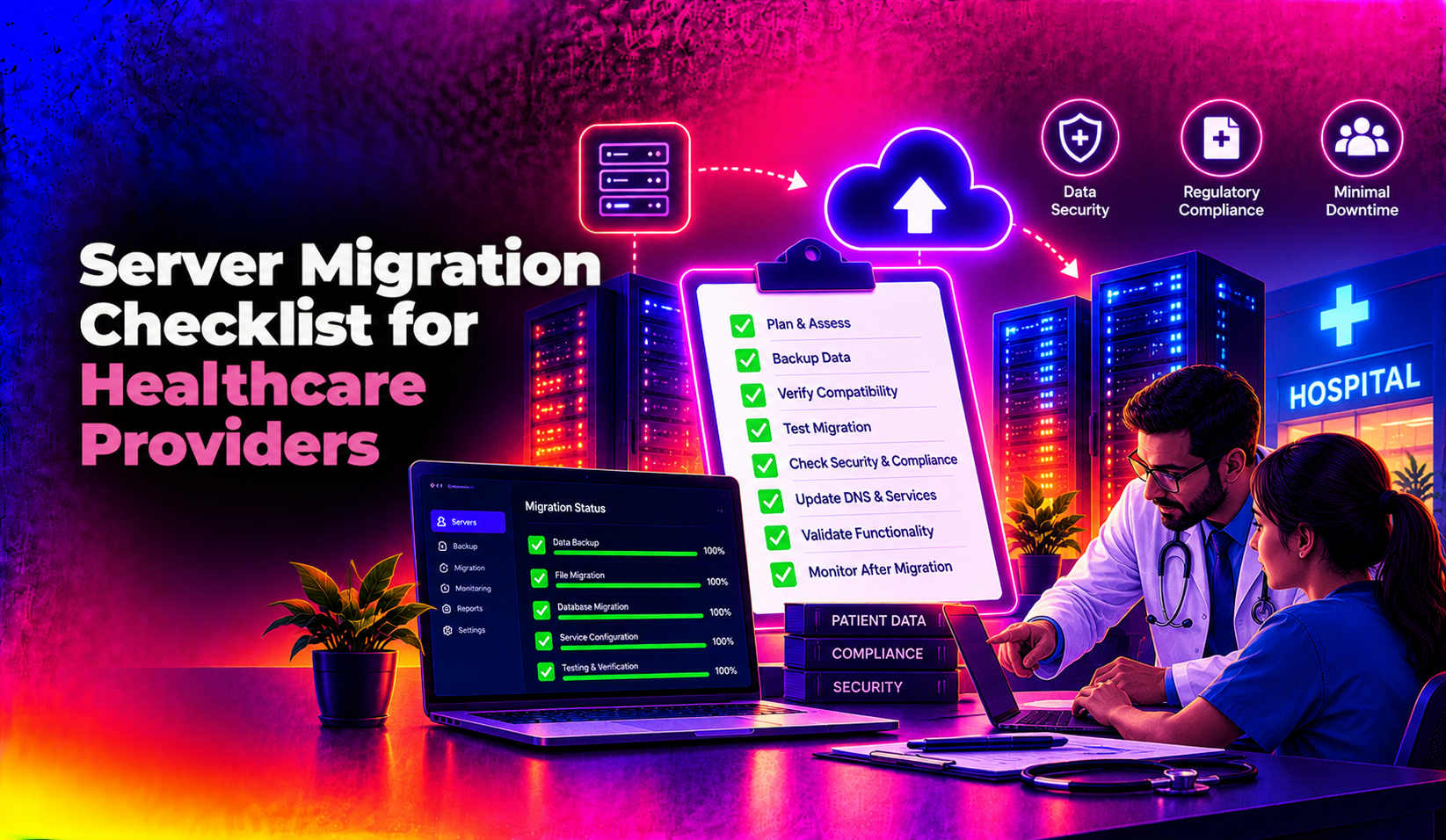
Migrating the servers behind an electronic health record (EHR) system is one of the highest-risk projects a healthcare IT team will ever run. Unlike a typical business server move, a healthcare provider must protect patient data under HIPAA at every step while keeping clinicians able to chart, order, and bill without interruption. This server migration checklist for healthcare providers walks through the exact pre-migration, migration, and post-migration steps that keep ePHI safe and clinical systems online — whether you're moving Linux-based application servers, Windows-based EHR database servers, or a hybrid environment.
Unlike generic IT migration guides, every step below is written specifically for practices, clinics, and hospital IT teams managing patient data — not a generic server lift-and-shift.
What Does a Healthcare Server Migration Involve?
A healthcare server migration typically covers three interconnected layers: the underlying infrastructure (physical or virtual Linux and Windows servers), the EHR/practice management application layer, and the databases holding ePHI. Because these layers are tightly coupled — an EHR upgrade often forces a database engine change, which forces an OS-level migration — providers rarely get to migrate "just the server." A realistic healthcare server migration project touches networking, identity/access management, backup infrastructure, interfaces to labs and pharmacies (HL7/FHIR feeds), and the compliance paperwork that has to exist before a single byte of ePHI moves.
Most practices fall into one of two migration types: a lift-and-shift (same OS/database version, new hardware or cloud host) or a platform migration (new EHR version, new database engine, or Linux-to-Windows/Windows-to-Linux change). Platform migrations carry more risk and need a longer testing window, which is why the checklist below separates planning from cutover.
Infrastructure and virtualization layer
This is the physical or virtual hardware the EHR runs on — hypervisor hosts, storage arrays, and networking gear. A migration here often means moving from an aging on-premises server closet to a hosted data center or private cloud, and it's the layer where uptime SLAs, redundant power, and disaster-recovery replication get decided.
Application and EHR layer
The EHR or practice management software itself, along with any middleware it depends on — licensing servers, print/fax gateways, and single sign-on. Vendors frequently certify only specific OS and database versions, so this layer dictates a lot of what's technically possible on the infrastructure below it.
Database and ePHI storage layer
The actual patient records — demographics, clinical notes, orders, billing data — living in SQL Server, Oracle, or another database engine. This is the layer regulators care about most, and it's where encryption, access logging, and integrity validation get the closest scrutiny during a move.
Integration and interface layer
HL7 and FHIR feeds to labs, pharmacies, imaging systems, and clearinghouses. These interfaces are notoriously easy to forget during planning because they're "just a connection," yet a single missed interface can silently stop lab results from posting for days after a cutover that otherwise looked successful.
The Complete Pre-Migration Checklist
Use this as a literal, working checklist before you schedule a cutover date. Skipping any of these steps is where most healthcare migrations run into compliance gaps or unplanned downtime.
- Inventory every system touching ePHI — servers, databases, interface engines, fax/scan gateways, backup appliances, and any third-party app with a live connection to the EHR.
- Classify data by sensitivity — separate in-scope ePHI systems from out-of-scope workloads (e.g., a public marketing site) so you're not over-scoping compliance controls.
- Confirm Business Associate Agreements (BAAs) are signed with the new hosting provider, cloud vendor, and any migration contractor before any data is touched.
- Run a full risk assessment on the destination environment — encryption standards, access controls, physical security, and audit logging.
- Define RTO and RPO targets in writing (e.g., "EHR must be back within 4 hours, no more than 15 minutes of data loss") so downtime decisions aren't made on the fly.
- Take a verified, tested backup of every source system, and confirm the restore actually works — not just that the backup job completed.
- Build a like-for-like test/staging environment and perform a full trial migration before touching production.
- Document a rollback plan with clear go/no-go criteria for reverting to the old environment if validation fails.
- Notify clinical staff of the planned downtime window and publish manual/downtime procedures (read-only chart access, paper order forms, etc.).
- Schedule the cutover for lowest patient volume — typically overnight or a weekend — and confirm on-call coverage from both clinical and IT sides.
- Reconfirm vendor support windows — check that your EHR vendor's support team is aware of and available during the cutover, since many support contracts require advance notice for changes to certified environments.
If you'd rather have this checklist executed by a team that has run it dozens of times, CloudHouse's server migration service handles the full pre-migration audit, BAA coordination, and staging environment build for you.
HIPAA Compliance Considerations During Migration
A HIPAA compliant server migration isn't a single checkbox — it's a set of controls that has to be true throughout the entire project, not just at go-live.
Encryption in transit and at rest
All ePHI moving between the source and destination environment must be encrypted in transit (TLS 1.2 or higher) and encrypted at rest (AES-256) on the destination storage. Never migrate ePHI over an unencrypted VPN tunnel or plain FTP, even "just for a quick test." If a physical drive or appliance is used to transport data between locations, it should be a self-encrypting drive with the encryption key managed separately from the device itself.
Business Associate Agreements and vendor due diligence
Every party with access to ePHI during the migration — the hosting provider, the migration contractor, and any subcontractor performing data transfer or validation — needs a signed BAA in place before work begins, not after. It's also worth confirming the destination hosting provider's own subprocessors (backup vendors, monitoring tools) are covered, since a gap at that level is still your organization's liability under HIPAA.
Chain-of-custody and audit logging
Every system that touches ePHI during the move — including temporary staging servers — needs audit logging enabled, and you should validate data integrity with checksums so you can prove nothing was altered in transit.
Minimum necessary access
Limit migration-team access to only the systems and data required for the cutover, and use time-boxed credentials that expire once the project closes.
Post-migration decommissioning
Once the new environment is validated, old servers and drives holding ePHI must be sanitized according to NIST media sanitization guidance, with a certificate of destruction kept on file — leaving a decommissioned server with patient data intact is one of the most common HIPAA findings in post-migration audits.
Documentation
Keep a compliance folder with the risk assessment, signed BAAs, test results, reconciliation reports, and sign-offs. This is what an auditor or OCR investigator will ask for first if there's ever a breach inquiry.
Breach notification readiness
Even a well-run migration should assume something could go wrong, so it's worth reviewing your organization's breach notification procedure before cutover — who gets notified internally within the first hour of a suspected exposure, and what the timeline looks like for notifying affected patients and HHS if an actual breach is confirmed. Having this documented ahead of time turns a chaotic first 24 hours into a rehearsed process.
💡 None of these worked? Skip the guesswork.
Get Expert Help →Minimizing Downtime for EHR and Patient Systems
Patient care doesn't pause for a migration, so the goal for most practices is zero downtime server migration for healthcare systems, or as close to it as the architecture allows.
Stand up the new server environment alongside the old one and keep both in sync during the transition window, rather than a hard cutover.
Move a single low-risk department or clinic location first, validate it end-to-end, then roll out to the rest of the organization — a "big bang" full-org cutover is where most extended outages happen.
Test lab, pharmacy, and billing interface connections against the new servers before cutover night, not during it.
Give clinical staff a printed or PDF downtime packet with read-only chart access instructions and paper order forms as a fallback.
Have clinical super-users log in and perform real workflows — chart a note, place an order, print a prescription — before you release the migration team.
Why Healthcare Providers Choose CloudHouse for Server Migration
Healthcare IT teams come to CloudHouse because we treat compliance as part of the migration plan, not an afterthought — every project includes a signed BAA, an encrypted staging environment, and a documented rollback plan before we touch a production server. We also bill hourly with no long-term lock-in, so a practice migrating a single EHR database server pays for the actual hours of work rather than a bloated fixed-price package. Our engineers have handled both Linux and Windows server migrations for clinics and multi-location practices, including the interface testing that healthcare migrations specifically require. See the full scope of our server migration services for Linux and Windows environments.
Frequently Asked Questions
How much does a healthcare server migration cost?
Costs vary widely based on the number of servers, whether it's a lift-and-shift or a full platform migration, and how much interface testing is required — small single-location practices typically see costs in the low thousands, while multi-site EHR platform migrations can run significantly higher. CloudHouse quotes based on an initial infrastructure audit rather than a flat rate, so you only pay for the actual migration scope.
How long does an EHR server migration take?
A straightforward lift-and-shift for a single-location practice can be completed in a single overnight or weekend window after 1-2 weeks of planning and staging. A full platform migration (new EHR version or database engine) typically needs 4-8 weeks of planning, staging, and phased cutover to keep risk low.
What is required for a HIPAA compliant server migration?
At minimum you need a signed BAA with every vendor touching ePHI, encryption in transit and at rest, a documented risk assessment, audit logging throughout the migration, and a media sanitization/decommissioning plan for the old servers. Skipping any of these is a common finding in post-breach HIPAA audits.
Can we migrate our EHR server with zero downtime?
True zero downtime is achievable for some architectures using parallel-run and canary cutover strategies, but most practices should plan for a short, scheduled maintenance window rather than promise true zero downtime — the goal is minimizing it to minutes, not eliminating scheduled risk entirely.
Do you offer a trial or phased migration instead of a full cutover?
Yes — CloudHouse recommends and builds phased migrations by default for healthcare clients, starting with a single department or location before rolling out organization-wide, which limits the blast radius if something needs adjusting.
What happens to the old servers after migration?
Old servers and any drives that held ePHI must go through a documented decommissioning process — full data wiping or physical destruction following NIST 800-88 guidance, with a certificate of destruction retained for your compliance file. Simply repurposing or reselling a server without sanitizing it first is one of the more common (and avoidable) HIPAA violations CloudHouse sees during post-migration audits.