Startups scaling fast rarely have the luxury of a dedicated ops team. A single founder-engineer is often responsible for provisioning, patching, monitoring, and backing up production infrastructure while also shipping features. Without a formal server management checklist for startups, the risk of downtime, data loss, or a preventable security breach grows right alongside your traffic. This guide gives you a practical, no-fluff checklist to keep your servers stable as your team and user base scale in 2026.
Why Startups Outgrow DIY Server Management
In the early days, one person can SSH into a box, apply updates on a Sunday night, and call it maintenance. But once you have paying customers, multiple environments, and a growing engineering team, ad-hoc server care breaks down fast. Missed patches turn into security incidents. Manual backups get skipped during crunch weeks. Nobody owns incident response, so a 2am outage becomes a founder's problem instead of an on-call rotation's problem.
Most published server management checklists are written for enterprises with dedicated SRE teams and unlimited headcount — not for a 10-person startup where the "infrastructure team" is one engineer wearing five hats. That gap is exactly why founders searching for a startup server monitoring checklist often come away with advice they don't have the staff to execute.
There's also a growth-curve problem unique to startups. Infrastructure that comfortably handled a few hundred users on a single box starts buckling once you cross a few thousand — and the timing rarely lines up conveniently with when you have budget to hire an ops specialist. A funding round might be six months out while your traffic doubles this quarter. That mismatch between growth speed and ops headcount is precisely why a documented, repeatable checklist matters more for startups than for almost any other type of company: it's the difference between a controlled scale-up and a 2am scramble during your busiest week.
The Complete Server Management Checklist for Startups
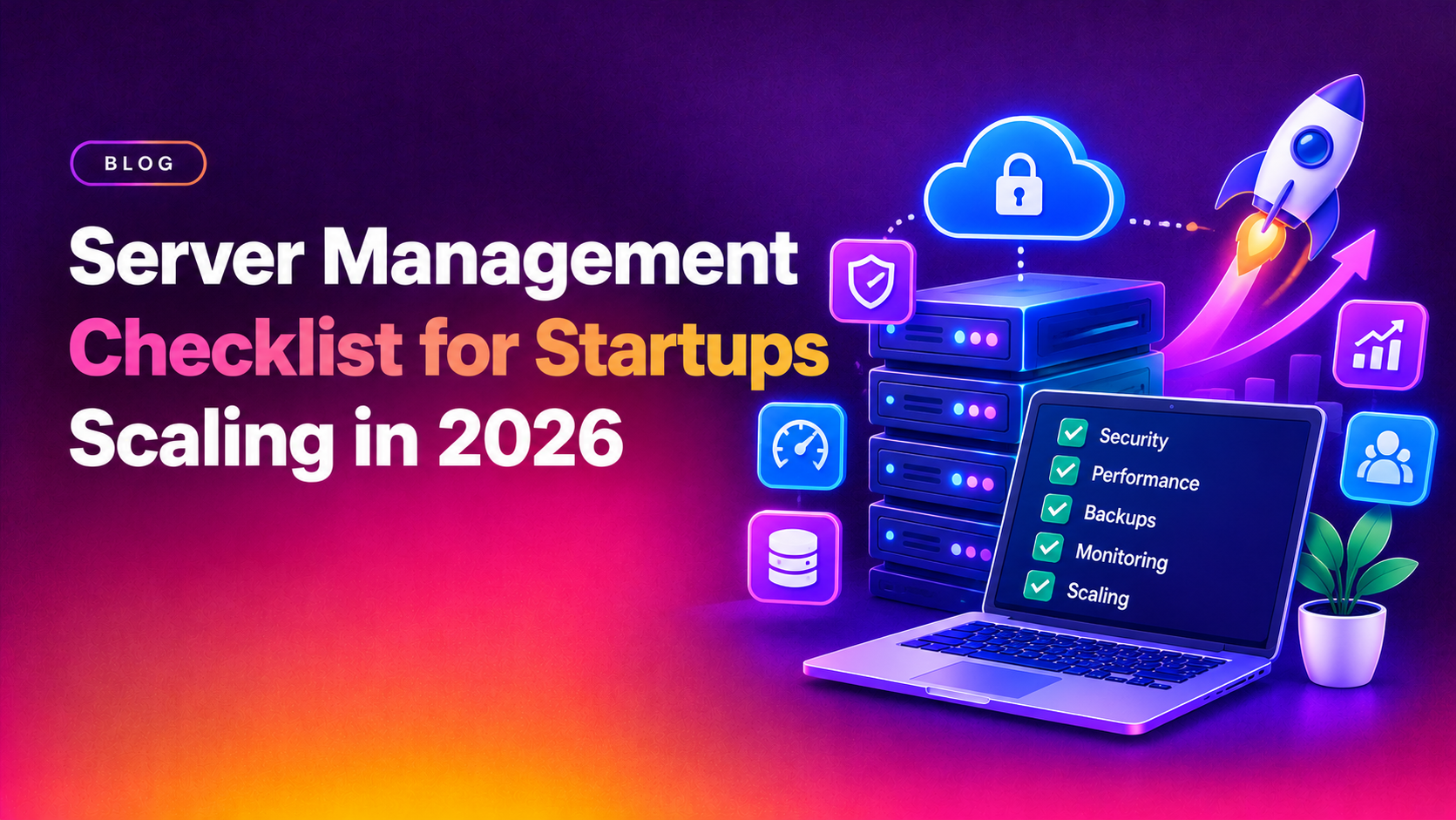
Use this as a literal, run-through-it checklist. If you can't confidently check off every item below, that's a gap worth closing before your next growth spurt.
- Inventory every server and service — document what's running, where, and who owns it (no more "shadow servers" nobody remembers spinning up)
- Automate OS and security patching — schedule updates instead of relying on memory
- Set up real-time uptime and resource monitoring — CPU, RAM, disk, and network thresholds with alerting (80% disk, 90% CPU, 85% memory are sane defaults to start with)
- Centralize logs — one place to search logs across all servers, not SSH-and-grep on each box individually
- Configure automated, tested backups — daily minimum, stored off-server, with a documented restore process
- Run a disaster recovery drill at least quarterly — a backup you've never restored is not a backup
- Harden access control — SSH key-only auth, least-privilege users, and MFA on every admin account
- Enforce firewall and network segmentation rules — close every port you don't actively need open
- Automate SSL certificate renewal — expired certs are one of the most common self-inflicted outages
- Define an incident response and on-call process — who gets paged, what the escalation path is, and how downtime gets communicated
- Document server configuration as code — version-controlled configs (Ansible, Chef, or even a detailed README) so onboarding a new hire doesn't require tribal knowledge
- Review server costs monthly — right-size instances before "we'll deal with it later" becomes a five-figure cloud bill
Monitoring, Backups, and Security Essentials
Three categories cause the overwhelming majority of startup outages and data-loss incidents: weak monitoring, untested backups, and deferred security hygiene. Each deserves its own discipline.
Monitoring
Infrastructure monitoring (Prometheus, Grafana, Datadog, or a managed alternative) should track CPU, memory, disk, and network in real time, paired with application-level monitoring so you catch slow queries and error spikes before customers report them. Alerts should route to a channel someone actually watches — a monitoring dashboard nobody looks at is decoration, not a devops server checklist item you've actually completed.
Backups
Automated daily backups of databases and critical data, stored in a separate region or provider from your primary infrastructure, are non-negotiable once you have real customer data. Just as important: schedule a recovery test. Startups routinely discover their backups were silently failing only when they need them most.
Security
Rotate credentials, enforce MFA, patch promptly, and run periodic vulnerability scans. Keep secrets and environment variables out of your codebase entirely — a secrets manager or vault, not a `.env` file committed by accident, should hold your production credentials. Disable password-based SSH logins in favor of keys, and audit user accounts quarterly to remove access for anyone who's left the team or changed roles. If your team can't commit to a consistent patch cadence, that's a strong signal you need managed server support rather than another internal reminder that will get deprioritized during the next sprint.
A surprising number of startup breaches trace back not to a sophisticated attack, but to a forgotten staging server still running last year's OS version with a default admin password. Your checklist should cover every environment — production, staging, and any demo or sandbox instance — not just the servers customers directly touch.
Managed Server Support vs Hiring a DevOps Engineer
Once the checklist above becomes a part-time job in itself, founders face a build-vs-buy decision.
| Factor | In-House DevOps Hire | Managed Server Support |
|---|---|---|
| Typical monthly cost | $8,000–$14,000+ salary and benefits | Flat or hourly plans, often a fraction of a full salary |
| Coverage | Single point of failure — vacations and sick days leave gaps | 24/7 coverage with team redundancy |
| Ramp-up time | Weeks to months to hire and onboard | Live within days |
| Scope flexibility | Fixed to one person's skill set | Broad expertise across stacks, panels, and cloud providers |
| Best fit | Startups with heavy, constant infra workload and budget to match | Startups needing reliable coverage without a full-time headcount commitment |
For most early- and growth-stage startups, managed server support for startups delivers the same checklist discipline as a full-time hire — monitoring, patching, backups, incident response — without the fixed payroll cost or the single-point-of-failure risk of one in-house person.
There's also a hybrid path worth considering: many startups keep a lean in-house engineer for product-specific infrastructure decisions while outsourcing the repetitive, always-on checklist work — patch cycles, backup verification, monitoring triage — to a managed provider. This split lets your engineering hire focus on architecture and feature velocity instead of getting paged at 3am for a disk-space alert.
When evaluating server management pricing for startups, look past the headline monthly rate. Ask what's actually included: is monitoring 24/7 or business hours only? Are backup restores tested, or just scheduled? Is there a dedicated escalation path for critical incidents, or a shared ticket queue with a 48-hour SLA? The cheapest plan on paper often excludes the exact coverage that matters most during a real outage.
Why Startups Choose CloudHouse for Server Management
Startups choose CloudHouse because we built our server management service specifically around lean teams: hourly and flat-rate billing that scales with you, no long-term lock-in, and 24/7 monitoring and incident response so your infrastructure doesn't depend on one person's sleep schedule. Instead of handing you a generic enterprise checklist, we run it for you — patching, backups, monitoring, and security hardening — so your engineers can stay focused on product instead of firefighting servers.
Frequently Asked Questions
What should be on a server management checklist for a startup?
At minimum: automated patching, real-time monitoring with alerting, centralized logging, tested daily backups, access control and MFA, SSL renewal automation, and a documented incident response process. The checklist in this article covers all of these in detail.
How much does server management cost for startups?
Pricing varies by server count and support level, but managed plans are typically far cheaper than a full-time DevOps salary — many providers, including CloudHouse, offer hourly or flat monthly plans that scale with your infrastructure rather than requiring a fixed headcount commitment.
How quickly can a managed server support team respond to an outage?
Reputable managed support providers offer 24/7 monitoring with response times measured in minutes, not hours — CloudHouse's server management support includes round-the-clock coverage so incidents get triaged immediately, day or night.
Do I need to sign a long-term contract for managed server support?
No — you shouldn't have to. Look for providers offering month-to-month or hourly plans with no minimum commitment, so you can scale support up or down as your infrastructure needs change.
Should a startup hire a DevOps engineer or use managed server support?
It depends on workload and budget. If your infrastructure demands are constant and complex enough to justify a full salary, an in-house hire makes sense. Most early-stage startups get better coverage and lower cost from managed support until their infrastructure needs grow to justify a dedicated hire.
Getting Started With Your Own Checklist
Don't try to implement every item in this guide in one sprint. Start by auditing where you stand today: run through the checklist section above and mark each item as done, partially done, or missing. Prioritize the gaps that carry the highest downside risk first — untested backups and unpatched public-facing servers should jump to the top of the list, ahead of nice-to-haves like cost optimization dashboards.
Assign an owner to each item, even if that owner is a part-time contractor or a managed support provider rather than a full-time employee. A checklist with no owner is just a wish list. Revisit it monthly as your infrastructure grows — the checklist that covered a single production server won't automatically scale to cover five microservices across three environments.
Server downtime, a botched backup restore, or a missed patch can cost a growing startup far more than the effort it takes to prevent them. Run through the checklist above honestly — and if there are gaps you don't have the headcount to close yourself, a managed server management partner can close them for you before they become a 2am incident.