Your website or network just got flagged for malware, and now you're staring down two options: hand it to your in-house IT person who's already juggling helpdesk tickets, or bring in a dedicated malware removal service. The decision feels small until you realize the wrong one can cost you weeks of downtime, a blacklisted domain, or a repeat infection three months later.
This isn't a theoretical debate. In 2026, ransomware now shows up in roughly 88% of small business breaches, and AI-assisted phishing has doubled in volume over the past two years. Attackers are faster and more automated than ever — which means the margin for a slow, DIY cleanup has essentially disappeared. This guide breaks down exactly what each path costs, how long it takes, and which one actually stops the infection from coming back.
Why This Decision Is Harder Than It Looks
Malware removal isn't a single task — it's a chain of steps: detection, containment, root-cause analysis, backdoor removal, verification, and hardening. Skip any one of those and the "clean" system gets reinfected within days. Industry data backs this up: sites cleaned by cut-rate or inexperienced providers get reinfected roughly 90% of the time, because the entry point was never actually closed.
In-house IT teams are often stretched thin and, unless malware forensics is their specialty, they're troubleshooting symptoms rather than root cause. That's not a knock on their skill — it's a scope problem. A generalist sysadmin and a dedicated malware remediation specialist are solving fundamentally different problems.
What DIY / In-House Malware Removal Actually Involves
When a business decides to handle malware removal internally, the realistic workflow looks like this:
- Running consumer or prosumer antivirus/anti-malware scanners across affected machines or servers
- Manually reviewing logs, file timestamps, and cron jobs for signs of compromise
- Attempting to identify and delete malicious files, plugins, or scripts
- Resetting credentials and hoping the access point used by the attacker is covered
- Monitoring for re-infection after the fact, often reactively
The problem is that steps 2 through 4 require specialized forensic experience most in-house teams don't use often enough to stay sharp. A generalist IT admin might handle malware once or twice a year. A dedicated removal team handles it daily, which means they recognize attack patterns, backdoor placement techniques, and persistence mechanisms that a generalist simply hasn't seen before.
What a Professional Malware Removal Service Does Differently
A dedicated malware removal service runs a structured, repeatable process:
- Full forensic scan across files, databases, server configs, and network traffic to find every point of compromise — not just the obvious one
- Root-cause identification — how the attacker got in, whether it's a vulnerable plugin, exposed credentials, unpatched software, or a phishing foothold
- Complete backdoor removal — including obfuscated shells, scheduled tasks, and rogue admin accounts that a surface-level scan won't catch
- Verification testing to confirm the environment is genuinely clean, not just symptom-free
- Hardening and monitoring to close the original entry point and catch reinfection attempts early
This is the difference between "the scanner says 0 threats" and "we know exactly how this happened and it can't happen the same way again."
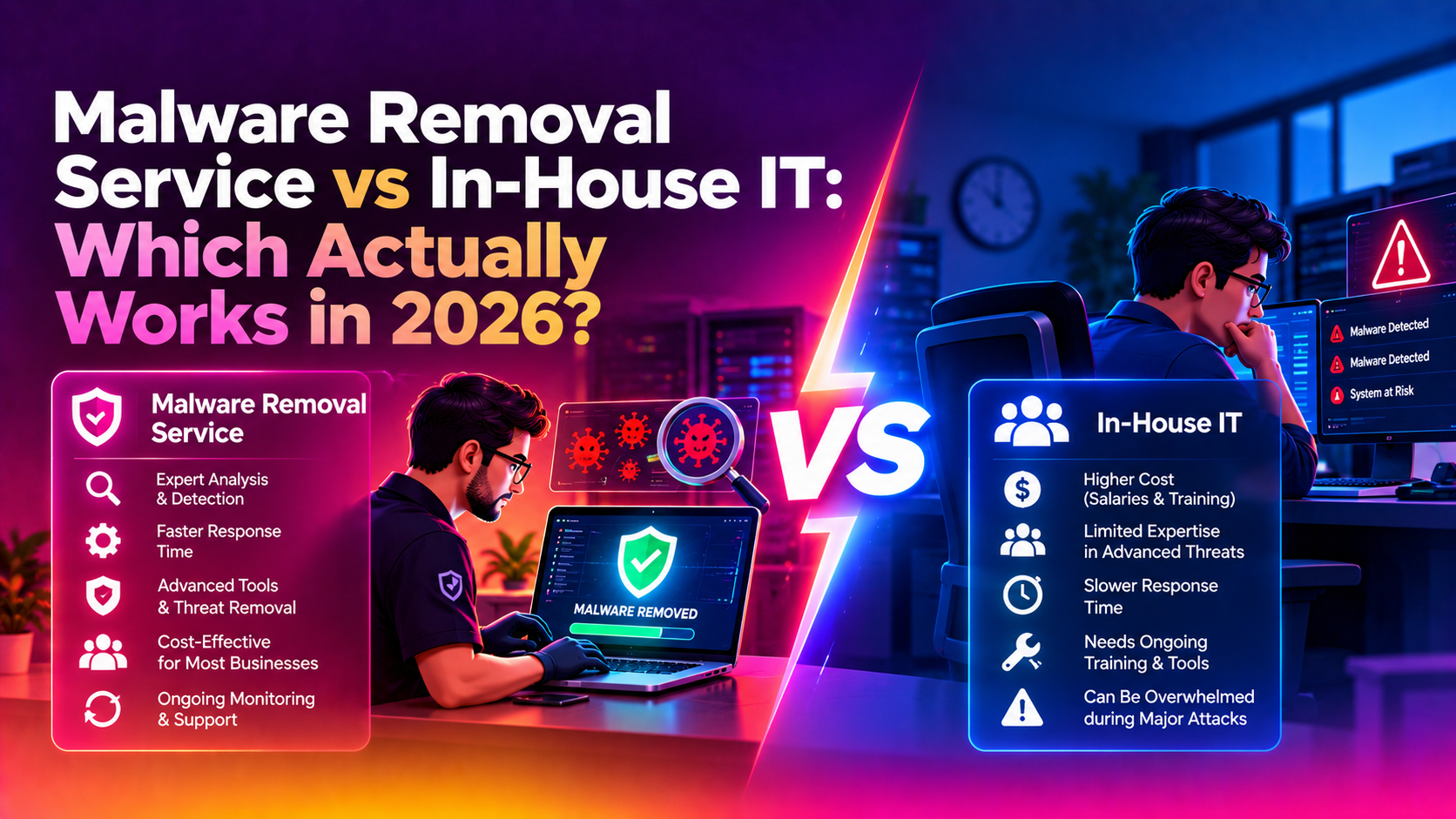
Malware Removal Service vs In-House IT: Side-by-Side Comparison
| Factor | In-House / DIY Removal | Outsourced Malware Removal Service |
|---|---|---|
| Cost | Appears "free" (uses existing staff time), but hidden cost includes lost productivity, extended downtime, and repeat cleanups if the fix fails | Typically $300–$1,800 for standard cleanups; $1,800–$6,500+ for serious incident response — but priced once, with guaranteed scope |
| Speed | Often days to weeks, since staff are context-switching between this and regular duties | Straightforward cases resolved in hours; complex infections typically 2–4 business days with dedicated focus |
| Expertise | Generalist IT knowledge; malware forensics is a rare, occasional task | Specialists who handle malware remediation daily and recognize current attack patterns |
| Risk of reinfection | High — surface-level fixes leave root cause and backdoors untouched in many cases | Low — root-cause analysis and full backdoor removal, often backed by a recurrence guarantee |
| Business impact during cleanup | Other IT priorities stall while the team firefights the infection | Core operations continue; the removal team owns the incident end-to-end |
The Hidden Cost of "Free" DIY Cleanup
The instinct to handle malware removal internally usually comes from wanting to avoid an invoice. But the real cost of DIY removal shows up elsewhere: extended downtime while staff learn on the job, lost revenue from a blacklisted site or blocked emails, SEO damage that takes months to recover from, and — if the fix is incomplete — a second infection that costs even more to fix the second time around. When cut-rate or improvised cleanups fail, the reinfection rate sits close to 90%, which means many businesses effectively pay for the "free" fix twice.
When In-House Handling Actually Makes Sense
To be fair, DIY isn't always the wrong call. If your organization has a dedicated security engineer with real incident-response experience, and the infection is isolated to a single low-risk endpoint, in-house handling can work. The line to watch for: if remediation touches customer data, payment systems, production servers, or if you're not fully certain how the malware got in, that's the point where a specialized service pays for itself in avoided downtime alone.
Signs Your Business Needs Outsourced Malware Removal Right Now
Not every infection requires an external team, but certain warning signs mean you should escalate immediately rather than attempting an in-house fix:
- Your site or server has been flagged by Google Safe Browsing, your hosting provider, or a security vendor
- Customers or employees report unexpected redirects, pop-ups, or suspicious emails originating from your systems
- Antivirus software keeps detecting the same threat after repeated removal attempts
- You cannot identify how the attacker gained access in the first place
- The infection touches systems that store customer data, payment information, or credentials
- Your team has already tried a cleanup and the malware returned within days or weeks
Any one of these is a strong signal that the infection is more complex than a surface-level scan can resolve, and that a specialized malware removal service will save far more time and money than continuing to troubleshoot internally.
What to Ask Before Choosing a Malware Removal Provider
Not all outsourced providers deliver the same quality of work, so it pays to vet them the same way you would any critical vendor. Before committing, ask:
- Do you provide a written root-cause report? A provider that can't explain how the attacker got in likely hasn't actually closed that entry point.
- What's included in your recurrence guarantee, and for how long? A 14-90 day monitoring window is standard among reputable providers; anything shorter or undefined is a red flag.
- What's your average turnaround time? Straightforward cleanups should be measured in hours, not weeks.
- Do you handle hardening after removal, or just the cleanup? Removal without hardening is a temporary fix -- the same vulnerability can be exploited again.
- Can you work around our uptime requirements? Production systems often need remediation that doesn't require full downtime.
A provider that can answer all five clearly and specifically, rather than with vague marketing language, is far more likely to deliver a permanent fix rather than a temporary patch.
The Real Timeline: What Happens Hour by Hour
When you bring in a dedicated malware removal service, the process typically unfolds in a predictable sequence rather than the open-ended troubleshooting that characterizes DIY attempts:
- Hour 0-1: Initial assessment and containment -- isolating affected systems to stop the infection from spreading further
- Hour 1-4: Full forensic scan across files, databases, and configurations to map every point of compromise
- Hour 4-8 (or longer for complex cases): Removal of malicious code, backdoors, and unauthorized accounts, followed by verification testing
- Post-cleanup: Hardening measures applied and monitoring activated for the guarantee period
Compare that to a typical in-house attempt, where each of these stages can stretch across days because the same staff member is also handling unrelated support tickets, and the sequence often isn't followed in full -- teams frequently skip the hardening step entirely, which is exactly why reinfection rates stay high among DIY cleanups.
Why Businesses Choose CloudHouse for Malware Removal
CloudHouse Technologies runs malware remediation as a core specialty, not a side task bolted onto general IT support. Every engagement starts with a full forensic scan — not just a plugin-level check — so we identify every entry point and every backdoor before we call anything "clean." Our team documents the root cause in plain language so you understand exactly what happened and why it won't happen again.
We back our work with a recurrence monitoring window after every cleanup: if the same vulnerability resurfaces within the guarantee period, we fix it again at no extra charge. Most standard infections are resolved within hours, not days, because malware removal is what our team does every single day — not an occasional fire drill squeezed between other tickets. And because we handle the entire chain (detection, cleanup, hardening, and monitoring), your internal team stays focused on running the business instead of relearning forensics from scratch under pressure.
Frequently Asked Questions
How much does professional malware removal cost compared to handling it in-house?
Standard malware cleanups typically run $300–$1,800, with complex incident response reaching $1,800–$6,500+. In-house handling looks cheaper on paper because it uses existing staff time, but hidden costs — extended downtime, lost revenue, and the ~90% reinfection rate common with incomplete fixes — often make DIY the more expensive option over time.
How long does malware removal actually take?
With a dedicated service, straightforward infections are often resolved within a few hours, while complex cases typically take 2–4 business days. In-house teams frequently take longer since malware remediation competes with regular support tickets and isn't a daily skill for most generalist IT staff.
Do you guarantee the malware won't come back?
Yes. CloudHouse includes a recurrence monitoring period after every removal. If the same vulnerability that caused the original infection resurfaces during that window, we resolve it again at no additional cost — because the goal is a genuine fix, not a temporary patch.
Can our in-house IT team handle malware removal instead?
They can attempt it, and for isolated, low-risk cases it may be fine. But most in-house teams handle malware infrequently, which means backdoors and root causes get missed more often than not. For anything touching production systems, customer data, or payment processing, a dedicated removal service significantly lowers the risk of an incomplete fix.
What happens if the infection has already spread across multiple systems?
This is exactly the scenario where DIY approaches struggle most. A professional service maps the full scope of the compromise — every affected server, endpoint, and account — before starting removal, so nothing gets missed and reinfection risk stays low. Reach out through our malware removal service page for a fast assessment if you suspect multi-system compromise.