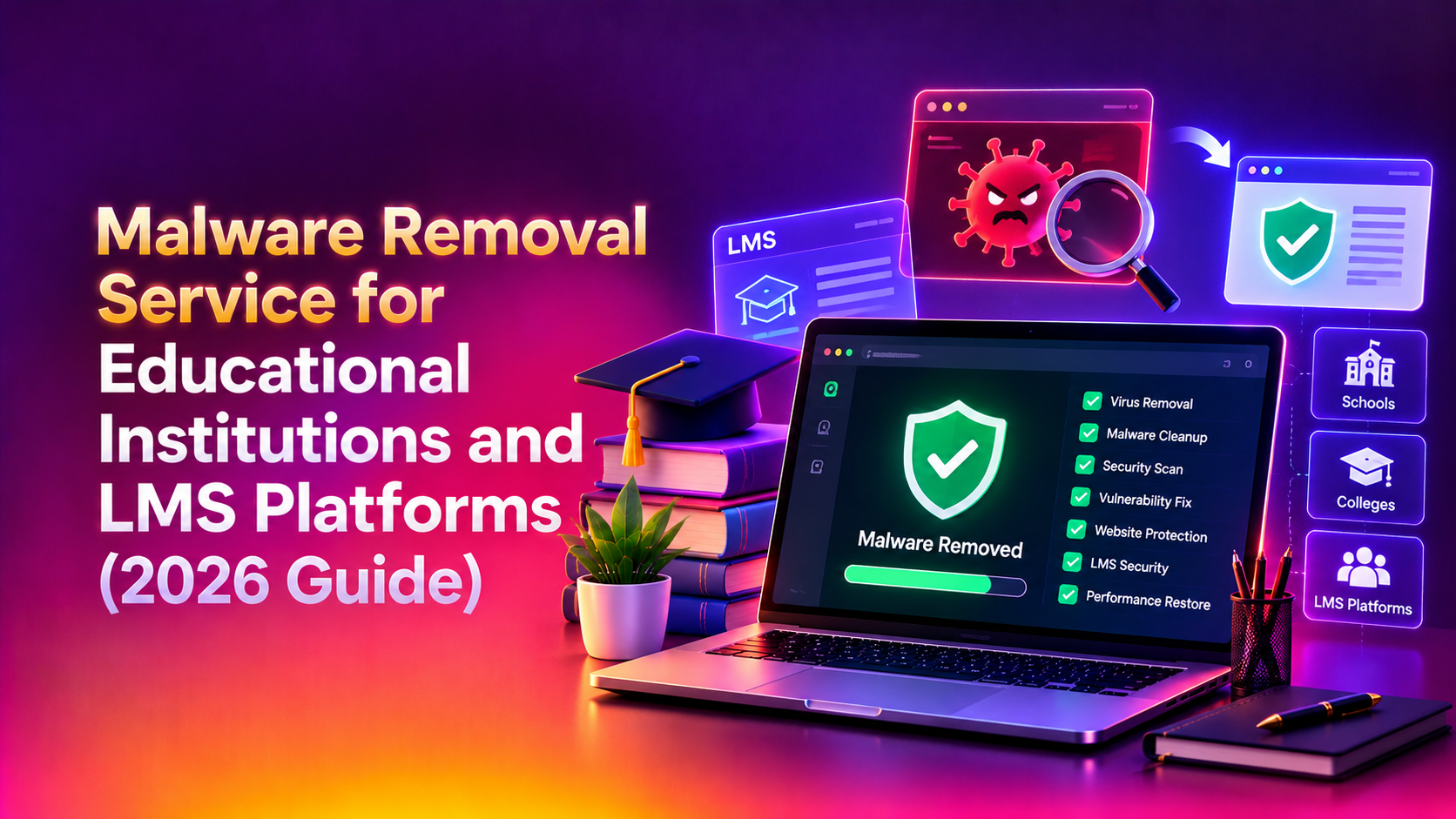
When a school, university, or LMS platform gets hit with malware, the stakes go far beyond a defaced homepage. Enrollment portals go dark during application season, exam windows get disrupted mid-semester, and student records — names, grades, health data, sometimes financial aid details — sit exposed to attackers. A malware removal service for educational institutions has to move faster and dig deeper than a generic WordPress cleanup, because education infrastructure carries compliance obligations and uptime pressure that most commercial websites never face.
Why education sites and LMS platforms are frequent malware targets
Educational institutions are attractive targets for a specific set of reasons. Recent incidents illustrate the scale: the Instructure/Canvas breach exposed data tied to roughly 8,800 colleges, school districts, and online education platforms, and ransomware attacks on providers like Finalsite have left thousands of K-12 school websites inaccessible for days at a time. Security researchers report education organizations face thousands of attacks per week, a rate that outpaces most other sectors relative to available IT staffing.
Several structural factors drive this:
- Multi-tenant LMS architecture — a single vulnerable plugin or misconfigured Moodle instance can expose dozens of connected school or department accounts at once, turning one weak point into an institution-wide incident.
- Delayed patching cycles — IT departments in education are often understaffed relative to the number of systems they manage, and LMS core, plugins, and themes fall behind on updates as a result.
- Credential stuffing at scale — with thousands of student and staff logins in circulation, reused passwords make brute-force and credential-stuffing attacks highly effective against admin portals and single sign-on gateways.
- High-value, low-friction data — student PII, health records, and financial aid information carry strong resale value on underground markets, and FERPA/GDPR-style compliance exposure raises the cost of a breach dramatically once regulators get involved.
- Predictable high-traffic windows — attackers time defacement or ransomware deployment around enrollment deadlines and exam periods, when institutions are least able to tolerate downtime and most likely to pay quickly to restore service.
Custom plugins and third-party integrations compound the risk. Moodle, Canvas, and similar platforms are frequently extended with local plugins, gradebook connectors, and API integrations that expand the attack surface well beyond the core LMS codebase — and security teams often audit the core thoroughly while overlooking this custom layer entirely. It's also common for institutions to run several LMS instances side by side — a legacy Moodle deployment alongside a newer Canvas rollout, for example — which multiplies the number of admin panels, plugin sets, and credential stores an attacker can target at once. District-level shared services, single sign-on providers, and third-party grading or attendance integrations add still more entry points that individual schools rarely have visibility into.
Common malware types found on education and LMS sites
Not every infection looks the same, and knowing what's typically found helps set expectations for the cleanup ahead:
- SEO spam injections — hidden links or redirect scripts inserted into pages, often used to hijack search rankings by piggybacking on a school or university's domain authority.
- Webshells — small scripts uploaded through a vulnerable form or plugin that give an attacker a persistent command interface, frequently disguised as innocuous file names inside upload directories.
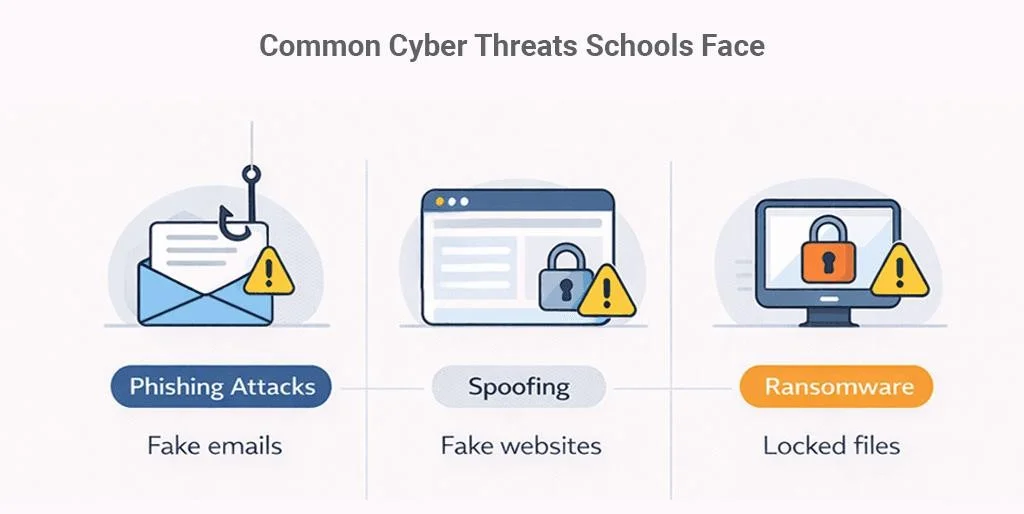
- Credential-harvesting phishing kits — fake login pages planted on the same domain to capture student or staff credentials, sometimes mimicking the institution's own SSO portal.
- Ransomware droppers — payloads that encrypt files or databases and demand payment, the type responsible for the multi-day outages seen in recent attacks on school hosting providers.
- Cryptomining scripts — malicious JavaScript that hijacks visitor CPU cycles, less destructive but a clear sign of an unmonitored, unpatched environment.
💡 None of these worked? Skip the guesswork.
Get Expert Help →What a proper malware removal process looks like
A rushed cleanup that only deletes obvious malicious files almost always leaves a backdoor behind, and reinfection within days is the norm rather than the exception for education sites treated with a generic, one-size-fits-all approach. A defensible process for a school, university, or LMS environment looks like this:
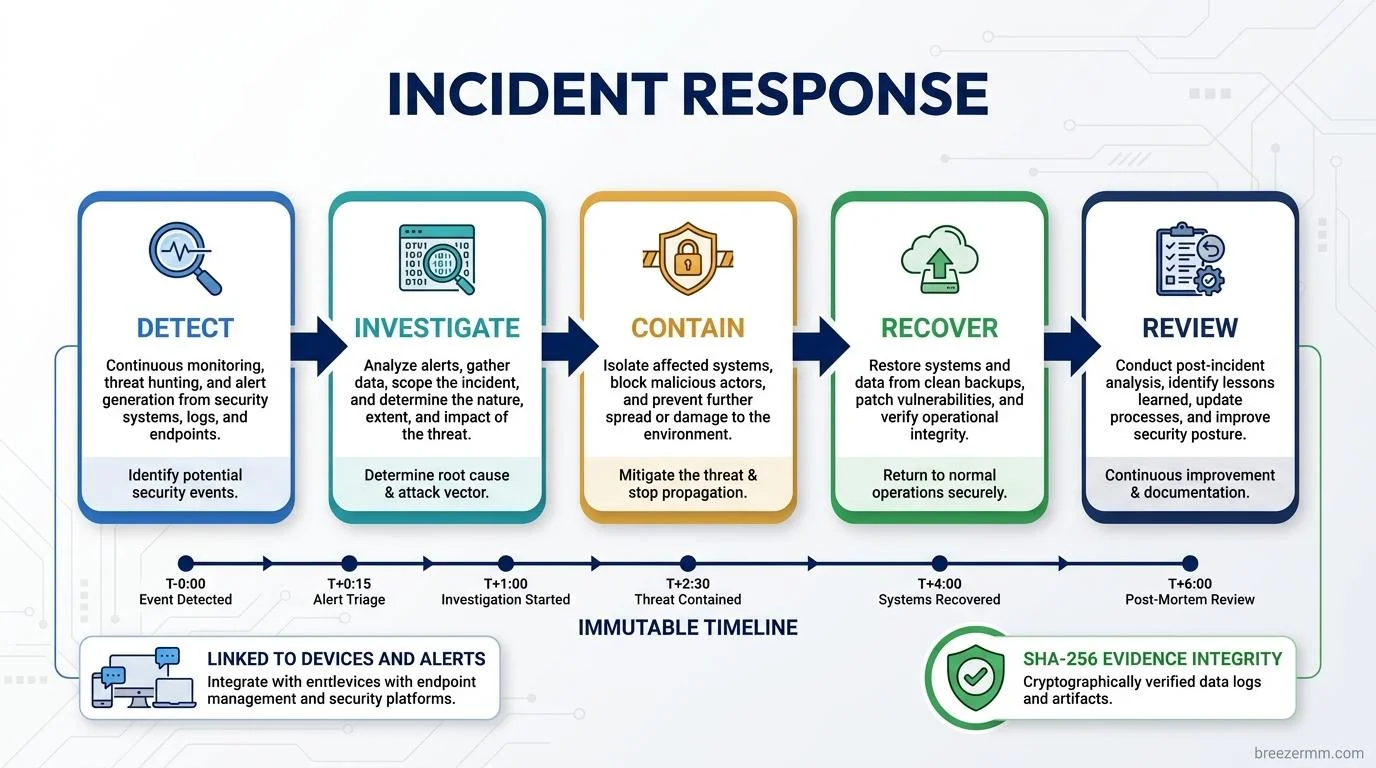
Where possible, quarantine the affected environment (staging redirect, WAF rule, or restricted access) rather than taking the entire site offline — during enrollment or exam periods, a full outage causes its own damage, sometimes worse than the infection itself. Preserve logs and file timestamps before touching anything; they're essential for root-cause analysis and, if required, breach notification documentation that compliance officers will ask for afterward.
Malware in LMS environments frequently hides in uploaded assignment files, theme templates, cron jobs, and database-stored content blocks — not just core PHP files. A thorough scan checks the web root, the database (injected script tags in content fields or forum posts are common), scheduled tasks, and any custom plugin directories that sit outside the platform's regular update cycle.
Removing a malicious file without finding how it got there guarantees reinfection. Common entry points on school and LMS infrastructure include outdated plugins, exposed admin panels without rate limiting, leaked or reused credentials, and vulnerable file-upload handlers — a frequent weak spot in assignment-submission features where students routinely upload files from personal, unmanaged devices.
Attackers who gain access to an LMS or CMS routinely create hidden admin accounts and drop webshells for persistent access, sometimes waiting weeks before using them. A proper cleanup audits every user account and file permission change made during the compromise window, not just the initial infection artifact, and checks for scheduled tasks or cron jobs the attacker may have added for re-entry.
Before restoring public access, every plugin, theme, and core component should be updated, the specific vulnerability that allowed entry should be closed, and the site should be re-scanned clean using a second, independent pass. Skipping this verification step is the single biggest cause of malware "coming back" within a week of a cleanup that looked successful at first glance.
For public institutions and any organization handling student data, a written incident report is often a compliance requirement, not an optional extra. Documenting the entry point, the scope of exposed data, and the remediation timeline gives administrators what they need for internal reporting, insurance claims, and any required breach notifications to families or regulators.

Preventing reinfection on school/LMS infrastructure
Cleanup without prevention is a temporary fix. Institutions that stay clean long-term put these controls in place:
- Update discipline — Moodle, Canvas, and similar platforms publish regular security advisories; core, themes, and every installed plugin need a defined patch schedule, not ad-hoc updates applied only when someone remembers.
- Remove unused plugins and integrations — every inactive plugin is still an attack surface until it's fully deleted, not just disabled in the admin panel.
- Enforce strong authentication — MFA on admin and staff accounts is the single highest-leverage control against credential stuffing, which remains one of the most persistent attack patterns against LMS environments, especially where staff reuse passwords across personal and institutional accounts.
- Web application firewall and malware scanning — continuous scanning catches reinfection attempts before they escalate, and a WAF blocks known exploit patterns aimed at LMS admin endpoints and common plugin vulnerabilities as soon as they're published.
- File-upload hardening — restrict executable file types in assignment and upload handlers, and scan every uploaded file server-side rather than trusting client-side validation alone.
- Logging and alerting — track failed logins, file changes, and new admin account creation, with alerts routed to IT staff in real time, not just stored in a log nobody reviews until after an incident.
- Tested, offline backups — backups that live on the same compromised server are backups an attacker can encrypt too; institutions need a restore point verified as clean and stored in a genuinely separate location.
- Segmented access by role — teachers, department admins, and district-level IT shouldn't all share the same level of access; limiting blast radius means one compromised staff account doesn't hand over the entire LMS.
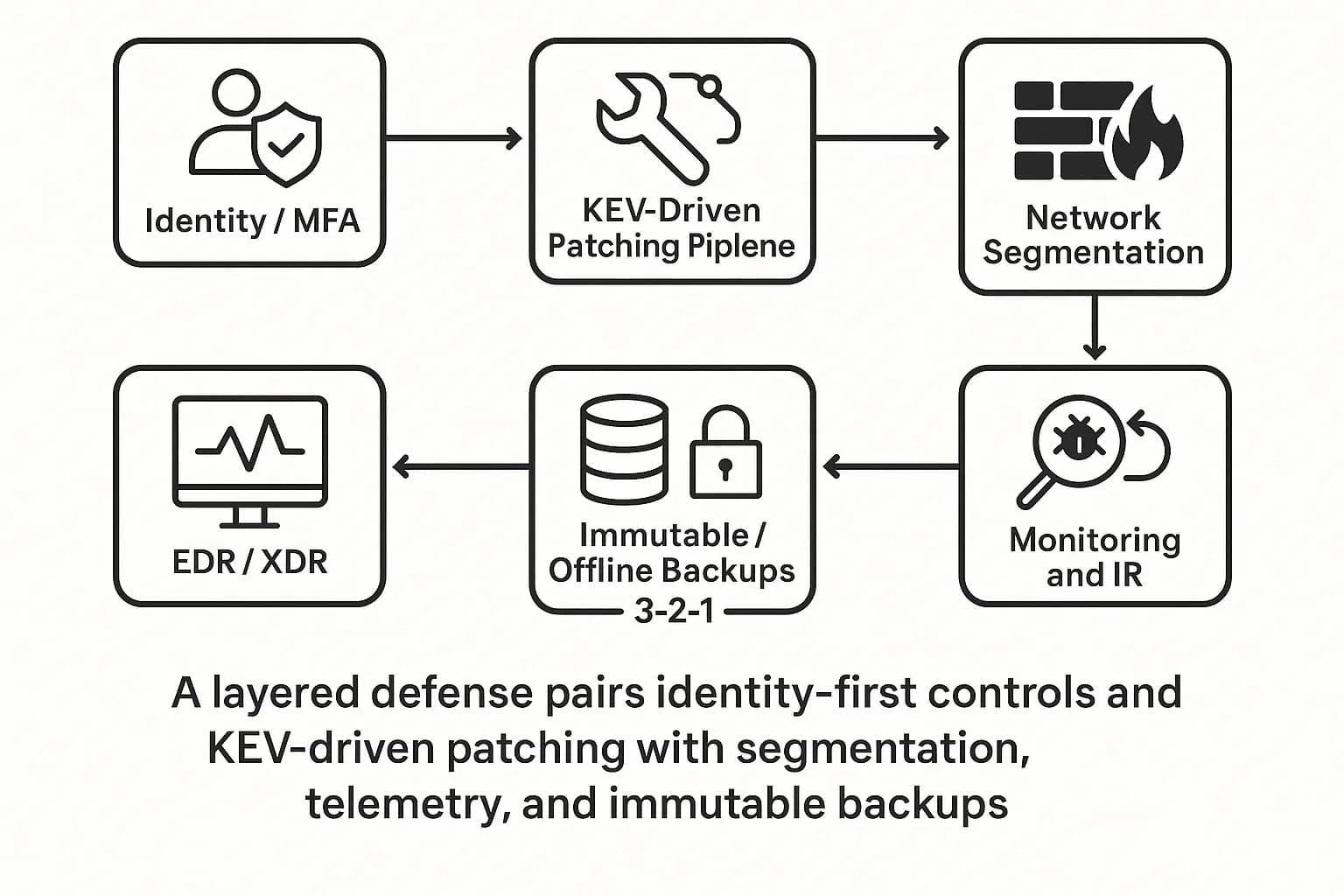
For infrastructure-level hardening — server configuration, firewall rules, and SSL — pairing malware remediation with a broader server hardening review closes gaps that a one-time cleanup can't reach on its own. Institutions running self-hosted Moodle or Canvas instances especially benefit from this pairing, since the LMS application layer and the underlying server are often managed by different teams with no shared visibility into each other's changes. Districts managing multiple school sites on shared infrastructure should also consider centralizing patch management and monitoring, rather than leaving each site to handle updates independently — inconsistent patching across sites is one of the most common reasons one school's infection spreads to others on the same network. A staggered rollout schedule, tested first on a non-production instance, catches plugin conflicts before they hit live classrooms, and gives IT staff a documented change history to reference if something breaks weeks later.
Why Educational Institutions Choose CloudHouse for Malware Removal
CloudHouse works with schools, universities, and LMS/edtech platforms that can't treat a security incident like a normal support ticket — enrollment deadlines and exam windows don't wait for a queue to clear. Our team scopes and begins remediation on hacked education sites within hours, works around live traffic instead of forcing a full outage, and audits the entire stack — LMS core, plugins, database, and file uploads — rather than stopping at the first malicious file found. Institutions also get a written summary of the entry point and fix, useful for internal reporting and compliance documentation after a student-data incident, and can move straight into ongoing monitoring once the immediate threat is contained so the same vulnerability doesn't reopen a month later.
Getting emergency help
If your school, university, or LMS platform is showing signs of compromise — unexpected redirects, flagged by Google Safe Browsing, unfamiliar admin accounts, or a ransomware note — the priority is stopping active damage while preserving evidence of how the attacker got in. CloudHouse's malware removal service is built for exactly this kind of time-sensitive, high-stakes cleanup, with support scoped specifically for education and LMS environments where downtime and data exposure carry real institutional risk. The sooner remediation starts, the smaller the compliance and reputational fallout — don't wait for a second incident to confirm the first cleanup didn't hold.
It's worth planning for the after-incident conversation too: parents, faculty, and boards will ask what happened and what's being done to prevent a repeat. Having a documented remediation report, an updated patch policy, and evidence of hardening in hand turns a difficult disclosure into a straightforward, confidence-building update — rather than a repeat of the same uncertainty a few months later.