
Deciding on Google Workspace setup outsourced vs in-house handling is one of the first real IT decisions a growing small business makes. Get it wrong and you risk lost emails, broken DNS records, and weeks of employee downtime during the switch. Get it right and your team is on Gmail, Google Calendar, and Drive within days, with security configured properly from day one. This guide breaks down the real costs, timelines, risks, and expertise gaps between doing your Google Workspace migration in-house versus outsourcing it to a managed provider, so you can make the call with confidence.
Why the Outsourced vs In-House Question Matters So Much
Email is the single most business-critical system most companies run. A botched Google Workspace setup doesn't just mean a few annoyed employees — it can mean lost client emails, broken calendar invites, exposed company data, or days of nobody being able to send or receive mail. Whether you have a scrappy two-person office or a 50-person company juggling legacy Microsoft Exchange, the decision to outsource vs in-house shapes your budget, your timeline, and your risk exposure for months afterward.
What "In-House" Google Workspace Setup Actually Involves
Handling your own Google Workspace setup in-house typically means your office manager, a generalist employee, or an internal IT hire is responsible for the entire migration end-to-end. That includes:
- Provisioning the Google Workspace admin console and organizational units
- Verifying domain ownership and configuring MX, SPF, DKIM, and DMARC records
- Migrating existing mailboxes, calendars, contacts, and shared drives from the old system
- Setting up two-factor authentication, mobile device management, and data loss prevention rules
- Training every employee on the new tools and troubleshooting issues as they come up
On paper this sounds manageable. In practice, DNS misconfigurations, incomplete mailbox migrations, and security settings left on defaults are the most common failure points when someone without deep Google Workspace experience runs the project solo.
💡 None of these worked? Skip the guesswork.
Get Expert Help →What "Outsourced" Google Workspace Setup Looks Like
Outsourcing means handing the entire migration to a managed IT partner who has done dozens of these before. A good provider will run a structured process:
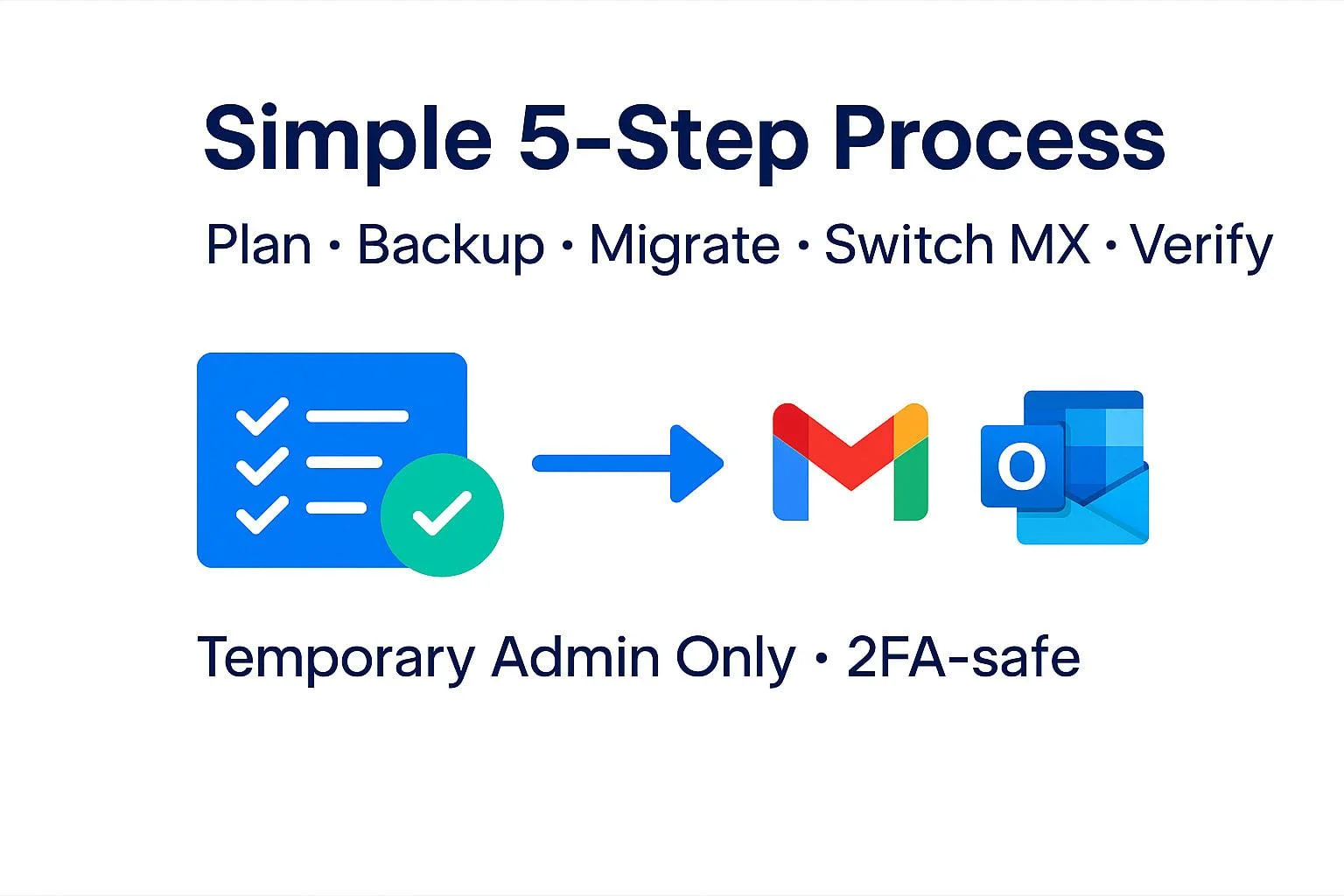
The provider audits your current email system, mailbox sizes, shared drives, and any custom domain aliases, then builds a migration plan tailored to your data volume — not just your headcount.
MX records, SPF, DKIM, and DMARC are configured correctly the first time, protecting you from spoofing and deliverability issues that plague self-managed setups.
Mail, calendars, contacts, and files are copied over in the background while your team keeps working on the old system — no interruption to daily business.
The actual switchover to Google Workspace happens over a weekend or after hours, so employees arrive Monday morning with everything already working.
Two-factor authentication, device management policies, and admin console security settings are configured properly, followed by short training sessions so every employee knows how to use Gmail, Drive, and Calendar from day one.
A reputable provider stays on for a support window after cutover to catch any missed messages, sync issues, or user questions before they become bigger problems.
The provider inventories every mailbox, shared drive, calendar, and distribution list on your current system, then documents any custom domain aliases or third-party integrations (like a CRM or helpdesk tied to email) that need to keep working after cutover.
Domain ownership is verified in the Google admin console and new DNS records are staged — but not activated yet — so MX, SPF, DKIM, and DMARC are ready to flip the moment cutover begins, without a gap where mail could bounce.
Historical mail, calendar events, contacts, and Drive files are copied into the new Google Workspace tenant while your team keeps using the old system normally. This is the step most in-house attempts skip or rush, leading to missing years of old emails after go-live.
DNS is switched, final delta-syncs run to catch anything sent during the week, and every user account is verified functional before Monday morning.
Short training sessions cover Gmail, Google Calendar, and Drive basics, and the provider stays on call to fix any stragglers — a bounced email here, a missing calendar invite there — before formally closing out the project.
Common Mistakes Businesses Make Doing Google Workspace Setup In-House
Even capable internal IT staff run into predictable problems when handling a Google Workspace migration without prior experience:
- Flipping DNS records before the data migration finishes, causing new mail to arrive in Google Workspace while historical mail is still stuck in the old system
- Skipping DMARC configuration, which leaves the company domain more vulnerable to spoofing and phishing attacks that impersonate your own employees
- Leaving default admin console security settings in place, including weak or absent two-factor authentication enforcement across the organization
- Underestimating shared drive permissions, resulting in files that are either locked out from the right people or accidentally exposed to the whole company
- No rollback plan, meaning if something breaks mid-migration there is no tested way to revert without extended downtime
Each of these is fixable with the right process, but they are exactly the kind of mistakes a business only discovers once, the hard way, if the migration is treated as a side project rather than a dedicated engagement.
Total Cost of Ownership: Looking Beyond the Sticker Price
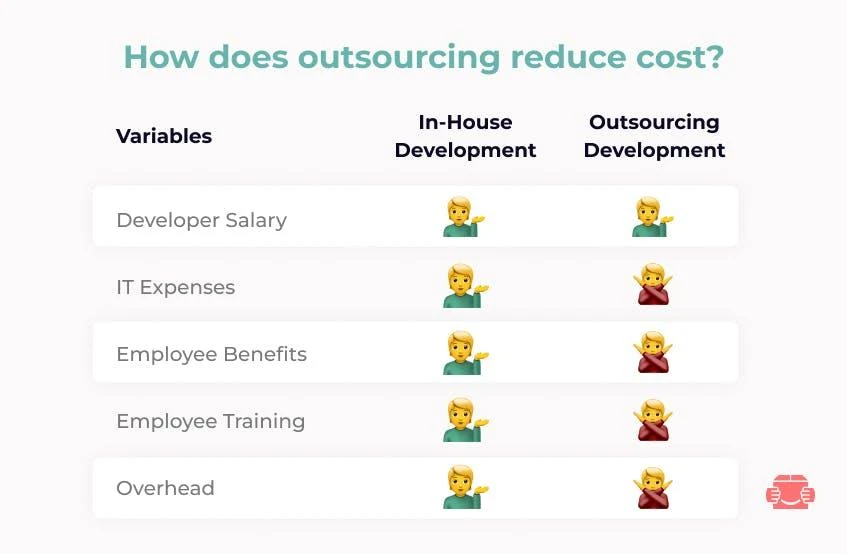
When comparing Google Workspace setup outsourced vs in-house costs, it helps to think in terms of total cost of ownership rather than just the invoice. An in-house migration might show zero dollars in outside spend, but factor in the employee hours diverted from their regular job, the productivity lost company-wide if email goes down even for a few hours, and the cost of eventually calling in outside help anyway to fix a DNS or security mistake — and the true cost frequently exceeds a fixed-price outsourced project. Businesses that outsource get a single predictable line item instead of an open-ended internal cost that is hard to measure until it's already been spent.
Frequently Asked Questions
How much does an outsourced Google Workspace setup cost compared to doing it in-house?
Outsourced Google Workspace migrations typically run $50-$225 per user, or a flat project fee such as $750 plus $100 per mailbox. In-house setups look cheaper on paper but consume 20-50+ hours of an employee's time and carry a higher risk of costly DNS or security mistakes, which often makes the "free" option more expensive in practice.
Can I really trust an outside provider with my company's email and files?
A reputable Google Workspace setup provider uses Google's own admin tools and standard security protocols (SPF, DKIM, DMARC, 2FA) rather than storing your data themselves — your data stays in your Google Workspace tenant throughout. Ask any provider for references and confirm they follow a documented migration and security process before handing over admin access.
How long does a Google Workspace migration actually take?
Most small business migrations complete in two to four weeks from kickoff to cutover. The timeline depends on data volume — mailbox size and years of stored files — rather than headcount, and the cutover itself is usually scheduled over a weekend so employees experience zero downtime.
Will my team lose access to email during the switch?
With a professionally managed migration, no. Data is copied in the background while your team keeps using the old system, and the final cutover happens after hours or over a weekend so everyone logs in Monday morning with Gmail, Calendar, and Drive already working.
What size company should consider outsourcing instead of doing it in-house?
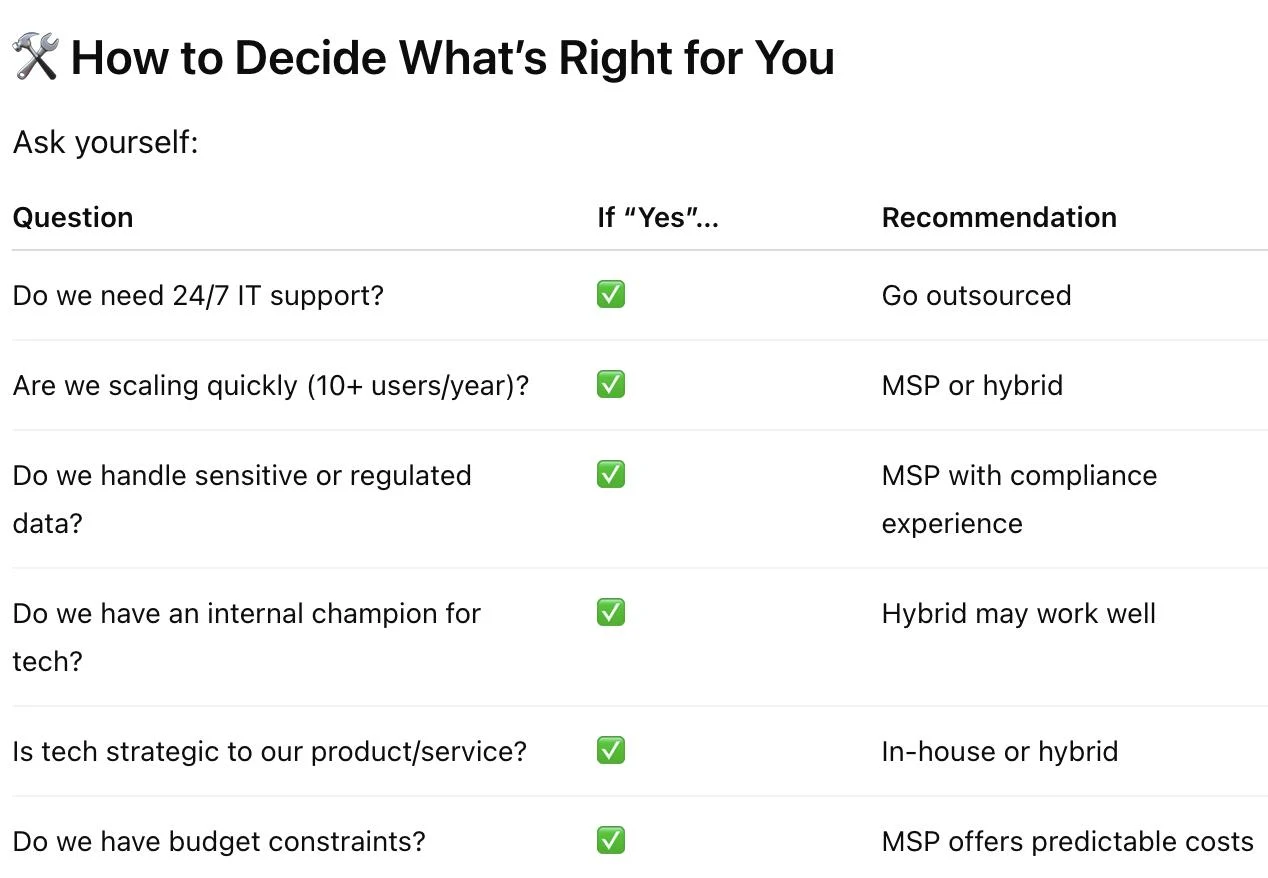
The tipping point is usually five to ten employees, especially if you lack a dedicated IT person, work in a security-sensitive industry, or need to migrate complex legacy data such as PST archives or large shared drives. Below that, a simple in-house setup can work if someone experienced is available to run it.
Conclusion
Choosing between an outsourced Google Workspace setup and an in-house migration comes down to your team's size, available expertise, and tolerance for risk. In-house can work for very small, simple setups with an experienced admin on staff. For everyone else, outsourcing delivers a faster, safer, and often cheaper path to a fully configured Google Workspace — with proper security, zero-downtime cutover, and ongoing support built in from the start.