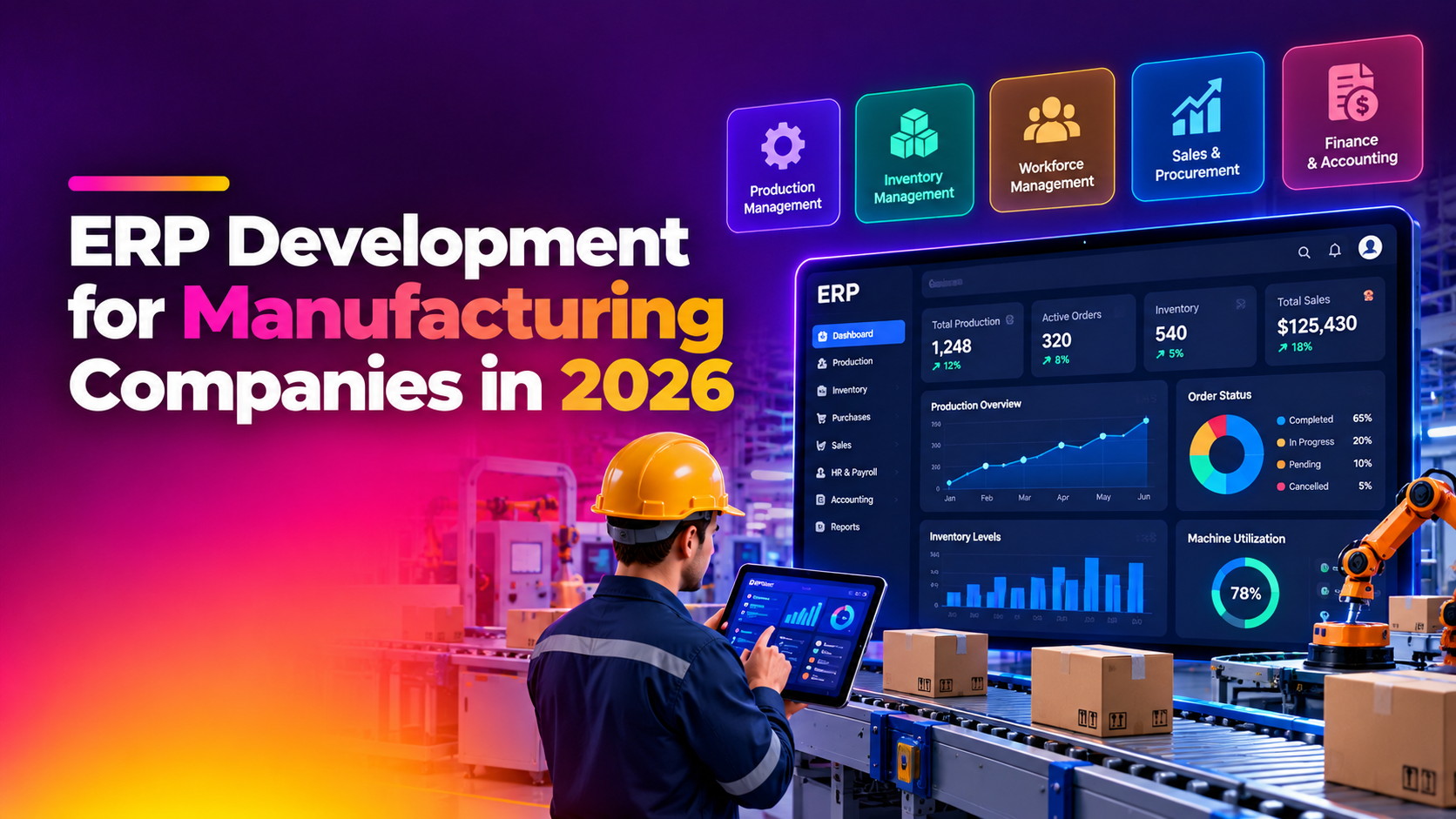
Most manufacturing companies don't fail with ERP because the software is bad — they fail because they bought a system built for a generic office workflow and tried to force their shop floor into it. If you've ever watched your production team keep a second inventory count on a whiteboard because the ERP numbers "never quite match," you already know the real problem. ERP development for manufacturing companies in 2026 is less about picking the biggest brand name and more about building (or configuring) a system that actually understands batch production, work orders, and machine-level data capture.
This guide breaks down why off-the-shelf ERPs create more manual work than they save, which modules a manufacturing ERP actually needs, what it costs to build one in 2026, and how to choose a development partner who won't hand you a generic template with a manufacturing logo slapped on it.
Why Manufacturing Companies Need a Custom ERP
Generic ERP platforms are designed to serve retail, services, and distribution businesses just as much as factories — which means the manufacturing-specific logic is often an afterthought, or worse, a bolt-on module that doesn't talk to the rest of the system. This is the core reason so many plant managers end up running spreadsheets alongside a six-figure ERP license.
The Shop-Floor Mismatch Problem
Off-the-shelf systems typically model "inventory" as a single number per SKU. But a manufacturing floor has raw materials, work-in-progress (WIP), sub-assemblies, and finished goods — all moving simultaneously, all consumed at different rates depending on the bill of materials (BOM) for whatever's currently running. When the ERP can't represent WIP accurately, staff start tracking it manually, and that's exactly where inventory mismatches creep in.
Production Planning That Doesn't Reflect Reality
Most generic ERPs assume you sell what's in stock. Manufacturers need to plan what to produce, based on machine capacity, labor shifts, and material lead times — a fundamentally different planning model. When production planning is treated as a side feature instead of the core engine, planners end up building their own schedules in Excel and re-entering the results back into the ERP by hand.
Vendor and Purchase Order Chaos
Manufacturers typically juggle dozens of raw material vendors with different lead times, minimum order quantities, and price breaks. A custom-built manufacturing ERP can automatically trigger purchase orders based on real consumption from the production schedule — something generic systems rarely handle without expensive add-on modules.
A custom-built manufacturing ERP software development project solves this by starting from your actual production workflow — not a template — and building the data model around how your factory really operates. This is also why manufacturing ERP builds increasingly outperform generic platforms for mid-size factories.
Must-Have Modules for a Manufacturing ERP
Not every manufacturer needs every module on day one, but a well-scoped custom ERP for factories should be architected so these can be added without a rebuild.
- Inventory & Material Management — real-time tracking across raw materials, WIP, and finished goods, with batch/lot traceability for quality and compliance.
- Bill of Materials (BOM) Engine — multi-level BOMs that update costs automatically when component prices or quantities change.
- Production Planning & Scheduling — a production planning ERP system module that accounts for machine capacity, labor shifts, and material availability, not just sales orders.
- Shop Floor Data Collection — barcode/RFID scanning or IoT sensor integration so operators log progress in seconds instead of filling paper travelers.
- Quality Control & Compliance — inspection checklists, non-conformance tracking, and audit trails tied to specific batches or work orders.
- Procurement & Vendor Management — automated reorder points, vendor scorecards, and purchase order generation tied to actual consumption.
- Maintenance Management (CMMS) — preventive maintenance scheduling so unplanned machine downtime doesn't derail the production plan.
- Finance & Costing — job costing that ties material, labor, and overhead back to specific production runs for accurate margin visibility.
- Reporting & Dashboards — OEE (Overall Equipment Effectiveness), scrap rates, and on-time delivery metrics visible to management in real time.
The modules above are the difference between an ERP that's "technically installed" and one that operations teams actually use every day without falling back to manual workarounds.
ERP Development Cost for Manufacturers in 2026
Manufacturing ERP projects vary widely in scope, but 2026 pricing generally breaks down as follows for a manufacturing ERP cost india comparison against global averages:
| Project Scope | Typical Cost Range (India-based development) | Timeline |
|---|---|---|
| Core modules only (inventory + production planning + procurement) | ₹8,00,000 – ₹20,00,000 | 3–5 months |
| Mid-size build (core + quality control + shop floor data collection) | ₹20,00,000 – ₹45,00,000 | 5–8 months |
| Full-scale ERP (all modules + IoT integration + multi-plant support) | ₹45,00,000 – ₹1,00,00,000+ | 8–14 months |
Globally, module-specific development costs are often quoted per feature — inventory management modules alone typically run $12,000–$30,000, while supply chain and logistics modules range from $18,000–$45,000. For manufacturers specifically, adding production scheduling, quality control, and shop-floor modules can push real costs 40–100% above a generic base ERP quote, because these modules require deeper integration with physical operations rather than just database records.
It's also worth remembering that the software build itself is typically only 20–30% of the total cost of ownership — implementation, data migration, staff training, and ongoing support make up the rest. Any vendor quoting only a software price without mentioning these downstream costs is giving you an incomplete number.
What to Look for in an ERP Development Partner
Choosing the wrong erp development company for manufacturers is far more expensive than choosing the wrong software license, because a bad custom build can lock you into years of workarounds. Use this checklist when evaluating potential partners:
- Manufacturing-specific portfolio — ask for case studies from factories similar in size and industry to yours, not just generic business software examples.
- Willingness to map your actual shop floor first — a partner who starts writing code before observing your production process is building on assumptions, not requirements.
- Modular architecture — the ability to launch with core modules and add quality control, CMMS, or IoT integration later without a full rebuild.
- Integration experience — proven ability to connect the ERP with existing accounting software, e-commerce platforms, or machine PLCs/SCADA systems.
- Data migration plan — a clear, tested process for moving historical inventory and financial data without introducing new mismatches.
- Post-launch support model — ongoing maintenance, bug fixes, and training as your team adapts, not a "build and disappear" contract.
- Transparent, itemized pricing — cost broken down by module and phase, not a single lump-sum figure that hides scope creep risk.
A partner who can't answer these clearly in the first meeting is unlikely to deliver a system that fits your shop floor six months from now.
Questions to Ask Before Signing a Contract
Beyond the checklist above, a short list of direct questions during the sales process can reveal a lot about how a development partner actually operates once the contract is signed.
- "Can you show me a similar manufacturing ERP you built, and can I speak to that client?"
- "What happens if we need to add a module six months after launch — is that a new project or an extension?"
- "How do you handle data migration errors discovered after go-live?"
- "What's included in your support plan after the first 90 days?"
- "Who owns the source code and database once the project is complete?"
A vendor that answers these questions confidently and in writing is far less likely to leave you stuck mid-project than one who deflects to a generic sales deck.
Why Manufacturers Choose CloudHouse for ERP Development
CloudHouse builds manufacturing ERPs by starting with the production floor, not a demo template — our team spends time understanding your BOM structure, shift patterns, and vendor relationships before writing a single module. We offer modular, phased delivery so you get a working inventory and production planning system fast, then expand into quality control and shop-floor data collection without re-architecting anything. Manufacturers also get transparent, module-by-module pricing and ongoing support that doesn't disappear after go-live — you can see the full scope of our approach on our ERP development service page.
💡 None of these worked? Skip the guesswork.
Get Expert Help →Common Mistakes Manufacturers Make When Building an ERP
Even with the right partner, manufacturers can undermine their own ERP project by skipping steps that seem non-essential early on but become expensive to fix later. Watching for these mistakes upfront saves significant rework.
Teams eager to get started often push developers straight into building screens before mapping how material actually moves through the plant. This almost always results in a data model that has to be reworked mid-project once real workflows surface.
Historical inventory and BOM data is frequently riddled with duplicate SKUs, outdated unit costs, and inconsistent naming. Migrating this data without cleanup just moves the mismatch problem into the new system instead of solving it.
Shop-floor operators are usually the least involved in the ERP selection process, yet they're the ones entering data every shift. Without hands-on training tailored to their workflow, adoption stalls and staff quietly revert to paper trackers.
Attempting a "big bang" launch with every module live on day one dramatically increases risk. A phased rollout — starting with inventory and production planning, then adding quality control and CMMS — lets your team validate each piece before the next goes live.
Factory floors don't always have reliable Wi-Fi near heavy machinery. An ERP that requires a constant connection to log production data will get bypassed the first time the network drops, undoing the accuracy gains you built the system for in the first place.
Frequently Asked Questions
How much does ERP development cost for a manufacturing company?
A core manufacturing ERP build (inventory, production planning, and procurement) typically costs ₹8,00,000–₹20,00,000 in India, while a full-scale system with quality control, shop-floor data collection, and IoT integration can range from ₹45,00,000 to over ₹1,00,00,000, depending on complexity and number of plants involved.
How long does it take to build a custom manufacturing ERP?
Core-module builds generally take 3–5 months, mid-size builds with quality control and shop-floor modules run 5–8 months, and full-scale multi-plant systems can take 8–14 months. Timelines depend heavily on how many legacy systems need to be integrated and how much historical data must be migrated.
Is a custom ERP better than an off-the-shelf platform for manufacturers?
For manufacturers with non-standard workflows — multi-level BOMs, batch production, or heavy shop-floor data capture — a custom or heavily customized ERP usually pays off within the first year because it eliminates the manual workarounds that cause inventory mismatches. Smaller manufacturers with simple, single-product operations may still be well served by configuring an existing platform rather than building from scratch.
Can a manufacturing ERP integrate with existing machines and PLCs?
Yes — modern manufacturing ERPs are commonly built with IoT and SCADA/PLC integration so production data (machine run-time, output counts, downtime) feeds directly into the ERP without manual entry. This is one of the biggest differentiators over generic ERP platforms, which rarely support this out of the box.
Do you offer a phased or trial rollout before a full ERP commitment?
Yes — CloudHouse recommends launching with core modules (inventory, production planning, procurement) first, so your team can validate the system on real production data before committing budget to quality control, CMMS, or IoT modules. This phased approach reduces risk and lets you see ROI before scaling up.