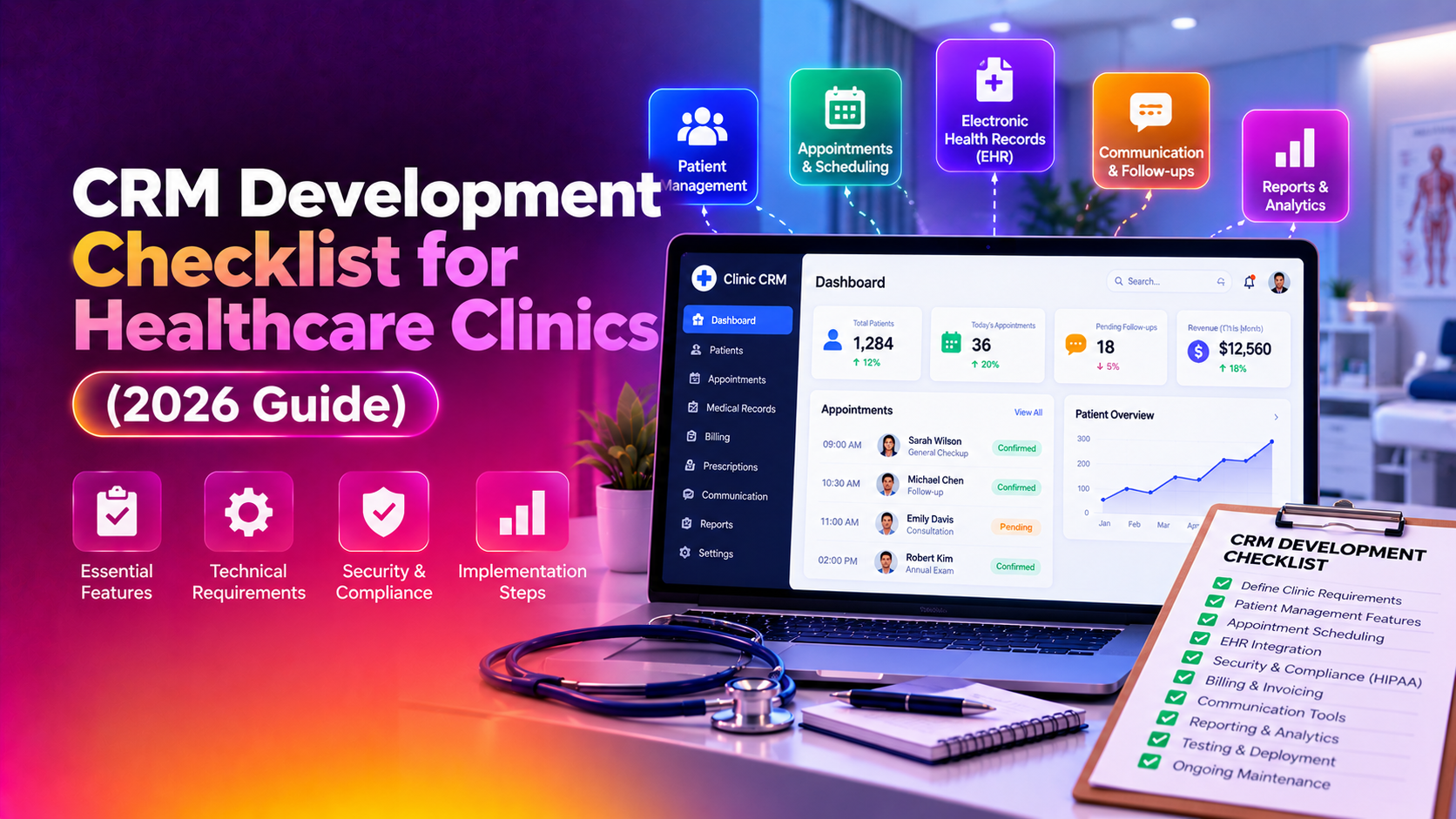
If you run a clinic and you are about to request quotes for a new patient relationship system, the biggest risk is not choosing the wrong vendor — it is walking into those conversations without a clear crm development checklist for healthcare clinics. Practice owners routinely under-scope the project: they ask for "something to manage patients and appointments" and end up with three competing quotes that are impossible to compare because none of them were built against the same requirements. This guide gives you the exact checklist to fill out before you talk to a single developer, so every quote you receive is priced against the same feature list, the same compliance bar, and the same integrations.
By the end of this article you will have a documented set of healthcare crm requirements, a clear picture of what a genuinely useful clinic patient management crm needs to do day to day, and the vocabulary to hold any development partner accountable — including CloudHouse Technologies, if you choose to work with our CRM development team on the build.
Why Clinics Under-Scope CRM Projects (And Why It Gets Expensive)
Most clinic owners have never commissioned custom software before. They assume a CRM is a CRM — a place to store contact details and send reminders. In reality, a clinic's CRM sits between three very different worlds: patient communication, appointment operations, and protected health information (PHI) governed by HIPAA-style regulations. When a requirements document skips one of these worlds, the developer builds only what was asked for, the clinic discovers the gap three months post-launch, and a "small addition" turns into a change order that costs more than the original quote.
The fix is not more meetings. It is a written checklist, completed internally, before any vendor conversation begins.
The Pre-Hire CRM Requirements Checklist
Work through this table with your practice manager, front-desk lead, and at least one clinician before you contact any developer. Every row you leave blank is a scope gap waiting to surface later.
| Requirement Area | Question to Answer | Why It Matters for the Quote |
|---|---|---|
| Patient records | What fields does each patient profile need — demographics, insurance, allergies, referral source? | Determines database schema and whether EHR sync is needed |
| Appointment scheduling | Single location or multi-location? Multiple providers with different calendars? | Drives calendar architecture and conflict-checking logic |
| Patient communication | SMS reminders, email, WhatsApp, or a patient portal? | Each channel adds a separate integration cost |
| HIPAA / compliance scope | Will the CRM store or transmit PHI directly, or only appointment metadata? | Changes the entire security architecture and hosting requirements |
| EHR/EMR integration | Which EHR system do you currently use, and does it expose an API? | Integration complexity varies wildly by EHR vendor |
| Billing and insurance | Does the CRM need to track claims status, co-pays, or just flag billing follow-ups? | Full billing modules cost significantly more than status flags |
| Staff roles and permissions | What can front-desk staff see versus clinicians versus admins? | Role-based access control must be designed in from day one |
| Reporting | Do you need no-show rates, referral source ROI, or provider utilization reports? | Reporting requirements affect data modeling, not just the UI |
| Marketing and retention | Recall campaigns for overdue check-ups? Review requests post-visit? | Marketing automation is often assumed included but frequently isn't |
| Growth plan | Will you add locations or providers in the next 2 years? | Determines whether you need a scalable multi-tenant architecture now |
Print this table, fill every cell, and attach it to your request for quotes. A serious development partner will use it as the backbone of their proposal instead of guessing at scope.
Core Features Every Clinic CRM Should Specify
Beyond the checklist table, your requirements document should explicitly call out these feature categories. Vague requests like "patient management" get interpreted differently by every vendor you talk to.
1. Centralized Patient Profiles
A true clinic patient management crm keeps a single, unified record per patient: contact history, appointment history, visit notes references, insurance details, and communication preferences. Specify whether this record needs to sync bidirectionally with your existing EHR or simply reference it.
2. Automated Appointment Workflows
Scheduling, rescheduling, waitlist management, and automated reminders (SMS/email) reduce no-shows — often the single highest-ROI feature in a clinic CRM. Specify reminder timing (24 hours before, 1 hour before) and channel preferences up front.
3. Role-Based Access Control
Front-desk staff should not see clinical notes; billing staff should not need to edit treatment records. Specify roles explicitly — this single requirement, if missed, is the most common reason clinics have to rebuild their permission model post-launch.
4. Secure Messaging and Patient Portal
If patients need to message the clinic, request appointments, or view results, this must be encrypted and access-logged. Decide now whether you need a full patient portal or just secure one-way notifications.
5. Referral and Lead Tracking
Clinics that grow through referrals need to track referral source, conversion rate from inquiry to booked appointment, and follow-up cadence for leads who haven't scheduled yet. This is a sales-pipeline feature borrowed from traditional CRM, adapted for patient acquisition.
6. Reporting Dashboards
No-show rates, provider utilization, referral ROI, and recall campaign performance should be visible without exporting to a spreadsheet. Specify which three to five metrics matter most to your practice.
HIPAA-Aware CRM Development: What "Compliant" Actually Requires
The phrase hipaa-aware crm development gets used loosely in sales pitches, so pin down what it means for your specific build before signing anything. At minimum, your requirements document should state:
- Business Associate Agreement (BAA): Any vendor or hosting provider that touches PHI must be willing to sign a BAA. If a developer hesitates on this point, treat it as a red flag.
- Encryption at rest and in transit: Patient data must be encrypted both in the database and while moving between the CRM, the patient portal, and any integrated EHR.
- Audit logging: Every view, edit, or export of a patient record should be logged with a timestamp and user ID — this is non-negotiable for HIPAA audit readiness.
- Role-based permissions: As above, but specifically documented as a compliance control, not just a UX nicety.
- Data retention and backup policy: Specify how long records are retained, how backups are encrypted, and where servers are physically hosted.
- Breach notification process: Ask the developer how the system supports your obligation to detect and report a breach within the required window.
Note that these are development and infrastructure requirements — no CRM is "automatically HIPAA compliant" out of the box. Compliance is a combination of the software's architecture, your internal policies, and signed agreements with every vendor in the chain, including your CRM development partner.
Custom CRM vs Off-the-Shelf: When Custom Actually Wins
Off-the-shelf healthcare CRMs can work for single-provider practices with simple workflows. But a custom crm for clinics becomes the better investment once any of the following apply: you run multiple locations with different scheduling rules, your EHR doesn't have a pre-built connector to popular CRM platforms, you need referral and marketing automation tailored to your specialty, or your compliance requirements go beyond what a generic SaaS tool's shared infrastructure can guarantee. Custom development costs more upfront but avoids the recurring per-seat licensing costs and feature limitations that compound over a multi-year period.
Why Clinics Choose CloudHouse for Healthcare CRM Development
CloudHouse Technologies builds custom CRM systems designed around exactly this kind of requirements-first approach — we start every clinic engagement with a structured discovery session that mirrors the checklist above, so the quote you receive maps directly to what your practice actually needs, not a generic template. Our development process includes role-based access control, encrypted data handling, and integration support for common EHR platforms as standard, not as costly add-ons discovered mid-project.
Ready to Scope Your Clinic's CRM the Right Way?
Fill out the checklist above with your team, then bring it to a conversation with our CRM development specialists. We'll turn your completed requirements into a fixed-scope proposal — no vague line items, no surprise change orders. Request a free CRM requirements review from CloudHouse Technologies and get a clear, itemized quote based on what your clinic actually needs.
Common Mistakes Clinics Make When Requesting CRM Quotes
Even with good intentions, clinic owners repeat a handful of scoping mistakes that inflate cost and timeline later. Watch for these when preparing your own requirements document:
- Treating "CRM" and "EHR" as interchangeable: A CRM manages relationships and communication; an EHR manages clinical records. Confusing the two in your brief leads developers to quote the wrong system entirely.
- Skipping the multi-provider scenario: Clinics that plan to add a second provider or location within a year should design the permission and scheduling architecture for that from day one — retrofitting it later is far more expensive than building it in initially.
- Assuming marketing automation is "included": Recall campaigns, review requests, and referral tracking are valuable but are often priced as separate modules. State explicitly whether you need them in phase one.
- Not naming your EHR vendor in the brief: Integration cost and feasibility depend entirely on which EHR you use and whether it exposes an API. Omitting this detail forces developers to quote a wide, padded range.
- Underestimating training and rollout: A CRM is only as useful as your front-desk team's adoption of it. Ask your development partner what training and onboarding support is included in the quote, not assumed afterward.
Avoiding these five mistakes alone will make the quotes you receive far more comparable, and will surface hidden costs before you sign a contract rather than after.
Frequently Asked Questions
How much does custom CRM development cost for a small clinic?
Costs vary widely based on scope, but a focused single-location clinic CRM with scheduling, patient profiles, and basic reporting typically starts in the low five figures, while multi-location builds with EHR integration and full HIPAA-aware architecture cost more. The checklist in this article is what determines which end of that range you land on — the more precisely you define scope up front, the more accurate and lower-risk your quote will be.
How long does it take to build a custom clinic CRM?
A well-scoped clinic CRM with core features (patient profiles, scheduling, reminders, role-based access) generally takes 8 to 14 weeks from signed requirements to launch. Projects that add EHR integration, patient portals, or multi-location logic can extend that timeline, which is another reason to lock scope before development starts rather than mid-project.
Do we need a HIPAA-compliant CRM if we only store appointment data, not medical records?
If the CRM stores any information that could identify a patient alongside health-related context — including appointment types tied to a specific condition or provider specialty — it is generally considered to handle PHI and should be built with HIPAA-aware controls. When in doubt, treat the system as PHI-handling and specify encryption, audit logging, and a BAA with your vendor.
Can our existing EHR system connect to a new custom CRM?
Most modern EHR platforms expose an API or support HL7/FHIR data exchange, which makes integration possible, though the complexity and cost depend heavily on which EHR you use. Confirm with your EHR vendor whether an API is available before requesting quotes, and include that answer in your requirements checklist so developers can price the integration accurately.
What happens if we skip this checklist and just brief developers verbally?
Verbal, loosely defined briefs are the single biggest cause of scope creep and change-order costs in clinic CRM projects. Without a written requirements document, each vendor fills gaps with their own assumptions, which makes quotes impossible to compare fairly and increases the chance that critical features — like role-based permissions or HIPAA-aware logging — are missed until after launch, when they're far more expensive to add.