
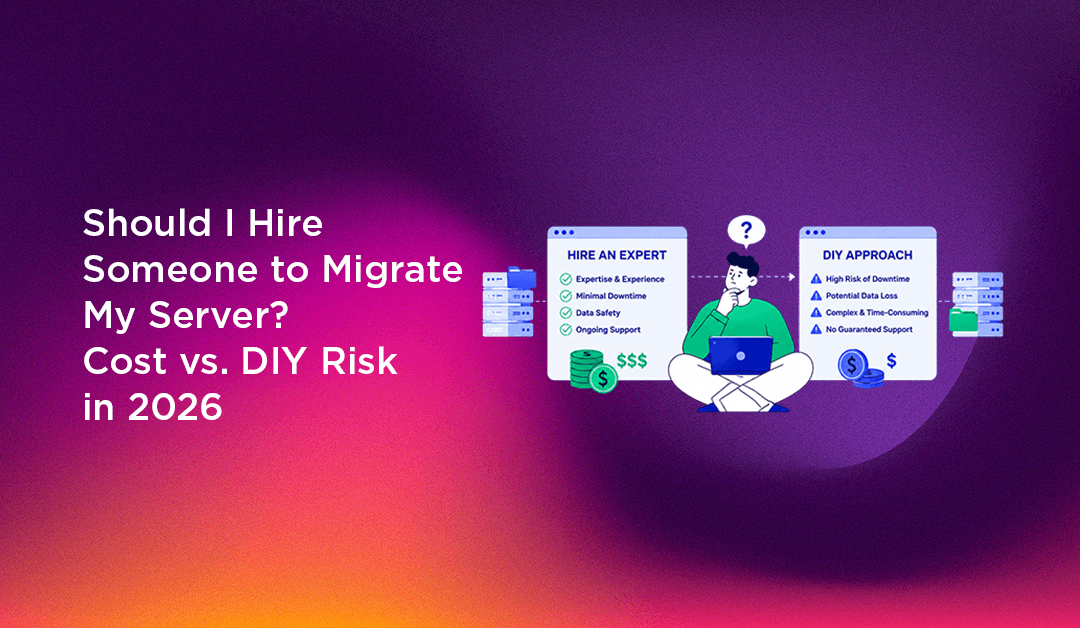
You need to move your server — maybe you're upgrading hardware, switching providers, or outgrowing shared hosting. You've read the migration guide. It's 47 steps long. It mentions DNS TTL, database replication, rsync jobs, mail spool transfers, and a cutover window. And somewhere in the middle of step 23 you start wondering: should I just hire someone to do this?
This guide gives you an honest answer — the real cost of professional server migration, the specific risks that make DIY migrations fail, and a clear framework for deciding which side of the line your migration falls on.
Why DIY Server Migrations Fail (Real Scenarios)
The checklist makes migration look linear. In practice, most DIY migrations encounter at least one of these failure modes:
The DNS timing problem
DNS propagation is unpredictable. If you cut over while TTL is still high, some visitors reach the old server while others reach the new one — for hours or days. If you have a database-driven application, writes happening on the old server after the migration are lost permanently. Most migration guides underestimate how long TTL propagation actually takes in practice and don't account for ISP-level DNS caching that ignores TTL values.
The email spool disaster
When migrating a cPanel server, the Exim mail spool contains emails currently in transit. Copy the spool at the wrong moment and you get duplicates; miss the spool entirely and those emails are lost. Hosted mailboxes that were active during the migration window accumulate new mail on the old server after rsync — if you don't do a final sync immediately before cutover, that mail is gone.
Database consistency during migration
Copying a live MySQL database with rsync while applications are writing to it produces a corrupted copy — tables that reference data written after the copy began will point to rows that don't exist. A proper database migration requires either a brief write lock, a managed replication setup, or application-level downtime. Most DIY guides gloss over this.
Configuration differences between servers
PHP version differences, Apache module availability, MySQL character set defaults, filesystem permission structures — the new server is never exactly the same as the old one. Applications that worked perfectly on the old server break on the new one for reasons that have nothing to do with the migration itself. Finding and resolving these differences takes hours of debugging that isn't in any checklist.
The "it works in testing" problem
Migrations tested in a development environment miss real-world edge cases: a single hardcoded hostname in a config file that points to the old server, a cron job that runs at 3 AM and fails silently, a payment gateway that stopped working because the new server's IP isn't whitelisted. These are discovered by clients, not you.
What a Professional Server Migration Actually Costs
Professional server migration services typically price based on complexity:
- Single website migration: $150–$500 (moving one site with database and email)
- cPanel/WHM account migration (single reseller account, 10–30 sites): $300–$800
- Full server migration (all accounts, databases, email, configurations): $800–$2,500
- Complex migrations (custom applications, live replication, zero-downtime): $2,000–$5,000+
- Emergency/urgent migrations: typically 1.5–2× standard rate
These prices include planning, execution, verification, and post-migration support during the stabilisation period. The professional handles the DNS timing, database consistency, mail spool transfer, and post-migration debugging — the parts of the checklist that look simple but aren't.
The Hidden Costs of a Failed DIY Migration
A migration that goes wrong doesn't just cost time. It costs:
- Emergency recovery time: 8–24 hours of skilled work to diagnose and fix a broken migration
- Client-facing downtime: every minute the site is broken, clients are calling or switching providers
- Data loss: mail, orders, form submissions, or user data created during the problematic cutover window that can never be recovered
- Reputation with clients: a botched migration is visible to everyone whose site was affected
- The fallback option: rolling back to the old server requires reversing the DNS change and verifying data hasn't diverged — another complex operation under stress
The total cost of a failed migration regularly exceeds the cost of hiring a professional for the original migration. And that's before the emotional cost of managing clients who are angry that their site was down for six hours.
When You Should DIY vs. When to Hire
Use this decision framework:
DIY is reasonable when:
- You're migrating a single static site or low-traffic blog with no e-commerce
- Downtime of 2–4 hours is acceptable and you've told users in advance
- You have a full, verified backup taken within the last 24 hours
- You've done this migration type at least twice before successfully
- There is no live data being written (the site can be put in maintenance mode for the duration)
Hire a professional when:
- The server hosts multiple clients or multiple businesses — you're responsible for more than your own data
- There's an e-commerce component with live orders being placed
- Zero downtime is a business requirement
- The server has custom configurations, legacy applications, or non-standard setups
- You've never migrated a server of this complexity before
- The revenue impact of a 4-hour outage exceeds the cost of professional migration
- You don't have time to do the migration carefully (rushed migrations fail at much higher rates)
What a Managed Migration Includes That a Checklist Doesn't
When you hire a professional migration service, you're not just buying execution of a checklist. You're buying:
- Pre-migration audit: identifying non-standard configurations, dependencies, and risks before the migration starts
- DNS TTL management: reducing TTL 48 hours before cutover so propagation happens in minutes, not hours
- Live database sync: using replication or timed snapshots to minimise the write-lock window to seconds
- Parallel verification: testing the new server thoroughly while the old one is still live, before any cutover
- Staged cutover: directing a subset of traffic to the new server first to catch issues before full cutover
- Post-migration monitoring: watching error logs, uptime, and application behaviour for 24–48 hours after migration
- Rollback plan: if something goes wrong, reverting to the old server in minutes rather than hours
The Bottom Line: When Does Hiring Pay for Itself?
If your migration has any of these characteristics, professional migration pays for itself with a single prevented incident:
- 10+ sites or accounts being migrated
- Any live e-commerce or transactional applications
- Revenue-generating sites where 4 hours of downtime costs more than $500
- Clients who will leave if the migration causes visible problems
The calculation is straightforward: if the cost of a failed migration (downtime + data loss + client churn) is higher than the cost of hiring, hire. For most businesses moving a production server, that's always.
CloudHouse Technologies handles full server migrations — cPanel, Plesk, DirectAdmin, and custom Linux servers — with zero-downtime options and post-migration monitoring. We've handled migrations that clients started themselves and called us mid-way through. The ones who called before starting always had a better outcome.