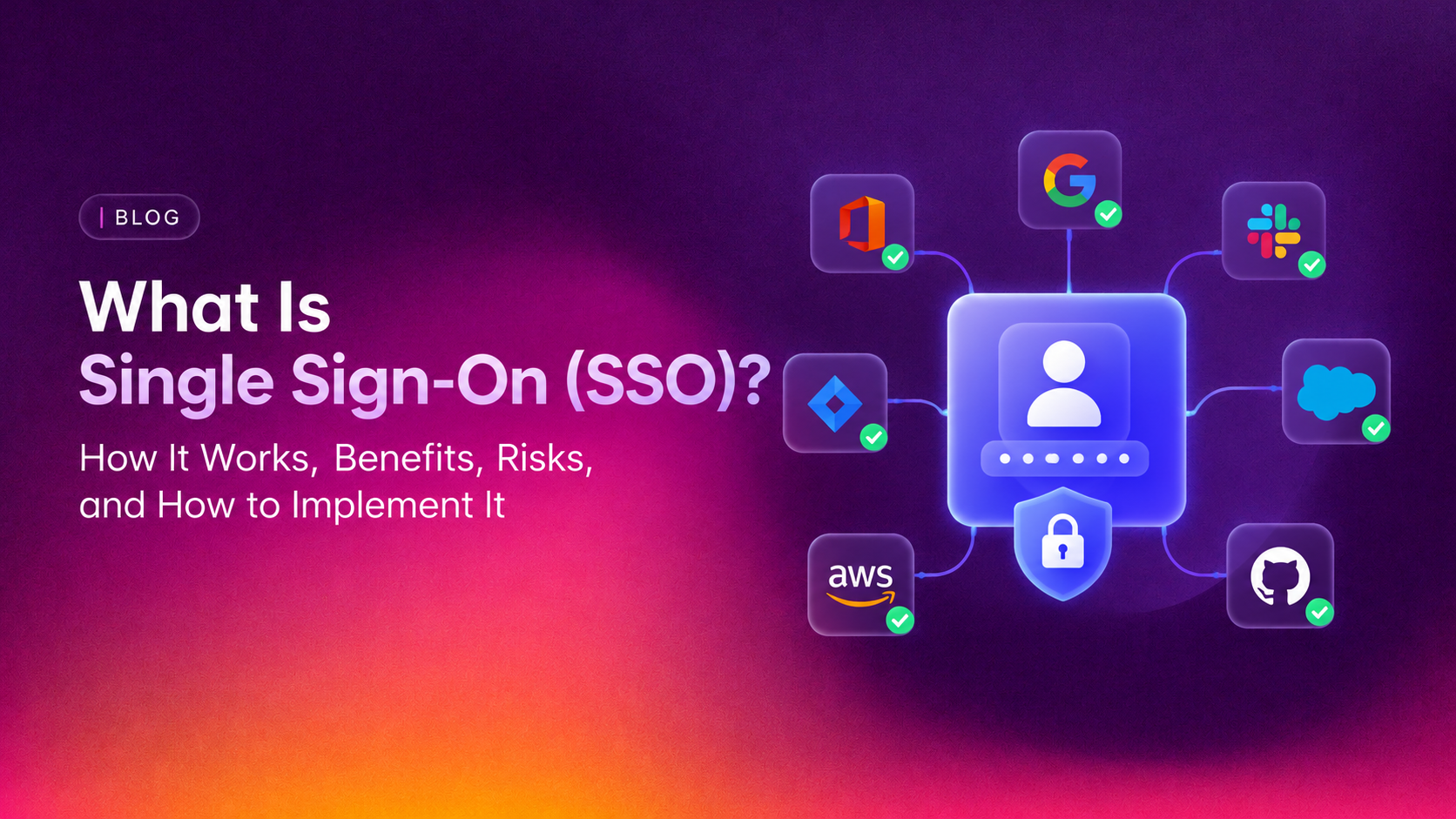
Single sign-on (SSO) is an authentication method that allows users to log in once with a single set of credentials and gain access to multiple applications, systems, and services — without needing to authenticate separately for each one. Instead of managing separate usernames and passwords for every tool your employees use, SSO centralises authentication through a single trusted identity provider (IdP). For modern businesses managing dozens of SaaS applications, cloud services, and internal tools, SSO is not just a convenience feature — it is a foundational identity security control that reduces attack surface, improves employee productivity, and simplifies IT administration.
This complete 2026 guide covers everything: what single sign-on is, how the authentication flow works step-by-step, the three major SSO protocols (SAML, OAuth 2.0, and OIDC), the genuine benefits and real risks, how to implement SSO in your organisation, compliance implications, and how to avoid the most common SSO deployment mistakes.
What Is Single Sign-On?
Single sign-on is an identity and access management (IAM) capability that federates authentication — centralising the login process so that a single authentication event at a trusted identity provider grants access to all connected applications and services without requiring separate logins for each.
The relationship involves three parties:
- The User: The person trying to access one or more applications.
- The Identity Provider (IdP): The centralised authentication authority that stores user credentials, verifies identity, and issues authentication tokens. Examples: Microsoft Entra ID (formerly Azure AD), Okta, Google Workspace, Ping Identity, OneLogin.
- The Service Provider (SP): The application or service the user wants to access. Examples: Salesforce, Slack, GitHub, Jira, AWS Console. The SP trusts the IdP to handle authentication and relies on the tokens the IdP issues to determine who the user is and what they should be able to access.
A useful analogy: SSO is like a theme park wristband. You buy the wristband once (authenticate at the IdP), and it gets you into every ride in the park (every connected application) without paying separately at each gate. When you leave the park (log out), the wristband is deactivated and you lose access to everything at once.
💡 None of these worked? Skip the guesswork.
Get Expert Help →How Single Sign-On Works: The Authentication Flow
The precise technical flow depends on which protocol is in use (SAML, OIDC, or OAuth), but the general sequence follows this pattern:
The user navigates to a service provider application — for example, Salesforce or Slack. The SP checks whether the user has an active, valid SSO session. If the user has already authenticated during the current session, they are admitted immediately without any further login step. If no active session exists, the SP does not attempt to authenticate the user directly — instead, it redirects the user's browser to the configured identity provider, along with an authentication request identifying itself as the requesting service.
The user's browser is redirected to the identity provider's login page. The IdP presents its login interface (typically a username and password form, potentially with multi-factor authentication). The user enters their credentials — importantly, they enter credentials only at the trusted IdP, not at the application itself. The IdP verifies the credentials against its user directory (Active Directory, LDAP, or a cloud directory like Okta's Universal Directory).
Upon successful authentication, the IdP creates a secure, cryptographically signed authentication token. This token contains assertions or claims about the user: their identity (username, email), attributes (department, role, group memberships), the authentication time, and the token's expiry. The token is signed with the IdP's private key, allowing service providers to verify its authenticity without calling back to the IdP for every request.
The IdP redirects the user's browser back to the service provider, passing the authentication token. The SP receives the token, verifies its cryptographic signature using the IdP's published public key, reads the user identity and attributes, establishes a local session for the user, and grants access. The user now has an active SSO session.
When the user navigates to a second application (say, Jira after already accessing Salesforce), that application also redirects to the same IdP. The IdP recognises that this user already has an active authenticated session (from step 2) and issues a new token for the new application immediately — without asking the user to log in again. From the user's perspective, they clicked a link and were instantly inside the second application. This is the core SSO experience: one login, many applications.
When the user logs out — from any application or directly from the IdP — the IdP broadcasts logout notifications to all connected service providers that the user's session should be terminated. All applications simultaneously revoke the user's access. This centralised logout is critical for security: when an employee's account is compromised or when they leave the organisation, a single deprovisioning action at the IdP immediately removes all access across every connected application.
Before selecting a protocol or identity provider, map every application and system your organisation uses. Categorise them by: SSO protocol support (SAML, OIDC, OAuth, or none), authentication method currently in use, criticality and sensitivity of the data accessible, and user population. This audit reveals your SSO integration scope, identifies legacy applications that will need special handling, and informs your IdP selection based on which applications it supports natively.
Select an IdP based on your organisation's existing infrastructure, application portfolio, and budget. Major options include: Microsoft Entra ID (ideal if you are already in the Microsoft ecosystem — Microsoft 365, Azure, Windows); Okta (vendor-neutral, excellent SaaS integration library, strong for heterogeneous environments); Google Workspace (excellent for organisations using Google services; supports SAML and OIDC federation); Ping Identity (strong for enterprise and regulated industry requirements); OneLogin (cost-effective for SMBs). Evaluate vendor SLAs, support quality, pricing models, and the breadth of pre-built connectors for your specific applications.
Define your directory structure: how users will be organised, what groups and roles will exist, how attributes will be populated (from HR systems, Active Directory sync, manual provisioning, or SCIM automated provisioning). Determine your session policy parameters (session lifetime, idle timeout, re-authentication requirements for sensitive applications). Design your conditional access policy framework (which conditions require step-up MFA, which IP ranges or device states allow or block access).
Begin your SSO rollout with a low-risk, widely used application — ideally one with good SAML or OIDC support and a forgiving error recovery path. This pilot validates your IdP configuration, tests your token flow, identifies unexpected attribute mapping issues, and builds your team's SSO implementation experience before you tackle critical business systems.
Add applications to your SSO estate in order of priority and complexity. Start with modern SaaS applications with native SSO support (Salesforce, Slack, GitHub, Atlassian products, AWS), which typically have detailed integration documentation. Then address applications requiring custom SAML or OIDC configuration. Finally, tackle legacy applications requiring identity gateway solutions or proxy-based authentication.
Before migrating users to SSO for their primary application access, enforce MFA on all accounts at the IdP. This is non-negotiable. Rolling out SSO without MFA creates a dangerous single point of failure around a single password. Configure phishing-resistant MFA (FIDO2/passkeys or authenticator apps) for privileged accounts and standard MFA (authenticator app, push notification) for all other users.
Communicate the change clearly to users in advance: what SSO is, what will change about their login experience, when the change happens, and what to do if they encounter problems. Provide simple visual guides for the new login flow. Stage the migration by user group rather than switching everyone at once — this limits support volume and allows you to learn from early adopters before wider rollout.
After go-live, establish ongoing monitoring of IdP audit logs for anomalous authentication patterns (impossible travel, unusual access times, repeated authentication failures, suspicious token issuance). Review and refine your conditional access policies based on real-world usage patterns. Conduct periodic access reviews to ensure user permissions remain appropriate. Track your helpdesk ticket volume for authentication-related issues as a measure of user experience and SSO effectiveness.
SSO and Compliance: GDPR, HIPAA, and SOC 2
SSO can actively support compliance with major regulatory frameworks, though it must be configured correctly to do so:
- GDPR: SSO's centralised user directory and deprovisioning capabilities directly support GDPR's right to erasure (deleting a user from the IdP can cascade access removal across connected applications) and data minimisation (centralising identity data reduces the number of places personal data is stored). GDPR also requires demonstrable access control — SSO's centralised audit log supports this requirement.
- HIPAA: HIPAA's requirements for unique user identification, automatic logoff, and audit controls align well with SSO capabilities. Enforcing session timeouts and automatic logoff at the IdP level satisfies HIPAA's "automatic logoff" technical safeguard. Centralised audit logs of authentication events support HIPAA's audit control requirements.
- SOC 2: SSO directly supports SOC 2's logical access controls requirement — centralised user provisioning, deprovisioning, and access review processes are key evidence items for SOC 2 Type 2 audits. The ability to demonstrate that access is appropriately restricted and that terminated users are promptly deprovisioned is significantly easier with SSO than with distributed per-application credentials.
- ISO 27001: SSO's access control capabilities map directly to ISO 27001 Annex A controls around user registration, access management, and authentication. A well-implemented SSO programme provides comprehensive audit evidence for access control-related controls.
Common SSO Deployment Mistakes to Avoid
- Deploying SSO without MFA: The single most dangerous SSO mistake. Always enforce MFA at the IdP before migrating users to SSO-based authentication.
- Not planning for IdP outage: Define and document emergency access procedures before you need them. Know how to access critical systems if your IdP is unavailable.
- Skipping the application audit: Not knowing which applications support SSO and which do not leads to a fragmented implementation where some critical applications remain outside the SSO perimeter.
- Leaving orphaned accounts in connected applications: After enabling SSO, ensure that direct username/password logins are disabled in connected applications where possible. Leaving backdoor local credentials active defeats the security centralisation SSO provides.
- Setting excessively long session lifetimes: Long-lived SSO sessions increase the window of opportunity if a session token is stolen. Balance user convenience against security risk — align session lifetimes with your sensitivity requirements and conditional re-authentication policies.
- Failing to test Single Logout: SLO is often deprioritised in SSO deployments. Test that logout from the IdP actually terminates sessions in all connected applications — incomplete SLO implementations leave users' sessions open in individual applications even after they believe they have logged out.
- Not integrating SCIM for user lifecycle management: SSO handles authentication — but user provisioning and deprovisioning to individual applications should be automated using SCIM (System for Cross-domain Identity Management) to ensure that user accounts are created and removed in applications automatically when provisioned or deprovisioned in the IdP.
Google Workspace SSO: A Common Implementation Example
Google Workspace is one of the most widely used identity providers for business SSO, supporting both SAML and OIDC-based federation with hundreds of third-party applications. Google Workspace can serve as your IdP for external applications (configuring Google as the identity provider in Salesforce, Slack, GitHub, etc.) or as a service provider (configuring an external IdP like Okta or Entra ID to authenticate Google Workspace users).
Setting up Google Workspace SSO correctly — including configuring SAML app integrations, mapping user attributes, setting up provisioning, and testing Single Logout — requires careful configuration to ensure both reliable access and appropriate security controls. CloudHouse Technologies provides professional Google Workspace setup services that include SSO configuration, SAML and OIDC application integration, MFA enforcement, conditional access policy setup, and user provisioning — so your organisation gets the full security and productivity benefits of SSO without the configuration complexity and risk of getting it wrong.
Conclusion
Single sign-on is one of the highest-leverage identity security investments a business can make — simultaneously improving security through centralised authentication control, reducing IT overhead through simplified provisioning and deprovisioning, and improving employee experience through frictionless access to applications. But SSO is not a silver bullet: it must be paired with MFA, properly monitored, and deployed with careful attention to the risks of centralisation, particularly the implications of IdP compromise. Organisations that implement SSO thoughtfully — with the right protocol for each application, MFA enforced at the IdP, robust session policies, and a clear plan for legacy application integration and IdP availability — will have a significantly stronger identity security posture than those managing credentials application-by-application. In 2026, with credential-based attacks driving the majority of breaches, that security improvement is not optional — it is essential.