Malware — short for malicious software — is any program, script, or code deliberately designed to damage, disrupt, steal from, or gain unauthorised access to a computer system, network, or device. From ransomware that encrypts your files and demands payment to spyware that silently monitors everything you type, malware comes in many forms and poses one of the most serious threats to individuals and businesses alike. Understanding what malware is, how it spreads, how to spot it, and how to remove it is the foundation of modern cybersecurity.
What Is Malware?
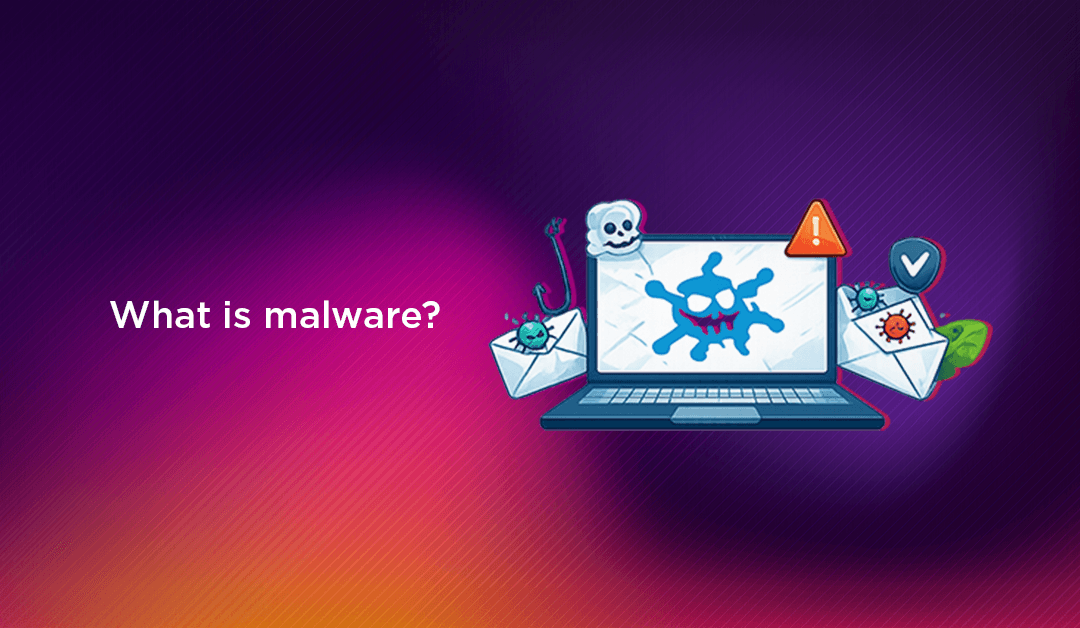
Malware is an umbrella term covering any software written with malicious intent. The word is a portmanteau of "malicious" and "software," and it encompasses a wide range of threat types — viruses, worms, Trojans, ransomware, spyware, adware, rootkits, keyloggers, botnets, and more. Each type operates differently, targets different system components, and causes different kinds of harm, but all share the defining characteristic of acting against the interests of the person or organisation that owns the affected system.
Malware is written by a diverse set of threat actors: individual cybercriminals seeking financial gain, state-sponsored hacking groups conducting espionage, hacktivists pursuing ideological goals, and even security researchers testing defences. In 2026, the malware landscape has been further complicated by Malware-as-a-Service (MaaS) — criminal platforms where even non-technical actors can purchase and deploy pre-built malware kits, dramatically lowering the barrier to attack.
How Malware Gets onto Your System
Malware cannot infect a system without some form of entry point. Understanding the most common infection vectors is the first step to blocking them:
- Phishing emails: The most common delivery method. A malicious email tricks the recipient into clicking a link (which downloads malware) or opening an attachment (which executes a payload). Even a PDF or Word document can contain malicious macros or embedded scripts.
- Malicious websites and drive-by downloads: Visiting a compromised or malicious website can trigger a silent download — exploiting vulnerabilities in the browser or its plugins — without any action from the user beyond loading the page.
- Software downloads from untrusted sources: Pirated software, cracked applications, and downloads from unofficial repositories frequently bundle malware alongside the desired software. The user installs what they think is a legitimate application and simultaneously installs the malware payload.
- Infected USB drives and removable media: Malware can spread from device to device via USB drives, memory cards, or external hard drives — particularly in environments where automatic execution of removable media is enabled.
- Exploitation of software vulnerabilities: Unpatched operating systems, browsers, and applications contain known security vulnerabilities that malware can exploit to install itself without user interaction. This is why keeping software updated is a critical security control.
- Supply chain attacks: Malware can be inserted into legitimate software during the development or distribution process, so users who download and install trusted software receive an infected version. The SolarWinds attack of 2020 is one of the most significant documented examples.
- Social engineering and malvertising: Fake software updates, misleading pop-ups ("Your computer is infected — click here to clean it"), and malicious advertisements injected into legitimate websites all serve as delivery mechanisms for malware.
10 Types of Malware You Need to Know
Each type of malware has a distinct mode of operation, infection pattern, and purpose. Here are the ten most significant categories:
1. Viruses
A computer virus is a type of malware that attaches itself to a legitimate executable file or program and replicates whenever that file is executed. Like a biological virus, it spreads by inserting copies of itself into other programs or files. Viruses can corrupt or delete data, consume system resources, send themselves to contacts via email, or serve as delivery vehicles for other malware. They require the infected program to be run in order to activate and spread — distinguishing them from worms, which spread autonomously.
2. Worms
A worm is self-replicating malware that spreads across networks without any human interaction. Unlike a virus, a worm does not need to attach to a host file — it exploits network vulnerabilities or security weaknesses to copy itself from device to device automatically. The WannaCry ransomware of 2017 spread via a worm mechanism called EternalBlue, infecting over 200,000 systems in 150 countries within days. Worms can consume massive amounts of bandwidth and system resources, cause network congestion, and deliver additional malware payloads.
3. Trojan Horses
A Trojan horse (or simply "Trojan") is malware disguised as legitimate, useful software. Users are tricked into downloading and executing it — believing it to be a game, utility, antivirus tool, or other desirable program. Once installed, a Trojan can create backdoors for remote access, steal data, download additional malware, or give attackers persistent control over the infected system. Unlike viruses and worms, Trojans do not self-replicate — they rely entirely on users to install them.
4. Ransomware
Ransomware encrypts the victim's files or locks them out of their system entirely, then demands payment — typically in cryptocurrency — in exchange for the decryption key. Ransomware attacks have crippled hospitals, local governments, schools, and major corporations, causing billions of dollars in losses annually. The rise of Ransomware-as-a-Service (RaaS) platforms has made ransomware accessible to criminal operators with minimal technical skill — they simply purchase access to the ransomware infrastructure, pay a percentage of ransom proceeds, and deploy attacks at scale. Double extortion ransomware adds a further threat: exfiltrating data before encrypting it, then threatening to publish it if the ransom is not paid.
5. Spyware
Spyware is malware that secretly monitors and collects information about the user or organisation, transmitting it back to the attacker without the victim's knowledge. Spyware can capture browsing history, keystrokes, login credentials, financial data, screenshots, and microphone or camera input. It is frequently bundled with seemingly legitimate free software (a practice called "bundleware") and designed to run invisibly in the background. Commercial spyware tools — sometimes marketed as parental monitoring or employee tracking software — can be misused for surveillance without consent.
6. Adware
Adware is software that automatically displays or downloads advertising material to generate revenue for its creator. While some adware is included in legitimate free software under disclosed terms, malicious adware installs without meaningful consent, displays intrusive ads that interfere with normal computer use, may track browsing behaviour for targeted advertising without consent, and can serve as a delivery mechanism for more serious malware. Adware is often the first sign that a system has been compromised, as the sudden appearance of unexpected pop-up advertisements is one of its most visible symptoms.
7. Rootkits
A rootkit is a particularly dangerous type of malware designed to gain privileged (root-level) access to a system while actively hiding its presence from the operating system, security software, and users. Rootkits can intercept and modify operating system calls, disable security tools, conceal files and running processes, and establish persistent backdoors that survive reboots and even standard antivirus scans. Detecting and removing rootkits is significantly more difficult than removing most other malware types — some rootkits can only be fully removed by reinstalling the operating system.
8. Keyloggers
A keylogger records every keystroke made on an infected device and transmits the captured data to the attacker. This allows attackers to harvest usernames and passwords, credit card numbers, bank account details, private messages, and any other information typed on the keyboard. Keyloggers can be software-based (installed on the operating system) or hardware-based (physical devices attached between the keyboard and the computer). They are frequently deployed as part of a broader Trojan or spyware package.
9. Botnets
A botnet is a network of malware-infected devices — called "bots" or "zombies" — that are remotely controlled by an attacker (the "bot herder") through a command-and-control (C2) server. Botnet operators use their networks to send spam and phishing emails at scale, launch distributed denial-of-service (DDoS) attacks, mine cryptocurrency, distribute additional malware, or rent out computing resources to other criminals. Individual device owners typically have no idea their machine is part of a botnet — it runs quietly in the background, consuming CPU, memory, and bandwidth.
10. Fileless Malware
Fileless malware operates entirely in system memory (RAM) without writing files to disk, making it extremely difficult for traditional file-based antivirus solutions to detect. Instead of dropping an executable, fileless malware exploits legitimate system tools — such as PowerShell, WMI (Windows Management Instrumentation), or macro-enabled documents — to execute malicious code directly in memory. Because it leaves no persistent files, it evades file-based scanning and can be very challenging to detect with conventional security tools. Behaviour-based and memory-scanning detection methods are required to identify fileless threats.
Warning Signs of a Malware Infection
Many malware infections are designed to operate silently, but most leave behind detectable traces. Watch for these indicators on any device you manage:
- Sudden, unexplained slowdown: Malware consuming CPU cycles, memory, or network bandwidth in the background causes noticeable performance degradation — especially on systems that were previously running normally.
- Unexpected pop-up advertisements: Pop-ups appearing outside of a browser, or excessive ads appearing within browsers on sites that don't normally display them, are a classic sign of adware or browser hijacker infection.
- Browser homepage or search engine changed without your action: Browser hijackers redirect web traffic to generate advertising revenue or to intercept search queries. If your browser's default settings have changed without you changing them, malware is a likely cause.
- Programmes launching or crashing unexpectedly: Unknown applications appearing in the taskbar or system tray, or familiar applications crashing more frequently than normal, can indicate malware activity.
- High outbound network traffic: Malware communicating with a command-and-control server, exfiltrating data, or sending spam will generate network traffic at unusual times. Monitor outbound connections for unexpected activity.
- Antivirus disabled or unable to update: Many malware types attempt to disable security software as their first action after infection. If your antivirus suddenly stops working or updates fail, malware may have modified your system.
- Files encrypted or inaccessible: The most obvious sign of a ransomware infection — files have new, unfamiliar extensions and cannot be opened. A ransom note will typically appear on the desktop or in affected folders.
- Unexplained account activity: Password change emails you didn't request, new logins from unknown locations, or unfamiliar transactions in financial accounts can all be downstream effects of spyware or keylogger infections that captured credentials.
💡 None of these worked? Skip the guesswork.
Get Expert Help →How to Remove Malware — Step by Step
If you suspect a malware infection, act quickly. Every hour of delay gives the malware more time to spread, exfiltrate data, or cause damage.
Disconnect the infected device from the network immediately — disable Wi-Fi, disconnect the Ethernet cable, and if possible disable Bluetooth. This prevents the malware from spreading to other devices on the network, communicating with command-and-control servers, or continuing to exfiltrate data.
Restart the device in Safe Mode (on Windows: hold Shift while clicking Restart, then navigate to Troubleshoot → Advanced Options → Startup Settings → Restart, then select Safe Mode with Networking). Safe Mode loads only essential system components, preventing most malware from auto-starting and making it easier to detect and remove.
Update your security software (if possible — use a clean device to download the latest definitions if your internet is disconnected) and run a full system scan. Use a reputable solution such as Malwarebytes, Windows Defender, or a business-grade endpoint security tool. Follow all remediation recommendations from the scan results.
Follow the antivirus tool's instructions to quarantine or delete identified malware. For files you're unsure about, quarantine first rather than delete — some false positives do occur, and quarantine allows recovery if needed.
Review all programmes set to run on startup (via Task Manager → Startup on Windows, or System Preferences → Login Items on macOS) and remove anything unfamiliar. Similarly, check browser extensions in all installed browsers and remove any you didn't intentionally install.
After containing the infection, change the passwords for all accounts that may have been accessible on the infected device — especially email, banking, company systems, and any accounts whose credentials were stored in the browser. Do this from a different, known-clean device to avoid capturing the new passwords with a still-active keylogger.
If the infection is severe — particularly for rootkits or advanced persistent threats — the safest remediation is to wipe the device and restore from a known-clean backup taken before the infection occurred. For ransomware, do not pay the ransom without exhausting all other options first: check nomoreransom.org for free decryption tools before considering payment.
For business systems, servers, or complex infections, professional assistance is strongly recommended. CloudHouse's malware removal service provides expert diagnosis, complete remediation, and post-cleanup hardening to prevent reinfection — protecting your business data and getting your systems back online safely.
The majority of successful malware attacks exploit known vulnerabilities in outdated software. Enable automatic updates for your operating system, browsers, and applications. For servers, implement a structured patch management process with defined timelines for critical security patches.
Deploy antivirus or endpoint detection and response (EDR) software on every device. Modern EDR solutions go beyond signature-based detection to include behavioural analysis, memory scanning (for fileless malware), and network monitoring. Ensure definitions are updated automatically and scan schedules are enforced.
Since phishing is the leading malware delivery vector, security awareness training is one of the highest-return investments in malware prevention. Run regular simulated phishing campaigns, teach staff to identify suspicious emails and links, and establish a clear, blame-free process for reporting suspicious messages.
Apply the principle of least privilege: give users only the access permissions they need to perform their job, and reserve administrator accounts for tasks that genuinely require them. Most malware requires elevated privileges to install itself — limiting who has admin rights reduces the blast radius of a successful infection.
Disable automatic execution of removable media in your environment and implement a policy requiring that USB drives and external storage be scanned before use. Consider blocking USB ports entirely on sensitive systems where removable media is not needed.
For ransomware in particular, offline backups are your most reliable recovery option. Follow the 3-2-1 rule: maintain at least three copies of important data, on at least two different media types, with at least one copy stored offline and offsite. Test your restore process regularly — a backup you've never tested is not a reliable backup.
Disable unnecessary services and ports, enforce network segmentation to limit lateral movement, implement application whitelisting on critical systems, and deploy web filtering to block access to known malicious domains. Server hardening — particularly for internet-facing systems — dramatically reduces the attack surface available to malware authors.
Malware Trends in 2026
The malware landscape continues to evolve rapidly. Key developments shaping the threat environment in 2026 include:
- AI-generated malware: Large language models are being used to write more sophisticated malware code, generate convincing phishing lures, and adapt malware behaviour dynamically to evade detection. AI lowers the skill bar for malware creation significantly.
- Ransomware-as-a-Service proliferation: RaaS platforms have made ransomware deployment accessible to criminal operators with no programming knowledge, dramatically increasing the volume and variety of ransomware attacks targeting businesses of all sizes.
- Mobile malware growth: As mobile devices become increasingly central to business operations, mobile malware — targeting both Android and iOS — is growing in sophistication. Mobile banking trojans, SMS interceptors, and credential stealers have become mainstream threats.
- Supply chain attacks: Attackers are increasingly targeting software vendors and managed service providers as a way to reach many downstream victims through a single compromise. Verifying the integrity of software and updates from all vendors has become a critical security practice.
- Living-off-the-land attacks: Rather than deploying custom malware that security tools might detect, attackers increasingly use legitimate system tools (PowerShell, WMI, certutil, etc.) for malicious purposes — blending with normal system activity to evade detection.
Malware is one of the most persistent and evolving threats in cybersecurity — but it is not unbeatable. A combination of up-to-date software, layered security controls, trained users, and a tested incident response plan provides a strong defence against even the most sophisticated malware attacks. When infections do occur, fast isolation, professional remediation, and a post-incident hardening review are the keys to minimising damage and preventing recurrence.