
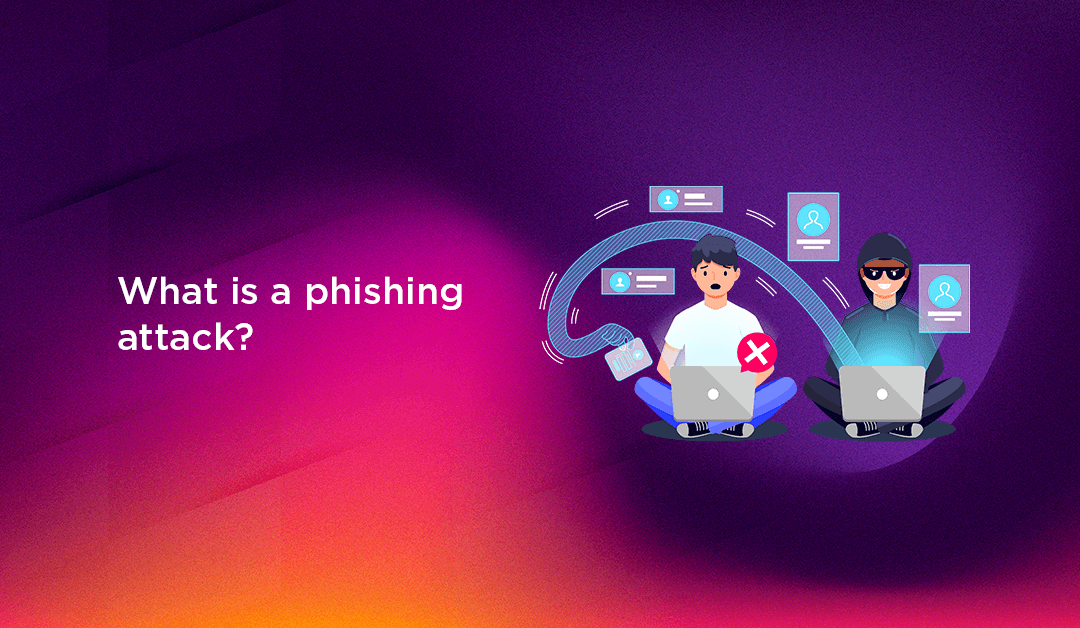
A phishing attack is one of the most prevalent and costly cyber threats facing businesses and individuals in 2026. Cybercriminals impersonate trusted organisations, colleagues, or government agencies to manipulate victims into surrendering passwords, financial data, or access to critical systems. Understanding exactly how phishing works, the many forms it takes, and how to build robust defences is now a core responsibility for every business owner and IT professional.
What Is a Phishing Attack?
A phishing attack is a form of social engineering in which an attacker disguises themselves as a legitimate, trusted entity to deceive a victim into taking a harmful action. That action might be clicking a malicious link, opening an infected attachment, entering credentials on a fake website, or authorising a fraudulent wire transfer.
The name is a deliberate misspelling of "fishing" — attackers cast a wide net (or a very targeted one) hoping victims take the bait. Unlike malware that exploits software vulnerabilities, phishing exploits human psychology: trust, urgency, fear, and helpfulness. It is precisely this human element that makes phishing so consistently effective and so difficult to eliminate entirely.
According to the FBI's Internet Crime Report, phishing has been the most reported cybercrime for multiple consecutive years, with losses to businesses and individuals reaching billions of dollars annually. In 2026, AI-generated phishing content has removed the telltale grammar errors that once helped recipients identify fraudulent messages — making every individual and organisation a potential target.
💡 None of these worked? Skip the guesswork.
Get Expert Help →How a Phishing Attack Works — Step by Step
Most phishing attacks follow a predictable sequence, even when the delivery channel varies. Understanding this sequence helps you recognise attacks in progress and implement controls at each stage.
The attacker selects their targets — either broadly (mass phishing campaigns sent to millions) or narrowly (spear phishing aimed at a specific individual or organisation). For targeted attacks, the attacker researches their victim on LinkedIn, company websites, press releases, and social media to gather details that will make the lure convincing.
The attacker builds the deceptive message and any supporting infrastructure — a spoofed email address, a cloned website, or a lookalike domain (for example, paypa1.com instead of paypal.com). AI tools are now widely used to generate grammatically perfect, contextually accurate phishing content at scale and at minimal cost.
The phishing message is sent via email, SMS, phone call, social media direct message, or collaboration platforms like Microsoft Teams or Slack. Mass campaigns send millions of messages simultaneously; targeted spear phishing campaigns may send a single, precisely crafted email to one person.
The victim clicks a link, opens an attachment, or responds with sensitive information. A phishing link typically redirects to a spoofed login page that captures entered credentials in real time — while displaying a convincing copy of the legitimate site. Some links trigger silent malware downloads without requiring any further interaction from the victim.
The attacker uses the harvested data to access accounts, exfiltrate sensitive files, deploy ransomware, commit financial fraud, or sell credentials on dark web markets. In Business Email Compromise (BEC) attacks, the attacker may impersonate a senior executive and instruct finance staff to transfer large sums of money to attacker-controlled accounts.
MFA is the single most impactful technical control against phishing. Even if an attacker successfully steals a password, MFA prevents them from using it without the second factor. Use authenticator apps (TOTP) or hardware security keys (FIDO2/WebAuthn) wherever possible — SMS-based MFA is better than nothing but is itself vulnerable to SIM-swapping and real-time phishing proxy attacks.
Enterprise email security solutions use machine learning to analyse sender reputation, email headers, URL reputation, and attachment behaviour to quarantine phishing messages before they reach employee inboxes. Solutions like Microsoft Defender for Office 365, Proofpoint, and Mimecast significantly reduce phishing exposure at the delivery stage.
These three email authentication standards prevent attackers from spoofing your organisation's domain. SPF specifies which mail servers are authorised to send email on your behalf. DKIM adds a cryptographic signature to outgoing messages. DMARC instructs receiving servers how to handle messages that fail SPF or DKIM checks — and provides you with daily reports on spoofing attempts. Set your DMARC policy to p=reject for the strongest protection.
The most effective way to build phishing resilience in your workforce is to test it. Simulated phishing campaigns send realistic fake phishing emails to employees; those who click receive immediate, non-punitive education tailored to the specific attack type they fell for. Platforms like KnowBe4, Cofense, and Proofpoint Security Awareness Training make ongoing simulation programmes straightforward to run. Update simulations regularly to reflect current attack techniques — including AI-generated content.
Many phishing attacks deliver malware that exploits known vulnerabilities in outdated browsers, document readers, operating systems, or server software. A rigorous patch management programme — keeping all software current and applying critical security updates promptly — closes these entry points before attackers can use them.
DNS filtering blocks requests to known malicious or suspicious domains at the network level, before a browser connection is established. If an employee clicks a phishing link, DNS filtering can prevent the browser from reaching the credential-harvesting page entirely — providing a safety net when human vigilance fails.
Phishing is frequently the first step in a multi-stage attack — stolen credentials are then used to access servers, databases, and internal systems. Ensuring your infrastructure is properly hardened means that even a successful phishing attack has a limited blast radius. Professional server hardening services reduce your attack surface by enforcing least-privilege access, disabling unnecessary services, applying security baselines, and monitoring for signs of post-compromise activity.
Employees who suspect they've received a phishing email — or clicked one — need a simple, blame-free process for reporting it immediately. Fast reporting allows your security team to pull malicious emails from other inboxes, alert affected users, and begin containment before an incident escalates. Make reporting as frictionless as possible, such as a one-click "Report Phishing" button in your email client.
Limit each user account's access to only the systems and data required for their role. If a phishing attack compromises a standard user account, least-privilege access limits what the attacker can reach — preventing lateral movement to sensitive databases, administrator consoles, or financial systems.
If you receive an unexpected request to transfer funds, share credentials, approve a purchase, or grant system access — even if it appears to come from a senior colleague or a trusted external partner — always verify through a completely separate communication channel: a direct phone call, an in-person conversation, or a message to a verified number you already have on file. Never use contact details provided in the suspicious message itself. This single rule stops the vast majority of BEC and whaling attacks.
If you clicked a link or opened an attachment that may have installed malware, immediately disconnect the affected device from all networks — Wi-Fi and wired. This prevents malware from communicating with attacker-controlled servers, exfiltrating data, or spreading to other devices on your network.
From a separate, clean device, immediately change the password for any account you entered credentials into. Also change your email account password, since attackers commonly use a compromised inbox to trigger password resets on linked services and to send further phishing emails from your address to your contacts.
After changing passwords, immediately enable multi-factor authentication on every affected account if not already active. This prevents the attacker from continuing to use stolen credentials even if they captured them before you changed them.
Notify your IT or security team immediately, even if you're embarrassed. They need to assess the scope, check other users for the same phishing email, scan the affected device for malware, and review logs for any signs of data exfiltration or account access. Speed of reporting is a critical factor in limiting damage.
Forward phishing emails to reportphishing@apwg.org (the Anti-Phishing Working Group) and to the organisation whose brand was spoofed. In the UK, report to the NCSC at report@phishing.gov.uk. In the US, file a report with the FTC at reportfraud.ftc.gov. If financial details were exposed, contact your bank immediately to freeze cards or accounts as appropriate.
Run a comprehensive malware scan on any device that interacted with the phishing content. If the scan detects an infection, isolate the device from the network and engage professional support for complete remediation before reconnecting it.
How AI Is Changing Phishing Attacks in 2026
The phishing threat landscape has shifted significantly, driven by three developments that every organisation needs to understand:
- AI-generated phishing content: Large language models (LLMs) can produce grammatically flawless, contextually personalised phishing emails at massive scale and minimal cost. Attackers now use AI to tailor each message to the recipient's role, employer, industry, and even their recent LinkedIn activity — eliminating the spelling errors that once served as a reliable detection signal.
- Deepfake voice and video: AI voice cloning can reproduce anyone's voice using a few seconds of publicly available audio. There are documented cases of attackers using deepfake voice calls to impersonate CEOs and instruct finance teams to transfer large sums to fraudulent accounts. Video deepfakes are emerging as the next frontier in executive impersonation.
- Collaboration platform phishing: As email security has matured, attackers have shifted delivery to Microsoft Teams, Slack, WhatsApp, and similar platforms — where users are far less suspicious of messages from apparent colleagues. These platforms often have weaker built-in phishing protections than enterprise email gateways.
The defensive fundamentals remain the same — MFA, layered technical controls, and regular training — but threat awareness content must be continuously updated to reflect what modern AI-powered phishing actually looks like.
Building a Phishing-Resistant Organisation
A phishing-resistant business combines robust technical defences with a security culture in which employees feel empowered — not afraid — to question unusual requests and report suspicious activity. No technology alone eliminates phishing risk; the human layer remains both the most frequent point of failure and the most important line of defence.
The combination of email authentication (SPF/DKIM/DMARC), MFA on all accounts, regular phishing simulation training, DNS filtering, and hardened server and endpoint infrastructure creates a defence-in-depth posture that dramatically reduces both the likelihood and the impact of a successful phishing attack. Treat phishing resilience as an ongoing security programme — not a one-time project — with regular reviews as attacker techniques evolve.
Phishing attacks remain so prevalent because they work — they exploit instincts that are genuinely useful in everyday life: trust, helpfulness, and responsiveness to urgency. Recognising that vulnerability, and systematically addressing it through training, technology, and process, is the foundation of effective cybersecurity in 2026 and beyond.