
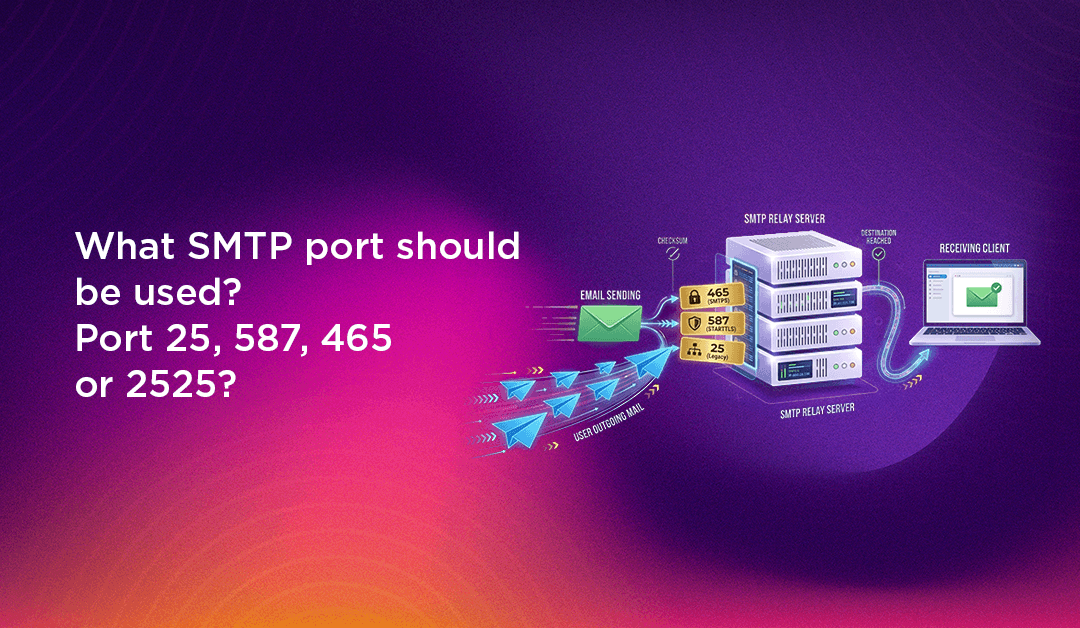
If you have ever set up an email client, configured a mail server, or tried to send email from a web application, you have almost certainly encountered the question of which SMTP port to use. Port 25, 587, 465, 2525 — the options are confusing, and choosing the wrong one can result in email delivery failures, ISP blocking, or serious security vulnerabilities. Understanding the differences between these ports, why they exist, and when to use each one is essential knowledge for anyone managing server infrastructure, building applications that send email, or configuring email services for a business.
This guide explains every major SMTP port in plain language: what each one does, its security characteristics, when it is the right choice, and when it will cause problems. We also include a step-by-step Postfix configuration guide for Linux servers and a practical troubleshooting section for the most common port-related email failures.
What Is SMTP and Why Do Ports Matter?
SMTP (Simple Mail Transfer Protocol) is the standard protocol used to send and relay email messages between mail servers and from email clients to mail servers. It handles the outgoing side of email delivery — the receiving side uses IMAP or POP3. When you send an email, your mail client connects to your outgoing mail server via SMTP, and that server relays the message toward the recipient's mail server using SMTP again.
A port is a numbered communication endpoint on a server — think of it like a specific door on a building. Just as a business might have different entrances for deliveries, visitors, and staff, a mail server uses different ports for different types of SMTP connections: accepting messages from email clients (submission), relaying messages between servers (relay), and doing so with or without encryption. The port number tells the server what type of connection to expect and how to handle it. Using the wrong port typically results in a connection refused error, a timeout, or — in the case of an unencrypted port — credentials and message content transmitted in plaintext across the internet.
SMTP Port Comparison: Quick Reference
| Port | Purpose | Encryption | Status | Recommended Use |
|---|---|---|---|---|
| 25 | Server-to-server relay (MTA to MTA) | None / Optional STARTTLS | Active but often blocked | Inter-server relay only |
| 587 | Client-to-server submission | STARTTLS (required) | Active — current standard | All outgoing email submission |
| 465 | Client-to-server submission (SSL) | Implicit TLS (SSL/TLS) | Deprecated / still widely supported | Legacy clients that require implicit TLS |
| 2525 | Client-to-server submission (alternative) | STARTTLS | Unofficial but widely available | Fallback when 587 is blocked |
SMTP Port 25: The Original Email Relay Port
Port 25 is the original SMTP port, standardised in 1982 in RFC 821 — making it one of the oldest network service ports still in active use. It was designed for server-to-server email relay: when your mail server needs to deliver an email to another mail server (for example, when sending from Gmail to a custom domain server), port 25 is the port used for that server-to-server communication, technically called MTA-to-MTA (Mail Transfer Agent to Mail Transfer Agent) relay.
Why ISPs Block Port 25
In the early days of the internet, port 25 was open on most networks and any machine could use it to send email directly to any other mail server. This openness made it the primary tool for spammers — compromised home computers and business machines could be used to relay millions of spam messages directly via port 25 without going through any authenticating mail server. In response, virtually every major residential and business ISP now blocks outbound connections on port 25 by default to prevent their customers' machines from being used as spam relays.
This means that even if you run a fully functional Postfix or Sendmail server, you almost certainly cannot use port 25 to send outgoing email from a standard ISP-connected host. Dedicated server hosting providers (VPS and bare metal) are the exception — many will open port 25 on request, though they monitor for abuse carefully and some block it by default even on dedicated servers.
When to Use Port 25
- Use it for: Receiving incoming email on your mail server (your server listening on port 25 to accept messages from other mail servers delivering to your domain). Server-to-server relay between your own trusted infrastructure.
- Do not use it for: Email client submission (your Outlook, Thunderbird, or web application sending outgoing email). Outgoing email on consumer or business ISP connections.
SMTP Port 587: The Modern Standard for Email Submission
Port 587 is the current IETF-recommended standard for email submission — the connection between an email client (or application) and the outgoing mail server. It was standardised in RFC 2476 (1998) and later updated in RFC 6409, specifically to separate the submission function (clients sending email to their server) from the relay function (servers passing email between themselves on port 25).
How Port 587 Works with STARTTLS
Port 587 uses STARTTLS (also known as opportunistic TLS or explicit TLS). The connection initially begins as a plain, unencrypted TCP connection on port 587 — and then the client immediately issues the STARTTLS command to upgrade the connection to an encrypted TLS session before any authentication credentials or message content are transmitted. This means the connection is effectively encrypted from the very beginning of any sensitive data exchange, even though the initial handshake is technically unencrypted.
Port 587 requires SMTP authentication — the client must provide a username and password before the server will accept messages for relay. This authentication requirement is precisely what makes port 587 far safer than port 25 for submission: only authorised users with valid credentials can use your outgoing mail server, dramatically limiting spam abuse potential.
Why Port 587 Is the Right Default Choice
- It is the current IETF standard for email client submission (RFC 6409)
- It is not blocked by ISPs (unlike port 25)
- It requires authentication, preventing open relay abuse
- It encrypts credentials and message content via STARTTLS
- It is supported by virtually every mail server, email client, and Email Service Provider (ESP)
- Google Workspace, Microsoft 365, Amazon SES, SendGrid, Mailgun, and every major ESP accept submission on port 587
For the vast majority of use cases — email client configuration, application email sending, and transactional email — port 587 is the correct choice.
SMTP Port 465: The SSL Port (Deprecated but Still Widely Supported)
Port 465 has a complicated history. It was originally assigned by IANA (Internet Assigned Numbers Authority) in 1998 for "SMTPS" — SMTP over SSL — and quickly adopted by many mail servers and clients as the port for encrypted email submission using implicit SSL/TLS. However, in 1998 — the same year port 465 was assigned — the IETF standardised STARTTLS on port 587 as the preferred approach, effectively making port 465 redundant before it was widely deployed. IANA subsequently reassigned port 465 to a different service (URL Rendezvous Directory for SSM).
Despite this deprecation, port 465 remained in widespread use because many mail servers and clients had already implemented it, and many system administrators and users still configure it today. In 2018, RFC 8314 gave port 465 a second life by recommending it for implicit TLS (now called "SMTPS"), partially legitimising its continued use.
Port 465 vs Port 587: Key Differences
- Port 465 (Implicit TLS): TLS encryption is applied immediately when the connection is established — there is no unencrypted negotiation phase. The client connects and TLS kicks in instantly.
- Port 587 (STARTTLS / Explicit TLS): The connection starts without encryption, then the client issues the STARTTLS command to upgrade to TLS before sending any credentials or data.
In practice, both approaches result in encrypted connections, and the security difference between them is minimal in properly configured environments. The main reason to use port 465 today is compatibility with older email clients or systems that require implicit TLS and do not support STARTTLS. For all new configurations, port 587 remains the recommended standard.
SMTP Port 2525: The Practical Alternative
Port 2525 is an unofficial alternative for SMTP submission — it does not appear in any IETF RFC as a standard port, but it has been widely adopted by Email Service Providers as a reliable fallback when port 587 is blocked. Like port 587, it supports STARTTLS and requires authentication.
When to Use Port 2525
- Your hosting provider or network blocks port 587 (this can happen with some shared hosting providers or strict corporate firewalls)
- You are using an ESP (Mailgun, SendGrid, Postmark, etc.) that offers port 2525 as an alternative
- You are troubleshooting delivery issues and want to test an alternative port to isolate whether port 587 blocking is the root cause
Port 2525 is not universally available — your specific mail server or ESP must be configured to listen on it. It is a solution to a specific practical problem (port 587 blocking) rather than a recommended default. Always try port 587 first; fall back to 2525 only when needed.
Choosing the Right SMTP Port for Your Use Case
Here is a simple decision framework for selecting the right SMTP port:
- Configuring an email client (Outlook, Thunderbird, Apple Mail, Gmail app): Use port 587 with STARTTLS. If your provider requires it, try port 465 with SSL/TLS.
- Sending email from a web application or script: Use port 587 with STARTTLS and authentication via your SMTP provider (SendGrid, Mailgun, Amazon SES, Google Workspace SMTP relay).
- Configuring a Linux mail server (Postfix/Sendmail) to receive incoming email: Listen on port 25 for incoming MTA-to-MTA relay.
- Your hosting blocks port 587: Try port 2525 with your ESP, or contact your host to open port 587.
- Legacy client requiring implicit TLS: Use port 465.
💡 None of these worked? Skip the guesswork.
Get Expert Help →How to Configure SMTP Port on Linux (Postfix)
Postfix is the most widely deployed mail server on Linux. Here is how to configure it to use the correct ports for both incoming relay and outgoing submission, with TLS encryption:
The primary Postfix configuration file is located at /etc/postfix/main.cf. Open it in your preferred editor:
sudo nano /etc/postfix/main.cfAdd or verify the following directives to enable STARTTLS for outgoing connections and require TLS for incoming submission:
# TLS for outgoing connections
smtp_use_tls = yes
smtp_tls_security_level = may
smtp_tls_loglevel = 1

# TLS for incoming submission (STARTTLS)
smtpd_use_tls = yes
smtpd_tls_security_level = may
smtpd_tls_cert_file = /etc/ssl/certs/your-domain.pem
smtpd_tls_key_file = /etc/ssl/private/your-domain.key
smtpd_tls_loglevel = 1Open /etc/postfix/master.cf and uncomment or add the submission service block. This enables Postfix to listen on port 587 with authentication and TLS:
submission inet n       -       y       -       -       smtpd
  -o syslog_name=postfix/submission
  -o smtpd_tls_security_level=encrypt
  -o smtpd_sasl_auth_enable=yes
  -o smtpd_reject_unlisted_recipient=no
  -o smtpd_client_restrictions=$mua_client_restrictions
  -o smtpd_helo_restrictions=$mua_helo_restrictions
  -o smtpd_sender_restrictions=$mua_sender_restrictions
  -o smtpd_recipient_restrictions=
  -o smtpd_relay_restrictions=permit_sasl_authenticated,reject
-o milter_macro_daemon_name=ORIGINATINGSMTP authentication on port 587 requires SASL (Simple Authentication and Security Layer). Install and enable it:
sudo apt install libsasl2-modules  # Debian/Ubuntu
sudo yum install cyrus-sasl-plain  # RHEL/CentOS
Then add the following to /etc/postfix/main.cf:
smtpd_sasl_type = dovecot
smtpd_sasl_path = private/auth
smtpd_sasl_auth_enable = yes
smtpd_sasl_security_options = noanonymousAllow traffic on ports 25 and 587 through your firewall, then restart Postfix to apply the configuration:
# UFW (Ubuntu/Debian)
sudo ufw allow 25/tcp
sudo ufw allow 587/tcp

# firewalld (RHEL/CentOS)
sudo firewall-cmd --permanent --add-port=25/tcp
sudo firewall-cmd --permanent --add-port=587/tcp
sudo firewall-cmd --reload

# Restart Postfix
sudo systemctl restart postfix
sudo systemctl status postfixUse telnet or openssl to verify your SMTP ports are open and responding correctly:
# Test port 25
telnet your-domain.com 25

# Test port 587 with STARTTLS
openssl s_client -starttls smtp -connect your-domain.com:587

# Test if a port is open from a remote server
nc -zv your-domain.com 587
Troubleshooting Common SMTP Port Problems
SMTP port issues are among the most common causes of email delivery failures. Here are the most frequent problems and their solutions:
Connection Refused on Port 587
Cause: Your mail server is not listening on port 587, the port is not open in your firewall, or your hosting provider blocks it.
Solution: Check that Postfix is configured with the submission service in master.cf (see step 3 above). Run sudo ss -tlnp | grep 587 to verify Postfix is listening. Check firewall rules with sudo ufw status or sudo firewall-cmd --list-ports. Contact your host if the port is blocked at the network level.
Authentication Failures on Port 587
Cause: SASL authentication is not properly configured, incorrect credentials, or TLS is not negotiated before the AUTH command.
Solution: Verify SASL is installed and configured correctly. Check /var/log/mail.log for specific error messages. Ensure your client is configured to use STARTTLS before authentication — sending credentials before TLS upgrade will result in authentication failure on properly secured servers.
Emails Sent from Port 25 Going to Spam
Cause: Port 25 without authentication is associated with open relay and spam abuse by receiving mail servers and spam filters.
Solution: Switch to port 587 with STARTTLS and authentication for all client email submission. Configure SPF, DKIM, and DMARC records for your domain — these email authentication records dramatically improve deliverability regardless of which port you use.
ISP Blocks Outgoing Port 25
Cause: Your ISP blocks outbound port 25 connections from your network to prevent spam relaying.
Solution: Use port 587 for all outgoing email submission (this is the correct approach anyway). For server-to-server relay from a dedicated server where you need port 25 open, contact your hosting provider — many VPS providers will open port 25 on request for legitimate mail servers.
SMTP Port Security Best Practices
Properly securing your SMTP configuration goes beyond just choosing the right port number. Follow these best practices to maximise both deliverability and security:
- Always use TLS encryption: Never send credentials or message content over unencrypted SMTP connections. Configure your mail server to require TLS on submission ports and use a valid, CA-signed TLS certificate (not self-signed) for production servers.
- Implement SMTP authentication on port 587: Require authentication for all client submissions. Disable open relay — your server should only relay email for authenticated users and locally delivered domains.
- Deploy SPF, DKIM, and DMARC: These DNS-based email authentication standards verify that email claiming to be from your domain actually originates from your authorised mail servers. They are essential for deliverability and protecting your domain from spoofing and phishing abuse.
- Monitor SMTP logs regularly: Check
/var/log/mail.log(Debian/Ubuntu) or/var/log/maillog(RHEL/CentOS) for authentication failures, unusual volume patterns, and relay attempts that could indicate a compromised account or misconfiguration. - Rate-limit submission: Configure rate limiting on port 587 to prevent a single compromised account from sending thousands of spam messages before the abuse is detected and the account suspended.
- Keep Postfix and dependencies updated: Mail server software vulnerabilities are actively exploited. Apply security patches promptly and subscribe to security advisories for your mail server software.
Professional Server Management for Email Infrastructure
Configuring a production mail server correctly — with the right port configuration, TLS certificates, SPF/DKIM/DMARC records, authentication, rate limiting, and ongoing monitoring — is more complex than it appears. Misconfigured mail servers are a leading cause of poor email deliverability, blacklisting, and security incidents involving compromised mail relays.
If you are running Linux servers and need reliable mail server configuration and ongoing management, CloudHouse Technologies provides professional server management services that cover mail server setup, SMTP port configuration, TLS certificate management, and email deliverability optimisation. For businesses using Google Workspace for email, our Google Workspace setup service handles the full configuration of SMTP relay, MX records, SPF, DKIM, and DMARC to ensure reliable and secure email delivery from day one.
Conclusion
Understanding the differences between SMTP ports 25, 587, 465, and 2525 is fundamental to anyone responsible for mail server configuration, application email delivery, or email client setup. The short answer for most use cases is simple: use port 587 with STARTTLS for email submission — it is the current standard, it is not blocked by ISPs, it requires authentication, and it encrypts your credentials and content. Reserve port 25 for server-to-server relay, use port 465 only for legacy clients that require implicit TLS, and keep port 2525 as a fallback when 587 is unavailable. Pair the right port choice with strong TLS configuration, SMTP authentication, and DNS-based email authentication (SPF, DKIM, DMARC) to build an email infrastructure that is both reliable and secure.