
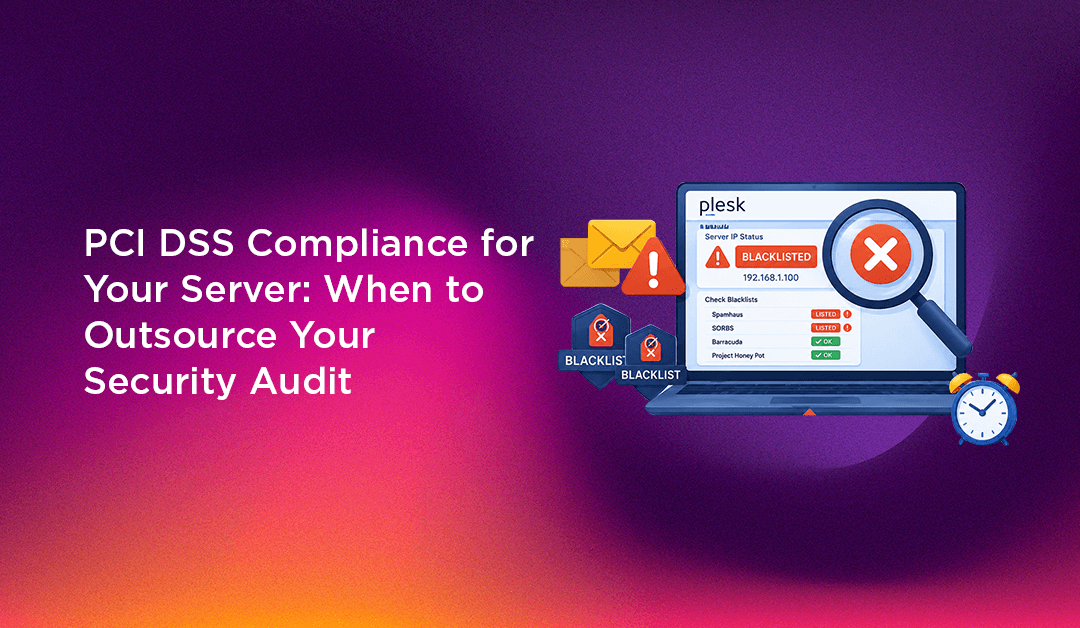
When your Plesk server's IP address gets blacklisted, the impact is immediate and broad: customers' emails bounce, newsletters disappear into spam folders, transactional emails (password resets, order confirmations) never arrive, and your hosting clients start losing trust in their email service. Every minute the IP stays blacklisted, the problem compounds — more receiving servers add it to their local deny lists, and reputation damage spreads beyond the original blacklist entries.
This guide walks through how to identify blacklistings, stop the source, delist your IP, and — critically — why a one-time fix without ongoing monitoring means you'll be back in this situation within weeks.
Why Plesk Server IPs Get Blacklisted
IP blacklisting happens when your mail server's IP is flagged by one or more reputation databases (RBLs — Realtime Blackhole Lists, also called DNSBLs) for sending spam or suspicious mail. The three main causes on Plesk shared hosting servers:
1. Compromised hosting account sending spam
The most common cause. A WordPress site or web application on your server has a vulnerability — an outdated plugin, a weak form mailer, a guessable FTP password. An attacker uses it to inject PHP mailer scripts and sends thousands of spam emails from your server's IP. Your IP gets flagged by spam traps within hours.
2. Misconfigured mail forwarder creating a spam relay
A hosting client sets up an email forwarder that routes all mail (including spam) from one address to another. When your server forwards spam received from external senders, the receiving mail server sees your IP as the spam source — not the original sender. This is called backscatter and triggers blacklistings without your server generating any spam itself.
3. Missing or broken SPF, DKIM, and DMARC records
Without proper email authentication, your legitimate emails look identical to spoofed emails to receiving servers. Major mail providers (Gmail, Microsoft) increasingly reject or spam-folder unauthenticated mail. Extended low-engagement rates from poorly delivered mail train spam filters to treat your IP negatively over time.
Step 1: Check Which Blacklists Your IP Is On
First, identify the scope of the problem. Run your mail server's IP through:
- MXToolbox Blacklist Check:
mxtoolbox.com/blacklists.aspx— checks 100+ blacklists simultaneously - MultiRBL:
multirbl.valli.org— comprehensive RBL check - Spamhaus:
check.spamhaus.org— the most important blacklist; being listed here affects delivery to the majority of mail servers
Note every blacklist you appear on. Each has its own delisting process, timelines, and requirements. Spamhaus requires you to stop the spam source before they'll delist — trying to delist without fixing the source results in immediate re-listing.
Step 2: Find and Stop the Spam Source
This is the most critical step. Delisting without stopping the source means you'll be relisted within 24–48 hours.
Check Plesk mail logs for outbound spam
# Check postfix/qmail mail log for outbound volume
tail -500 /var/log/maillog | grep "status=sent" | awk '{print $7}' | sort | uniq -c | sort -rn | head -20

# Check for high-volume senders
grep "from=" /var/log/maillog | grep -v "postmaster\|mailer-daemon" | awk -F'from=<' '{print $2}' | cut -d'>' -f1 | sort | uniq -c | sort -rn | head -20
Any address sending hundreds of emails per hour is your spam source. In Plesk, find the subscription that owns that address and investigate the associated web application.
Check mail queue for spam
In Plesk Admin → Tools & Settings → Mail → Mail Queue. Sort by sender — a legitimate server should not have more than a few dozen queued messages. Thousands of queued messages from a single account or domain is the spam source.
# Via command line
postqueue -p | head -50    # Postfix
mailq | head -50           # Exim
Find the injected PHP mailer script
# Find recently created PHP files in web directories
find /var/www/vhosts -name "*.php" -mtime -7 | xargs grep -l "mail(\|fsockopen\|base64_decode" 2>/dev/null | head -20
Delete any suspicious files, rotate all FTP/SFTP passwords for the affected account, and update all CMS software on that subscription immediately.
Disable problematic forwarders
In Plesk, go to the affected subscription → Mail → Email Forwarding. Disable any forwarder that's routing externally, especially catch-all forwarders that accept all mail to a domain.
Step 3: Fix Email Authentication (SPF, DKIM, DMARC)
Before requesting delisting, ensure authentication is fully configured — delisting services check this.
In Plesk: Go to Tools & Settings → Mail → Mail Server Settings. Enable DKIM signing for all domains. Then for each affected domain:
SPF record (add to DNS):
v=spf1 mx a ip4:YOUR.MAIL.SERVER.IP ~allDKIM: Plesk generates DKIM keys per domain. In each subscription → Mail → Mail Settings → enable DKIM. Copy the generated TXT record to DNS.
DMARC record (add to DNS as TXT record for _dmarc.yourdomain.com):
v=DMARC1; p=quarantine; rua=mailto:dmarc@yourdomain.com; pct=100Start with p=quarantine (not p=reject) until you've confirmed all legitimate mail is authenticating correctly.
Step 4: Request Delisting from Each Blacklist
With the spam source stopped and authentication configured, submit delisting requests:
- Spamhaus:
www.spamhaus.org/lookup/— click "Request Removal". Requires spam to have stopped; manual review for serious listings - Barracuda:
www.barracudacentral.org/rbl/removal-request— requires email submission with explanation - SORBS:
www.sorbs.net— automated delisting for most entries - Spamcop: automatic delisting after 24–48 hours with no new complaints
- Microsoft Smart Network Data Services (SNDS):
sendersupport.olc.protection.outlook.com— essential if your mail to Outlook/Hotmail is being blocked
Each delisting request typically takes 24–72 hours. During this period, mail to recipients whose servers use those RBLs continues to fail.
Why This Keeps Happening Without Proactive Management
Here's the pattern that makes IP blacklisting a recurring problem rather than a one-time fix: you get blacklisted, you find and remove the spam source, you delist, everything works — for a few weeks. Then a different account gets compromised (or a new forwarder is set up, or a plugin goes unpatched) and you're back at the start.
Preventing recurrence requires ongoing work that most self-managed server operators don't have time to do consistently:
- Daily monitoring of outbound mail volume per account — catching spam outbreaks in minutes, not hours
- Automated alerting when mail queue exceeds a threshold
- Regular RBL checks (at least weekly) to catch listings before clients report email problems
- Proactive application security — keeping WordPress and plugins updated across all subscriptions, not just your own
- Rate limiting on SMTP submission to cap how much mail any single account can send per hour
- Regular review of forwarders for backscatter risk
This is 3–5 hours of skilled monitoring work per week on an active shared hosting server. For most hosting companies, it's not the best use of their time — and the consequences of missing a day are expensive.
If your Plesk server has been blacklisted more than once in the past year, the problem isn't your response to blacklistings — it's the absence of ongoing monitoring that catches the conditions that lead to blacklisting before it happens. CloudHouse Technologies' managed server service includes 24/7 mail reputation monitoring, spam outbreak detection, and proactive security management — the infrastructure that prevents blacklistings rather than just recovering from them.