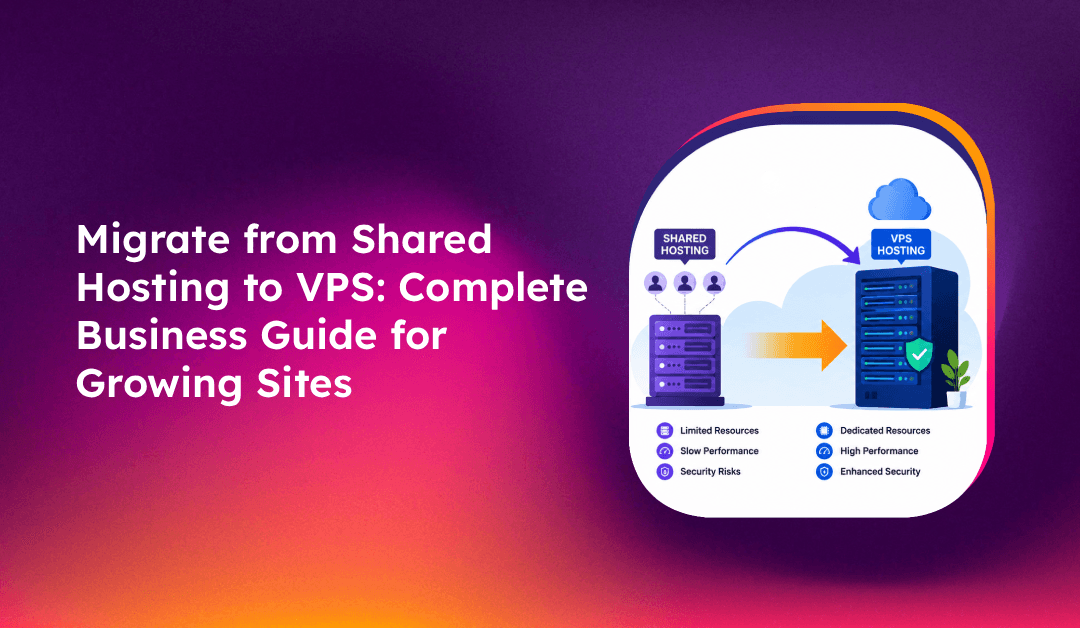
Your site is slow, you're hitting CPU limits, and your hosting company keeps sending resource warning emails. These are the signs that shared hosting has become the ceiling — not the floor — for your growth. Migrating to a VPS unlocks dedicated resources, root access, and the control to scale on your terms. This guide covers the exact steps to migrate from shared hosting to VPS, the DNS strategy to minimize downtime, and the mistakes that cause businesses to lose data or email during the cutover.
💡 None of these worked? Skip the guesswork.
Get Expert Help →5 Signs Your Website Has Outgrown Shared Hosting
Shared hosting works well at small scale — until it doesn't. Here's what to watch for:
WordPress sites on quality VPS hosting typically deliver Largest Contentful Paint (LCP) of 1.2–1.5 seconds. The same configuration on shared hosting routinely reaches 2.5–4 seconds. If you've optimized images, enabled caching, and used a CDN but still can't hit sub-2-second loads, the shared environment is the bottleneck.
Entry Process 508 errors — "Resource Limit Is Reached" in cPanel — mean your account exceeded its CPU or entry process allocation. On shared hosting, you're competing with hundreds of other sites for the same physical CPU. Regular throttling during business hours is a clear signal to move.
503 errors during routine operations, sluggish admin interfaces, and delayed page loads under moderate traffic indicate the server is swapping to disk — a condition caused by RAM exhaustion. On VPS, your allocated RAM is yours; it doesn't shrink when neighboring accounts spike.
Shared hosting plans are sized for early-stage traffic. When your monthly visits double or triple, the account-level resource limits don't scale with you. You need hardware allocation that grows with demand.
PHP version restrictions, no ability to install custom modules, limited access to server configuration files — shared hosting is fundamentally locked down. VPS gives you root access and full stack control.
Find your domain's A record in your DNS provider and reduce the TTL to 300 seconds. This change needs to propagate through DNS resolvers before it takes effect — allow 24–48 hours. When you switch servers later, resolvers will pick up the new IP within 5–10 minutes.
tar -czvf website-files.tar.gz /home/username/public_html/
mysqldump -u username -p database_name > database-backup.sql
crontab -l > cron-backup.txt
Also note your email accounts, forwarders, DNS records, and SSL certificates.
Install your OS, web server (Apache/Nginx), PHP, and MySQL/MariaDB. Set up a control panel (cPanel, Plesk, or Virtualmin) if needed.
Phase 2: File and Database Transfer
Transfer files using rsync over SSH to preserve permissions and ownership:
# Initial file sync
rsync -avz -e ssh /home/username/public_html/ user@vps-ip:/home/username/public_html/

# Final sync before cutover (removes deleted files from destination)
rsync -avz --delete -e ssh /home/username/public_html/ user@vps-ip:/home/username/public_html/
Migrate the database:
# Export and compress from shared hosting
mysqldump -u username -p database_name | gzip > database.sql.gz

# Transfer to VPS
scp database.sql.gz user@vps-ip:/home/username/

# On the VPS, import
mysql -u root -p -e "CREATE DATABASE database_name;"
gunzip < database.sql.gz | mysql -u root -p database_name
Phase 3: Pre-Cutover Testing
Test the VPS site without touching DNS by modifying your local hosts file:
# Linux/Mac: /etc/hosts  |  Windows: C:\Windows\System32\drivers\etc\hosts
YOUR_VPS_IP yourdomain.com www.yourdomain.com
Test: homepage, forms, SSL, e-commerce checkout, login, media files. Only proceed to DNS cutover once everything passes.
Phase 4: DNS Cutover
Update your domain's A record to the new VPS IP. With TTL pre-lowered to 300 seconds, most visitors resolve to the new server within 5–10 minutes. Keep shared hosting active for at least 72 hours as a fallback.
Common Migration Mistakes That Cause Downtime or Data Loss
Forgetting cron jobs: Cron jobs don't appear in cPanel file backups. Export them with crontab -l and also check /etc/cron.d/, /etc/cron.daily/, and /etc/cron.hourly/. Missed cron jobs break scheduled tasks silently.
Wrong file permissions after rsync: If you don't use the -a flag, rsync doesn't preserve ownership. Verify ownership with ls -la /home/username/public_html/ and fix with chown -R www-data:www-data /path/to/webroot if needed.
MX records pointing to old server: Changing the A record but forgetting MX records means web traffic goes to the VPS but email routes to the shared hosting server. Update MX records and recreate email accounts on the new server. Also update SPF and DKIM records.
Not testing before DNS switch: Using the hosts file trick takes 10 minutes and catches 90% of problems before any visitor is affected.
Keeping the old TTL during migration: A 3600-second TTL means DNS changes take up to an hour to propagate. Lower it to 300 seconds at least 24–48 hours before migration.
Server migrations are methodical but unforgiving of missed steps. For businesses where downtime has direct revenue impact, professional server migration services handle the full process — from pre-migration audit to post-cutover monitoring — with a tested rollback plan at every stage.