
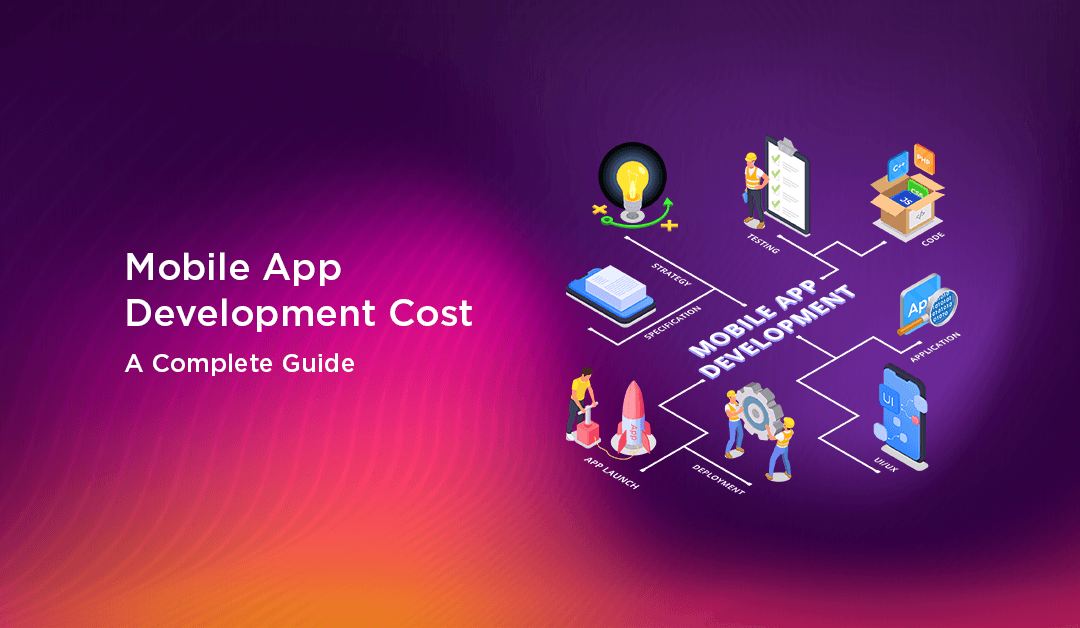
Software Development · Cost Guide · 2026
Mobile App Development Cost: How Much Does It Cost to Build a Mobile Application?
Every successful digital product begins with a clear understanding of the investment required. This comprehensive guide demystifies the financial aspects of software creation — so you can plan, negotiate, and launch with confidence.
When business leaders and entrepreneurs decide to bring a new software product to market, the immediate next step involves a deep dive into financial planning. Determining the exact cost to build a mobile application requires looking past simple estimates and understanding the mechanics behind software engineering, design, and project management.
By the end of this guide, you will have a clear framework for estimating your project budget, negotiating with development agencies, and avoiding the hidden expenses that frequently derail product launches.
The Short Answer: Baseline Cost Expectations
Before diving into the detailed variables, you need a baseline understanding of market rates. The cost to build a mobile application generally falls into three distinct tiers based on the scope and complexity of the software.
Simple
$10,000 – $30,000
2 – 3 months
Basic UI, standard functionality, minimal backend. Examples: calculators, directories, single-function utility tools.
Medium Complexity
$30,000 – $100,000
3 – 6 months
Custom UI, payment gateways, API integrations, user authentication. Examples: e-commerce stores, booking platforms, delivery tracking.
High Complexity
$100,000 – $300,000+
6 – 12+ months
Real-time sync, AI integrations, video streaming, complex multi-tiered architectures. Examples: social networks, trading platforms, telehealth systems.
Key Factors Influencing App Development Costs
Here is an overview of the main cost factors and how each impacts your mobile app development budget:
| Cost Factor | Description | Impact on Cost |
|---|---|---|
| Platform Selection | iOS, Android, or cross-platform frameworks like Flutter / React Native | Developing for multiple platforms increases costs |
| App Complexity | Number of screens, process flows, logic, and features | Higher complexity = more resources, time, and cost |
| Custom Design & UI/UX | Standard or custom user interface, animations, branding | Custom designs require more time and expertise |
| Backend Infrastructure | Server-side development, database, APIs, third-party integrations | Robust / integrated backends are more expensive |
| In-App Features | Chat, media, payments, maps, push notifications, etc. | Each advanced feature adds to overall budget |
| Hardware Integration | GPS, camera, sensors, Bluetooth, AR/VR, wearables | Requires additional development and testing time |
| Security & Compliance | Data encryption, authentication, GDPR, HIPAA, etc. | Increased effort for highly regulated sectors |
| Team Composition | Developers, designers, QA, project managers, analysts | Larger teams / more experts = higher costs |
| Location of Developers | North America, Europe, Asia, etc. | Rates vary widely by region |
| Ongoing Maintenance | Updates, bug fixes, new device / OS support | Typically 15–20% of initial dev cost per year |
Types of Mobile Apps and Their Unique Considerations
Understanding the various types of mobile applications is crucial as it directly influences your project's cost, required technology, and user experience.
- —Native Apps — Built specifically for iOS or Android using platform-specific languages (Swift, Kotlin/Java). Offers best performance and device hardware access, but requires separate builds for each platform.
- —Cross-Platform Apps — Created using frameworks like Flutter or React Native, allowing a single codebase for both iOS and Android. Reduces development cost and timeline, but may have some limitations with advanced hardware features.
- —Progressive Web Apps (PWA) — Delivered via a web browser, offering an app-like experience without installation from app stores. Ideal for broad accessibility but with limited hardware integration.
- —Hybrid Apps — Combine web technologies (HTML, CSS, JS) with a native wrapper. Faster to build and update; good for content-focused or simple utility apps.
App Login and Sign-On: Foundation for Security and Experience
Secure user authentication is vital for most mobile apps today. Common login and sign-on approaches include:
- —Email & Password — Standard and easy to implement. Suitable for simple apps or early MVPs.
- —Social Logins — Enable users to sign in with Google, Facebook, Apple, etc., reducing friction and boosting conversions.
- —Phone Number / OTP Verification — Increasingly popular for regions with high mobile usage.
- —Biometric Authentication — Uses device features like fingerprint or Face ID for quick, secure access — especially in finance or healthcare apps.
- —Single Sign-On (SSO) — Used in enterprise environments to let users log into multiple services with a single set of credentials.
Well-implemented authentication not only improves user experience, but also adds to initial development time and cost — especially with multi-factor authentication or enterprise-grade security.
Core Mobile App Features to Consider
Every app's cost is determined by its feature set. Here are essential and commonly requested features:
- —User registration and login / log-out flows
- —Profile management
- —Push notifications
- —Search
- —In-app messaging or chat
- —Payments and subscription management
- —Data analytics dashboard
- —Device permissions (location, camera, microphone)
- —Ratings and reviews
In-App Features with Projected Build Times
| Feature | Estimated Build Time |
|---|---|
| User Registration / Login | 20 – 40 hours |
| Social Login Integration | 16 – 32 hours |
| Push Notifications | 16 – 24 hours |
| In-App Purchases | 32 – 50 hours |
| Chat / Messaging | 50 – 80 hours |
| Search Functionality | 15 – 30 hours |
| Payment Gateway | 28 – 40 hours |
| Admin Dashboard | 40 – 80 hours |
| Ratings & Reviews | 12 – 20 hours |
| GPS / Map Integration | 20 – 40 hours |
| Camera Integration | 16 – 32 hours |
| Multi-language Support | 20 – 40 hours |
| Analytics Integration | 12 – 24 hours |
Note: Actual build times will vary by app complexity and required third-party integrations.
App Hardware Integrations
Many modern apps leverage device-specific hardware to deliver enhanced functionality. Each integration adds to cost and testing time due to device compatibility needs.
- —Camera Access — For photos, video, scanning QR codes, and document uploads.
- —GPS & Location — Navigation, local search, delivery tracking, check-ins.
- —Bluetooth — Connecting to wearables, fitness bands, or IoT devices.
- —Biometrics — Unlocking apps with fingerprint or facial recognition.
- —Accelerometer & Gyroscope — Fitness, games, AR, and navigation features.
- —NFC — Contactless payments or device pairing.
Team Members Needed to Build a Mobile App
| Role | Primary Responsibilities |
|---|---|
| Product Owner / Client | Defines project vision and key requirements |
| Project Manager / Scrum Master | Oversees timeline, scope, and communication |
| UI/UX Designer | Creates user flows, prototypes, and final visuals |
| Mobile App Developer | Builds app code (iOS, Android, or cross-platform) |
| Backend Developer | Server, API, and database integration |
| QA Engineer / Tester | Automated / manual testing, bug fixes, quality checks |
| DevOps Engineer | Deployment, CI/CD, and app store submissions |
| Business Analyst | Requirements gathering and user stories |
| Marketing Specialist (optional) | Plans launch, ASO, and early user acquisition |
Small to medium apps may combine some roles or operate with a leaner team, but complex builds will benefit from dedicated specialists for each role.
Outsourcing: Agencies vs. Freelance Developers
One of the most important decisions in app development is choosing the right team. You typically have two main options: working with a freelance developer or partnering with an established development agency.
Why Agencies Are Often the Better Choice
- —Project Management & Reliability — Agencies provide full-cycle project management, standardized processes, and built-in quality control, reducing the risk of miscommunication and delays.
- —Access to a Diverse Skill Set — Agencies house developers, designers, testers, analysts, and project managers under one roof, ensuring every aspect is handled by experts.
- —Long-term Support & Scalability — Agencies offer ongoing support, future upgrades, and long-term partnerships. If your project requires scaling or new features, an agency can allocate extra resources easily.
- —Business Continuity — Established companies provide contracts, confidentiality agreements, and data security standards to protect your intellectual property.
That said, freelancers can be a cost-effective solution for MVPs, prototypes, or small-scale apps. For robust, feature-rich applications where quality, timeline, and ongoing support are critical, a reputable agency is the recommended path.
Country-Wise Costs: How Location Impacts Your Budget
App development costs vary greatly around the world, driven by hourly rates, local talent pools, and market economics.
| Region | Typical Hourly Rate | Pros & Cons |
|---|---|---|
| North America | $100 – $250+ | High quality, excellent communication; most expensive |
| Western Europe | $80 – $150 | Top-tier engineers, cultural alignment, moderate-to-high pricing |
| Eastern Europe | $40 – $80 | Balance of quality and cost; popular for outsourcing |
| Latin America | $35 – $70 | Nearshore convenience for US clients, moderate pricing |
| Asia | $20 – $50 | Lowest rates; requires strong project management and communication |
| Australia | $100 – $180 | High quality, time zone alignment within APAC, higher pricing |
Frequently Asked Questions
01.How much does it cost to build a mobile application in 2026?
The total cost ranges from $10,000 for simple apps to $300,000+ for complex, feature-rich solutions. Factors like design, platform, feature set, and team expertise hugely influence your final budget.
02.What are the key factors that impact mobile app development cost?
Major drivers include app complexity, feature requirements, platform choice (iOS, Android, or both), custom UI/UX design, backend integration, location of your developers, and post-launch maintenance needs.
03.How long does mobile app development usually take?
Timelines range from 2–3 months for simple apps to 6–12 months or more for enterprise-grade platforms. Adding advanced features, hardware integrations, or complex design elements will extend this duration.
04.Is it cheaper to develop for iOS or Android?
Individual platform costs are similar, but developing for both natively will almost double the price compared to building just for one. Cross-platform frameworks like Flutter or React Native help reduce costs.
05.Are there hidden costs in app development?
Yes. Don't forget expenses like app store fees, hosting, third-party licenses, ongoing updates, and marketing. Maintenance typically adds 15–20% of the initial development cost per year.
06.Should I hire freelancers or an agency for app development?
For most serious business apps, an established agency offers better quality control, project management, and long-term support. Freelancers can work well for smaller or MVP projects.
07.What are the ongoing costs after launch?
These include server hosting, API licenses, regular maintenance, bug fixes, security patches, and user acquisition and marketing efforts.
08.How can I estimate feature development times?
Use the tables above for projected build hours for common features. More advanced or custom options will extend timelines and costs accordingly.
09.How do I choose the right app development partner?
Start with reputable agencies with transparent pricing, proven case studies, and clear processes. Always verify technical expertise and past results. Check platforms like Clutch and GoodFirms.
10.Where can I find professional app developers?
You can compare top-rated app development firms at reputable directories like Clutch and GoodFirms, in addition to reaching out to established agencies directly.
Conclusion: Making Your Investment Count
Understanding the exact cost to build a mobile application requires analyzing your feature set, choosing the right platform, and selecting a development partner that matches your financial constraints. Whether you are building a $20,000 internal utility tool or a $200,000 global e-commerce platform, detailed planning remains your best defense against budget overruns.
Start by defining your minimum viable product and validating your core concept. Focus on providing immediate value to your users rather than overwhelming them with unnecessary features. By managing your scope aggressively and accounting for post-launch maintenance, you can transform your initial investment into a highly profitable digital asset.
Take the time to document your requirements today, and you will be well on your way to a successful product launch.